Most B2B operators who contact Uncap about Shopify ERP integration have the same story. They were sold a custom-built solution a few years ago. It cost six figures. It breaks on a regular cycle. And now they need someone to maintain the middleware their previous agency built and documented poorly.
As a Shopify Platinum Partner with 380+ B2B builds, we have taken a different approach from the start: use proven, open technologies and choose the method that fits your ERP. That means direct integrations where they exist, iPaaS platforms when more workflow flexibility is needed, and purpose-built custom apps only as a genuine last resort. No custom bloat. No hidden retainers. Just a connection that runs.
Here is how each method works, when to use it, and what it costs.
What Is Shopify B2B ERP Integration?
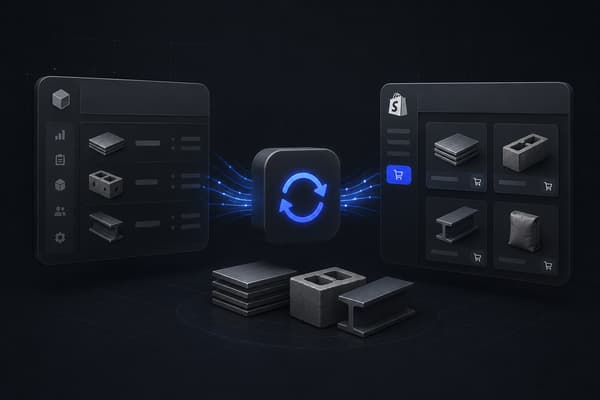
Shopify B2B ERP integration is the process of connecting your ERP system to Shopify so that orders, inventory, pricing, and customer data sync automatically between both platforms. For B2B operations, this means company accounts, customer-specific price lists, and purchase orders move between systems without manual re-entry, and the data your team relies on stays accurate in both places.
That covers the basics. What it does not cover is how to choose the right approach for your operation and what each option actually costs to implement and maintain over time. Shopify's documentation on integrating external systems with Shopify B2B outlines the three technical categories: direct integrations, iPaaS connectors, and API-based custom builds. This article walks through each one from an implementation perspective, including the tradeoffs you will not find in the documentation.
How Shopify B2B ERP Integration Differs from Standard Ecommerce
If you have run a DTC Shopify integration before, do not assume the same setup applies to B2B. The data model is more complex, and the sync logic needs to account for B2B-specific objects that a standard ecommerce integration never touches. This gap widens in building and construction supply, where branch inventory and job-based contract pricing add another layer to the data model.
In a DTC setup, you are syncing orders, inventory, and some customer data. In a Shopify B2B setup, you are also managing:
- Company accounts with location hierarchies. Shopify B2B lets a single buyer company have multiple locations, each with different contacts, shipping addresses, and approved buyers. Your ERP needs to map cleanly to that structure, not just to a flat customer record.
- Customer-specific price lists. Every company account in Shopify B2B can carry a dedicated price list enforced at login. Those prices typically originate in the ERP. The integration has to keep them current without overwriting manual overrides.
- Purchase orders and net payment terms. B2B buyers submit POs and expect net terms at checkout. Shopify supports both. The ERP needs to receive PO numbers, apply the correct accounts receivable treatment, and return confirmation data.
- Credit limit enforcement. Many distributors and manufacturers manage credit limits in the ERP. The integration needs to pass that data to Shopify so buyers cannot exceed their approved limit without a manual override.
- Offline orders in the buyer's account. Sales reps often enter orders by phone or EDI directly into the ERP. For buyers who expect to see their full order history in a Shopify portal, those ERP-originated orders need to sync back to Shopify.
Getting this data model documented correctly before the build starts is the single most effective thing you can do to prevent post-launch issues.
Why B2B ERP Integrations Get Overcomplicated
The typical approach from a traditional implementation firm: bespoke middleware, six months of development, a project fee in the six figures, and a monthly retainer to keep the thing running.
That model creates a dependency. The integration becomes infrastructure that only one vendor understands. When it breaks, you are waiting on them. When Shopify releases a new API version, they need to update the middleware. The cost compounds.
The operators who reach out to Uncap have usually been through at least one of those. The integration is a year old and already has known issues. The team has built workarounds. Orders get manually re-entered for the cases the sync does not handle.
Our position is that integration is infrastructure, not bespoke art. Use what already exists. Choose the method that fits your ERP. Document every mapping decision. Build something the client's team can operate without depending on any single vendor to keep it alive.
Method 1: Direct ERP Integrations with Shopify B2B
If your ERP has a certified Shopify connector, start there. Direct integrations are the fastest path to production, the least expensive to maintain, and designed to stay current with Shopify API updates without ongoing custom work on your side.
Shopify maintains direct integrations with several major ERP platforms through the App Store and certified private app programs. These connectors cover the data objects most manufacturers and distributors need: customers, orders, products, pricing, and inventory. They do not support every customization, but for most B2B operations with standard workflows, they are the right starting point.
The ERPs with direct Shopify connectors include:
- NetSuite, Oracle's cloud ERP for financials, inventory, and supply chain. The NetSuite-Shopify connector syncs orders, customers, and inventory, and is maintained by Shopify directly. When Shopify updates its B2B APIs, the connector updates with them. That matters for long-term stability and reduces your maintenance exposure significantly.
- Microsoft Dynamics 365, A combined ERP and CRM platform with strong manufacturing and distribution modules. The Dynamics connector handles real-time order, pricing, and inventory exchange between Shopify B2B company accounts and Dynamics records. Both Business Central and Finance and Operations versions are supported.
- Acumatica, A cloud ERP built for mid-market manufacturers and wholesalers. The Acumatica integration syncs B2B customer accounts, order workflows, and inventory positions without requiring custom development on either side.
- Infor M3, Built for global manufacturers and distributors in food, fashion, and industrial equipment. The Infor connector enables unified data flow for customers, products, pricing, and inventory across multi-site operations. If you are running separate warehouses or distribution centers under one Shopify storefront, this matters.
Not every ERP surfaces in the Shopify App Store. Some are installed through private apps. Oracle ERP Cloud, for example, connects through the Oracle Integration Cloud Shopify Adapter, which is installed directly rather than through the public marketplace.
The maintenance advantage of direct integrations is real. Because the connector is a commercial product with a vendor behind it, your integration inherits their update cycle. API changes, new Shopify B2B features, and platform updates become the connector vendor's responsibility, not yours.
Where direct integrations fall short: they do not support deep customization of sync logic. If your ERP configuration has custom fields, non-standard transaction types, or workflow triggers that fall outside the connector's default mapping, the direct connector may require workarounds that create more complexity than switching to an iPaaS approach from the start.
Method 2: iPaaS Solutions for Shopify B2B ERP Integration
iPaaS (Integration Platform as a Service) is the middle path between a direct connector and fully custom development. These platforms provide a structured environment for connecting multiple systems through pre-built templates, configurable workflow logic, and transformation rules for data that does not map cleanly between Shopify's model and your ERP's.
For Shopify B2B specifically, iPaaS handles what direct connectors often cannot: bidirectional order sync, multi-system orchestration, conditional data transformation, and edge cases like offline orders, freight charges, and non-catalogued SKUs arriving from a sales rep's ERP entry.
A practical example: a distributor runs a sales team that takes orders by phone and enters them directly into the ERP. Those ERP-originated orders need to appear in the buyer's Shopify portal as part of their order history. A direct Shopify App Store connector handles Shopify-to-ERP. An iPaaS platform handles both directions, including the ERP-to-Shopify sync for those sales-rep-entered orders. For B2B operations where offline and online orders exist in parallel, that bidirectional capability is not optional.
iPaaS platforms Uncap works with include:
- Celigo, One of the most widely used iPaaS platforms in the Shopify ecosystem. Celigo's pre-built integration templates (Integrator.io) cover common ERP, CRM, and fulfillment workflows. The Shopify-to-NetSuite template is among the most deployed, but Celigo supports a broad range of ERP targets and is actively maintained for Shopify B2B use cases.
- APPSeCONNECT, Purpose-built for ecommerce and manufacturing workflows, with deep connectors for SAP, Microsoft Dynamics, and Sage. Strong on bidirectional order sync and data transformation rules, particularly when your ERP pricing or order schema does not map cleanly to Shopify's structure without transformation logic.
- DCKAP, Built for distributors and manufacturers. DCKAP offers flexible data mapping, sync management, and connector coverage across ERP, PIM, and ecommerce platforms. Distribution-specific data requirements, like split shipments, location-based pricing, and EDI order handling, are well-supported.
- Jitterbit, A global iPaaS with a strong API management layer. The right choice for complex enterprise environments where Shopify is one node in a larger integration architecture alongside Salesforce, NetSuite, and warehouse management systems operating at scale.
- Patchworks, A UK-based iPaaS with a clean implementation process and an extensive library of pre-built ecommerce and ERP connectors. A practical option when timeline is the priority and your ERP is covered by their connector library.
iPaaS implementations typically start around $5,000 for initial setup, with ongoing SaaS platform fees from $300 per month. That is substantially lower than fully custom builds, and because the platform manages the infrastructure layer, your ongoing maintenance is configuration work rather than code maintenance.
The tradeoff is configuration complexity. Field mapping errors in an iPaaS setup can silently create data inconsistencies in ways that take weeks to surface. Uncap handles the implementation and documents every mapping decision so you are not inheriting a configuration that nobody on your team understands.
Method 3: Custom Integrations for Legacy ERPs Using Gadget
Some ERPs have no available connector, direct or iPaaS. Older proprietary systems, vertical-specific platforms, and heavily customized on-premise installations often fall into this category. They have no Shopify App Store presence and no pre-built iPaaS templates because they were never designed for ecommerce integration.
For these cases, Uncap builds custom Shopify-embedded apps using Gadget, a low-code development framework built specifically for Shopify app development. Rather than starting a full custom build from scratch (which means owning infrastructure, sync logic, error handling, API rate limiting, and every future update independently), Gadget provides a structured foundation that handles Shopify's API layer.
The result is a Shopify-embedded app that connects your ERP to Shopify B2B. Customers, orders, and inventory sync in real time. The app lives inside Shopify admin so your operations team does not need a separate interface. The code footprint is a fraction of a traditional fully custom build, which makes ongoing maintenance manageable rather than dependent on a specific engineering team to keep it alive.
Custom integrations via Gadget are the right call when your ERP is genuinely outside the reach of existing connectors. They are not the first recommendation. If a direct connector or iPaaS platform covers your ERP, one of those paths will cost less to build and lower ongoing overhead to maintain.
When a Gadget-based custom integration is worth the investment:
- The ERP is proprietary, on-premise, or industry-specific with no public API documentation that iPaaS platforms can target.
- Custom workflow logic is required that no existing connector template can accommodate, such as complex approval workflows, multi-step order validation, or integration with a third-party system that sits between Shopify and the ERP.
- A Shopify-embedded interface is needed for the ERP data, beyond basic order and inventory sync, for example an embedded view of ERP-managed quotes, invoices, or credit accounts visible within Shopify admin.
How to Choose the Right Shopify ERP Integration Approach
The right method depends on three things: which ERP you are running, how standard your data requirements are, and how quickly you need to be in production.
Decision guide:
Your ERP has a direct Shopify App Store connector (NetSuite, Dynamics 365, Acumatica, Infor M3): Start with the direct connector. Faster launch, lower cost, commercially maintained.
Your ERP is covered by iPaaS platforms (SAP, Sage, QuickBooks Enterprise, and most mid-market ERPs without native Shopify apps): Use iPaaS. More configuration flexibility, bidirectional sync support, manageable ongoing cost.
Your ERP is proprietary, on-premise, or has no existing connectors in either category: Build a custom embedded app using Gadget. Smaller footprint than traditional custom development, built on a framework designed for Shopify.
Not sure which category your ERP falls into: That is a scoping question. A discovery session is the right first step before any configuration work begins.
One practical note on the decision: do not assume a direct connector is always the right choice even when one exists. If your NetSuite configuration has significant customization (custom fields, non-standard transaction types, or approval logic the connector does not support), the direct connector may need workarounds that introduce more operational risk than starting with iPaaS. Choosing the wrong method at the beginning of the project is the main reason Shopify ERP integrations get rebuilt at month six. It is also why teams moving off BigCommerce should settle the integration method during scoping rather than after the storefront is live.
Orders that still arrive by email are their own conversion problem, which we break down in how converting emails into orders actually works.
What Data Needs to Sync Between Shopify B2B and Your ERP
Before any integration is built, Uncap maps the exact data objects and sync directions for each client. Getting this right upfront prevents the rework that happens when field mapping decisions are made during development rather than before it.
For most B2B operations, the sync scope covers:
- Orders. Shopify orders trigger sales document creation in the ERP. Depending on your fulfillment process, this can be a sales order, a pick ticket, or an invoice, created immediately when the Shopify order is placed or after payment confirmation. ERP-originated orders, placed by a sales rep or via EDI, sync back to Shopify as draft or completed orders for buyer visibility.
- Inventory. ERP inventory levels sync to Shopify on a schedule your operation can support: real time via webhooks for fast-moving items, or on a fixed interval (every five or fifteen minutes) for operations where ERP system performance limits real-time throughput. The right choice depends on how much inventory accuracy drift is acceptable in your storefront and what your ERP can handle at peak order volume.
- Customers and company accounts. Shopify B2B company records, with their associated locations, contacts, and buyer roles, map to ERP customer records. Credit limits, net terms, and payment terms set in the ERP enforce in Shopify automatically at checkout, without requiring manual configuration in two separate systems.
- Pricing. ERP price lists and customer-specific pricing sync to Shopify B2B catalogs. The ERP is typically the system of record for pricing. Shopify reflects those prices at login and enforces them throughout the order process. Price changes in the ERP propagate to Shopify on the sync schedule.
- Products. Product records, SKUs, descriptions, unit of measure, and extended attributes sync from ERP to Shopify. Most B2B operations treat the ERP as the master product catalog. Shopify receives that product data and adds storefront-specific content: images, descriptions, and SEO metadata that the ERP does not manage.
- Payments and invoices. For operations running on net terms, the integration handles payment confirmation from the ERP back to Shopify so order statuses update correctly. Some operations also require invoice PDFs attached to Shopify orders at the point of fulfillment, which adds a document generation step to the sync workflow.
The sync direction for each object needs to be decided and documented before the build. Changing it after go-live is expensive.
Keep Your Integration Lean and Your Data Clean
The difference between a Shopify ERP integration that runs well for three years and one that creates constant operational problems usually comes down to two decisions made early: choosing the right integration method for your ERP, and mapping your data objects correctly before any build starts.
As a Shopify Platinum Partner, Uncap has scoped and built Shopify ERP integrations for manufacturers and distributors across every major ERP category. We scope each integration based on what your operation actually requires: which data needs to flow, in which direction, at which frequency, and through which technical path. Not on which solution carries the highest implementation fee.
If you are evaluating a Shopify B2B ERP integration and want a clear recommendation on which method fits your stack, Request a Quote with our team.
Frequently asked questions
What is the difference between a direct integration and an iPaaS integration for Shopify?
A direct integration connects Shopify to your ERP through a pre-built connector from the Shopify App Store or a certified private app, with minimal configuration required. An iPaaS integration runs through a third-party middleware platform that lets you build custom workflow logic, transform data between schemas, and manage multi-system connections that a point-to-point connector cannot handle. Direct is faster and simpler when your ERP supports it and your data requirements are standard. iPaaS is more flexible but requires more configuration expertise to set up correctly and more documentation to maintain over time.
Does Shopify B2B support real-time ERP sync?
Yes. Shopify's API supports real-time webhooks so that orders placed in Shopify can trigger immediate record creation in the ERP. Whether your integration actually runs in real time depends on your ERP's capacity to receive and process those webhooks at the rate your order volume generates them. Most mid-market ERP systems handle standard B2B order volumes without latency issues. High-volume operations or older on-premise systems may need a buffer interval rather than true real-time sync to avoid performance degradation on the ERP side.
Can Shopify integrate with SAP for B2B operations?
Yes. SAP Business One and SAP S/4HANA both have established Shopify integration paths. APPSeCONNECT and DCKAP both offer SAP-to-Shopify connectors as part of their iPaaS platforms. The right connector depends on your SAP version, your hosting setup (cloud versus on-premise), and the degree of customization in your SAP configuration. On-premise SAP with heavy customization usually routes through iPaaS rather than a direct connector, because the field mapping complexity exceeds what a standard connector handles out of the box.
How long does a Shopify B2B ERP integration take to implement?
Direct integrations using a Shopify App Store connector typically deploy in four to eight weeks, including data mapping, testing, and go-live validation. iPaaS implementations with standard data requirements run six to twelve weeks, with timelines extending when your ERP configuration requires custom field mapping or when data cleanup is needed before the integration can be configured accurately. Custom Gadget integrations typically run ten to sixteen weeks to a production-ready embedded app. Timelines across all three methods can extend when the ERP does not have clean, documented data to work with.
What does Shopify B2B ERP integration cost?
Direct integrations through the Shopify App Store carry a monthly app fee (typically $50 to $500 per month depending on the connector) with minimal upfront implementation cost if your data requirements are standard. iPaaS implementations run from approximately $5,000 for initial setup, with ongoing SaaS platform fees starting around $300 per month. Custom Gadget integrations vary by scope but are consistently below the cost of traditional fully custom development, with lower ongoing maintenance overhead because the Gadget framework handles the Shopify API layer. Across all three methods, the total cost of ownership is significantly lower than a proprietary custom middleware build.