Shopify NetSuite Integration: Options, Costs and What B2B Merchants Need to Know
An order comes in. Your rep enters it in Shopify. NetSuite still shows the old inventory count because the sync ran six hours ago. Your warehouse picks and ships based on NetSuite. The customer gets a confirmation for three units when only one was actually available.
That is not a connector problem. That is what happens when the architecture is wrong from the start.
The Shopify NetSuite integration market is full of vendors telling you their connector will fix everything. Most of them are writing for DTC brands that need to move Shopify orders into NetSuite for accounting. If you are a manufacturer, distributor, or wholesaler, your situation is more complex. This guide covers the actual options, what each costs, and what B2B merchants need to think through before they start. In fashion and apparel, size-run inventory and seasonal pricing make those decisions especially unforgiving, since Shopify and NetSuite have to show the same numbers.
What Does a Shopify NetSuite Integration Do?
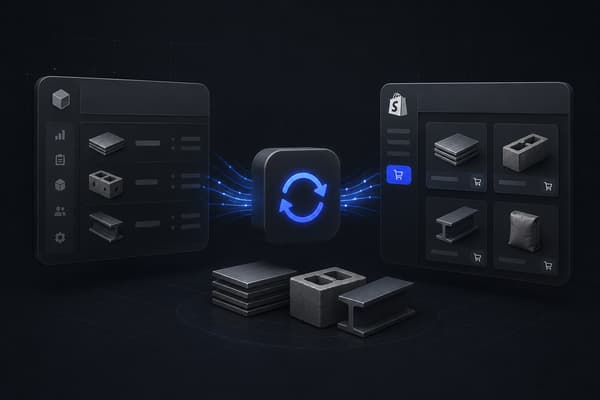
A Shopify NetSuite integration creates an automated data bridge between your Shopify storefront and your NetSuite ERP. When properly configured, it syncs orders, inventory levels, customer records, product data, fulfillment status, and financial transactions between both systems in real time or on a defined schedule, eliminating the manual re-entry that causes errors and delays.
The Three Ways to Connect Shopify and NetSuite
There is no single right answer here. The approach depends on your order volume, data complexity, and how much custom logic your operation requires.
Option 1: Pre-Built Connector Apps
Pre-built connectors are purpose-built integrations designed specifically for Shopify and NetSuite. They come with standard data mappings out of the box, configuration UIs rather than code, and support teams familiar with both platforms.
This is the fastest path to a working integration. For DTC and simpler B2C operations, pre-built connectors often cover everything needed. Common options in this category have been built by vendors who specialize in NetSuite connectors and are available through the Shopify App Store or directly from NetSuite's SuiteApp marketplace.
The tradeoff is flexibility. Pre-built connectors handle standard flows well: order sync, basic inventory update, customer creation, fulfillment status. They struggle when your business has custom pricing logic, non-standard order types, or workflows that do not fit their default mapping templates.
Option 2: iPaaS (Integration Platform as a Service)
iPaaS platforms sit in the middle layer between Shopify and NetSuite. They provide a workflow builder where you define the logic for each data flow: what triggers a sync, how fields map, what happens on error, how exceptions are routed.
This approach is significantly more flexible than a pre-built connector. You can build custom logic, handle edge cases, and extend the integration as your business changes. It requires more setup time and ongoing administration, and the pricing model typically runs monthly per-connection or per-flow.
For businesses with moderate custom requirements, iPaaS often hits the right balance between flexibility and build time. The learning curve is real, and you will typically need an implementation partner with NetSuite and iPaaS experience to configure it correctly.
Option 3: Custom API Integration
A custom integration is built directly against Shopify's API and NetSuite's SuiteScript or REST API. There is no middleware platform. The integration logic lives in code, typically maintained by a development team or agency.
This is the most flexible option and the most expensive to build and maintain. For large B2B operations with highly specific requirements, custom integration is often the only approach that actually works. Standard connectors and iPaaS platforms both carry assumptions about how data should flow. A custom build carries only your assumptions.
The key consideration is ongoing ownership. A custom integration requires a technical resource who understands both the integration code and the business logic it encodes. When the integration breaks, or when either platform releases a significant update, someone needs to fix it.
Pre-built Connector
Best For: Standard DTC or simple B2B flows
Typical Setup Time: Days to weeks
Maintenance Burden: Low
Flexibility: Low
iPaaS
Best For: Moderate custom logic, growing operations
Typical Setup Time: Weeks to months
Maintenance Burden: Medium
Flexibility: High
Custom API
Best For: Complex B2B, unique data models
Typical Setup Time: Months
Maintenance Burden: High
Flexibility: Highest
How Data Flows Between Shopify and NetSuite
A well-configured Shopify NetSuite integration moves data in both directions. Understanding what syncs from where prevents the mapping errors that create reconciliation headaches later.
Sales Orders
Typical Direction: Shopify → NetSuite
Notes: Created in NS as sales orders or cash sales
Inventory Levels
Typical Direction: NetSuite → Shopify
Notes: NS is the inventory master; Shopify reads from it
Products and Pricing
Typical Direction: NetSuite → Shopify
Notes: Item records and price levels managed in NS
Customer Records
Typical Direction: Bidirectional
Notes: New Shopify customers created in NS; NS account records pushed to Shopify
Fulfillment Status
Typical Direction: NetSuite → Shopify
Notes: Shipping confirmation triggers Shopify fulfillment event
Payments
Typical Direction: Shopify → NetSuite
Notes: Payment entries match against sales orders
Refunds and Returns
Typical Direction: Bidirectional
Notes: Credit memos in NS, refund events in Shopify
Purchase Orders
Typical Direction: NetSuite only
Notes: POs remain in NS; only inventory counts push to Shopify
The sync direction matters. NetSuite is almost always the master record for inventory, pricing, and customer account data in a B2B operation. Shopify is the transaction layer. The integration should respect that hierarchy, not flatten it.
What Does a Shopify NetSuite Integration Cost?
Cost ranges vary widely based on approach and complexity. These are realistic ranges based on what Uncap has seen across 380+ Shopify storefronts.
Pre-built Connector
Implementation Cost: $0 to $5,000 (setup services)
Ongoing Monthly Cost: $200 to $800/mo (connector license)
iPaaS
Implementation Cost: $5,000 to $30,000 (configuration and mapping)
Ongoing Monthly Cost: $500 to $3,000/mo (platform + maintenance)
Custom Integration
Implementation Cost: $25,000 to $150,000+ (build)
Ongoing Monthly Cost: $1,000 to $5,000+/mo (maintenance and hosting)
A few cost factors that push numbers to the higher end of each range:
Multiple warehouses. Multi-location inventory logic multiplies the complexity of every inventory sync flow.
Customer-specific pricing. If different accounts pay different prices for the same SKU, the integration needs to pull the correct price level from NetSuite and apply it correctly in Shopify. Standard connectors often skip this entirely.
High SKU count. Catalogs with thousands of SKUs require more careful product sync logic, more thorough testing, and more time spent on data normalization before go-live.
Legacy data. If your NetSuite instance has years of inconsistent item records, customer duplicates, or non-standard field usage, data cleanup is a prerequisite for a working integration. That cleanup has a cost before the integration work even begins.
What B2B Merchants Need to Think Through Before They Start
Customer-Specific Pricing
In B2B, price is not a number. It is a relationship. Account A pays $18.50 per unit. Account B pays $22.00. A distributor you have worked with for eight years gets a different price list than a new account placed on standard terms.
NetSuite handles this through price levels and customer-specific pricing rules. Shopify handles it through customer tags, B2B catalogs, and price lists. Syncing these correctly requires the integration to read the right price level from NetSuite and apply it to the right Shopify customer account, and to update both when pricing changes.
Standard connector apps almost always get this wrong or skip it entirely. Verify explicitly how any connector you evaluate handles customer-specific pricing before committing.
Net Terms and Accounts Receivable
B2B buyers pay on terms. Net 30, net 60, sometimes net 90. The order ships before payment arrives. Standard integration logic expects a payment event in Shopify to match against a NetSuite sales order. When payment does not happen at checkout because the account is on terms, that match never comes, and the entry either errors or sits unreconciled.
A properly configured B2B integration separates the sales order creation event from the payment application event. The order syncs to NetSuite as an open sales order immediately. The payment applies against the open invoice when it arrives. Understanding how B2B payment terms interact with your NetSuite AR module is essential before designing the integration, not after.
The same architecture questions apply if you run a different ERP, which we work through in our practical guide to Shopify Epicor integration.
Order Capture Upstream of Shopify
Here is the problem that every connector article ignores: for most B2B merchants, a significant portion of orders never starts in Shopify.
They come in through email. Through a WhatsApp message. Through a phone call where the rep takes the order by hand. The rep then opens Shopify, creates a draft order manually, and enters every line item. Only after that does the order exist in Shopify for any integration to pick up.
If that upstream step is manual, the best Shopify NetSuite integration in the world does not fix your operations. It automates the transfer of data that was manually entered in the first place. The errors happen before the integration even sees the order. Converting email orders into Shopify orders automatically is the layer that makes the downstream sync worth having. Operators migrating from NetSuite commerce to Shopify hit this squarely, since the integration boundaries decide whether the cutover is smooth or messy.
Draft Orders vs Checkout Orders
B2B Shopify operations use draft orders differently from DTC operations. A rep builds a draft, the customer reviews it, revisions happen, then the rep marks it complete. Throughout that process, a draft order in Shopify may be modified multiple times before it becomes a confirmed order.
Most integration connectors trigger a sync on order confirmation or payment. They do not handle the draft order lifecycle well. If a draft is modified three times before the rep marks it complete, the integration needs to know which version to sync, and when.
Test this scenario specifically in any connector evaluation. Create a draft order. Modify it twice. Complete it. Check what appears in NetSuite and whether it reflects the final version correctly.
Multi-Warehouse and Fulfillment Routing
Distributors and manufacturers often ship from multiple locations. A customer in the Southwest ships from Phoenix. A customer in the Northeast ships from New Jersey. The inventory counts, the available-to-promise logic, and the fulfillment routing all need to resolve correctly across locations.
NetSuite's multi-location inventory is powerful. Getting Shopify to reflect accurate available inventory per location, and routing fulfillment back to the right NetSuite warehouse, requires custom mapping work that pre-built connectors often do not cover.
If you ship from more than one location, confirm multi-warehouse support explicitly before choosing an approach.
Common Integration Problems and How to Prevent Them
The Reddit thread "Anyone else fed up with Shopify-NetSuite connectors?" sits on page one of Google for this keyword. It is there because the frustrations are real and the standard content does not address them honestly.
Inventory going negative. Happens when the sync runs on a delay and orders process faster than inventory updates. Fix: move to real-time inventory sync if your connector supports it, or build buffer stock logic that reserves inventory before the count updates.
Duplicate customer records. Happens when the connector creates a new NetSuite customer on every Shopify order rather than matching against existing records. Fix: define a customer match key (email or NS internal ID) before go-live and verify matching behavior with test orders.
Orders syncing before data is ready. A Shopify order that references a product not yet in NetSuite, or a customer without a valid NetSuite account, will fail to sync. Fix: validate that your product and customer data is fully in sync before turning on order sync.
Silent failures. The integration fails and no one notices for three days because there is no alerting configured. Fix: set up error alerting on day one. Every failed sync should generate a notification to a named owner within one hour.
Integration breaks after a platform update. Shopify and NetSuite both release updates regularly. A connector built against one version of the API may behave unexpectedly after an update. Fix: assign a named owner for the integration who monitors release notes and reviews behavior after major updates.
Getting the Architecture Right Before You Build
A Shopify NetSuite integration is not a plug-in. It is architecture. The decisions you make about sync direction, data ownership, error handling, and B2B-specific logic are hard to change once the integration is live and processing real orders.
Uncap has been a Shopify Platinum Partner since 2013, with ERP integration work delivered across NetSuite, QuickBooks, Microsoft Dynamics, and SAP for manufacturers, distributors, and wholesalers across North America. We have seen what happens when integration architecture is designed without accounting for B2B order complexity, and we have seen what a well-designed integration looks like when it runs cleanly. This Shopify NetSuite integration guide pairs with our NetSuite integration service page, where you can see exactly what we wire up for operations like yours.
If you want to think through the right approach for your specific operation before committing to a connector or a build, the Blueprint process is where that conversation starts. Architecture first. Build second.
Request a Quote and we will walk through what a clean Shopify NetSuite integration looks like for your operation.
Frequently asked questions
What are the ways to connect Shopify and NetSuite?
Three: pre-built connector apps for standard flows, iPaaS platforms for moderate custom logic, and fully custom API integrations for complex B2B operations with unique data models.
What does a Shopify NetSuite integration cost?
Pre-built connectors run $0 to $5,000 to implement plus $200 to $800 monthly. iPaaS lands at $5,000 to $30,000 plus $500 to $3,000 monthly. Custom builds range $25,000 to $150,000 or more, with $1,000 to $5,000 monthly maintenance.
Which system should be the master record?
NetSuite is almost always the master for inventory, pricing, and customer account data in B2B; Shopify is the transaction layer. The integration should respect that hierarchy rather than flatten it.
What B2B requirements do standard connectors usually miss?
Customer-specific pricing, net terms order flows that separate order creation from payment, the draft order lifecycle reps rely on, and multi-warehouse fulfillment routing. Verify each explicitly before committing to a connector.