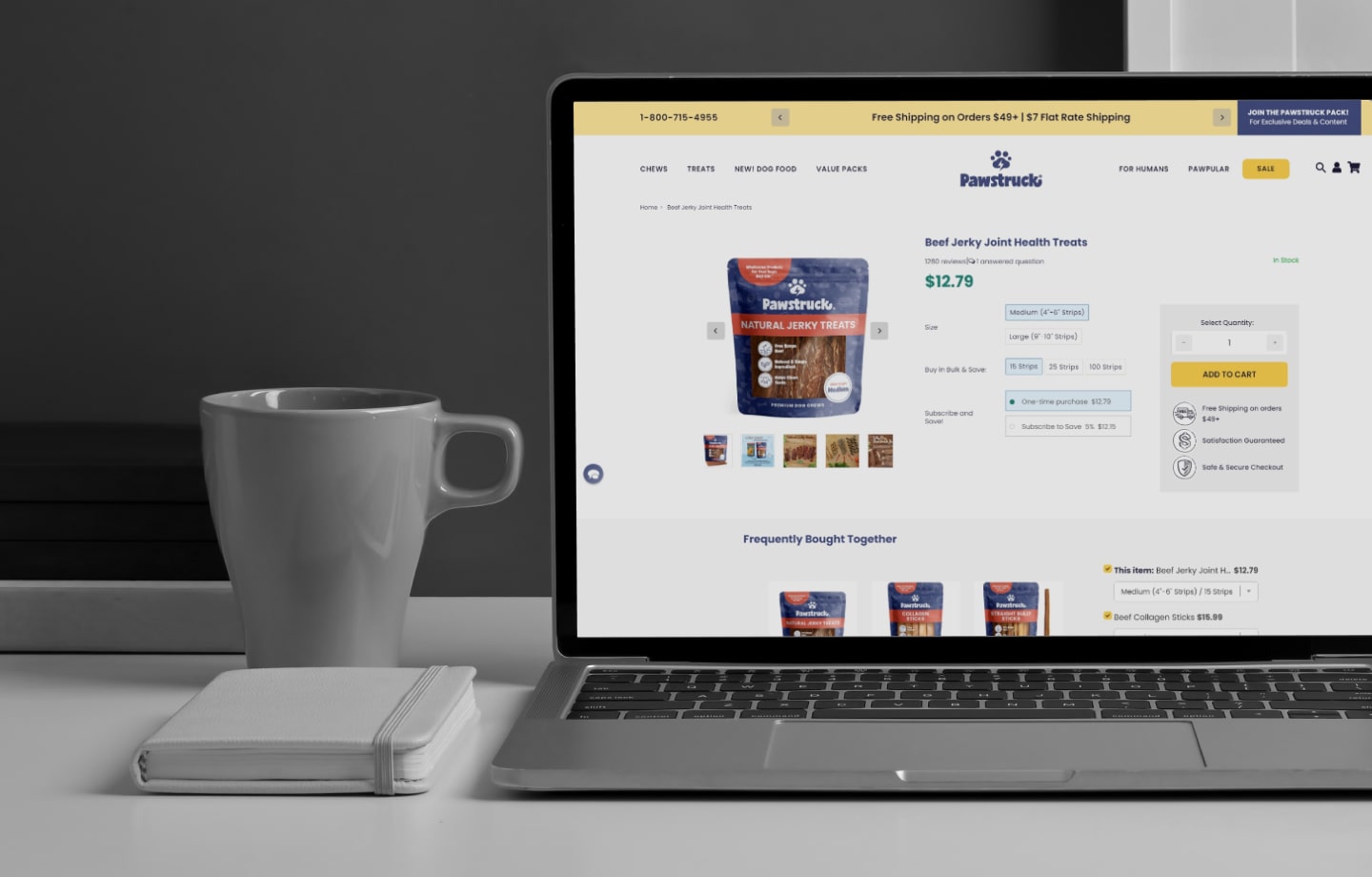
Your product page is your most important landing page. Most buyers do not arrive on your homepage and browse. They search for a part, a spec, or a problem, and they land on a product detail page (PDP). For a B2B operation, that page has to do the work of a salesperson: confirm the price, confirm the fit, answer the objection, and let the buyer act, all without a phone call.
B2B product page optimization is the work of turning that page from a spec sheet into a decision. The buyer already knows roughly what they need. Your PDP either gives them the confidence to order online, or it sends them back to email and the phone. The product page is where much of your B2B ecommerce conversion is won or lost, so this is how to make the page work in your favor.
Here is what a high-converting B2B product page does, and where to start.
What is a product detail page (PDP)?
A product detail page, or PDP, is the page for a single product: its title, images, description, specifications, price, and the action to buy or request it. In ecommerce it is the page where the decision happens. In B2B it carries more weight than in B2C, because the buyer is verifying a known purchase against real constraints, fit, pricing tier, availability, and terms, before committing their company’s money.
Because search engines and AI assistants send buyers straight to PDPs, the page also has to work as a landing page: it has to make sense to someone who arrived cold, with no context from the rest of your site.
Why B2B product pages are different from B2C
A B2C product page sells a feeling: lifestyle photos, reviews, a fast add-to-cart. A B2B product page removes doubt. The buyer is not browsing. They need to answer four questions before they order: Is this the right part? What is my price? Is it in stock? Can I get it on my terms? A page that answers all four converts. A page that leaves one open sends the buyer to a rep.
That is why the tactics that move a B2C page, urgency, discounts, social proof, do less here. What moves a B2B page is accuracy, findability, buyer-specific pricing, and a clear path to order or quote. Everything below serves those.
1. Show the buyer their own price on the page
The fastest way to lose a B2B order is a price the buyer does not recognize. A generic list price, or worse, “call for pricing,” tells a logged-in account to stop and pick up the phone. The page has failed before they scrolled.
Show each buyer their contract price, volume breaks, and terms the moment they log in, pulled live from the system that owns them. Uncap Connect keeps customer-specific pricing, credit terms, tax, and inventory synced between Shopify and your ERP, so the number on the PDP is the number that is true for that account. Real-time inventory belongs here too: an in-stock badge that turns out to be wrong costs you the next order and the trust behind it. A Fishbowl integration keeps that inventory and the part numbers behind it current, so the badge stays honest.
2. Make fitment and specs unmistakable
In B2B, the wrong part is worse than no part. A return eats the margin on several good orders and burns the buyer’s trust in your page. The PDP has to make compatibility obvious, in the buyer’s own frame of reference.
Give them the specs that matter, in full, and a way to confirm fit without guessing. Uncap Garage lets buyers filter by Year-Make-Model (YMM) so the page only shows what fits their vehicle. Uncap Diagrams lets them find the exact component on a schematic and confirm it visually. Clear specs plus confident fitment is the difference between an order and a support ticket. In auto parts and aftermarket, that fitment data is what turns a PDP into a landing page that actually converts.
Configurable products deserve their own deep dive, which is why we put together a full guide to running a product configurator on Shopify.
3. Let buyers configure and bundle on the page
If your product is configurable, the PDP is where the deal either moves or stalls. The old path, email a rep for a spec and a price, then wait, gives the buyer several chances to leave.
Put the configuration on the page. Uncap Builder lets buyers build exactly what they need, priced correctly in real time, with invalid combinations blocked before the cart. A buyer who can spec it themselves, and see the right price as they do, does not have to wait on you to buy.
4. Answer the buyer’s questions on the page, with AI
Two questions stall more B2B orders than any others: does this fit, and how does it compare to the alternative. If the PDP cannot answer them, the buyer defaults to a rep or a competitor.
Put an assistant on the page, trained on your own product data, specs, and fitment records. It can confirm compatibility, compare two SKUs side by side, and point the buyer to the right option in plain language, a rep’s answer without the wait. This is Agentic Commerce at the PDP level, and it runs on the same structured product data that powers Uncap Garage and Uncap Diagrams. Get the data right once, and both your buyers and the AI can read it.
5. Put a Request a Quote action where the buyer decides
Not every B2B buyer is ready to check out at the listed price. They want a volume number, freight, or terms first. On most product pages, that buyer hits a wall and leaves, or sends an email that sits for two days.
Add a Request a Quote action right on the PDP and in the cart, alongside add-to-cart, not instead of it. Uncap Quotes turns the product, quantity, and account into a quote request inside Shopify in one click, so a buyer who was not ready to check out becomes a quote in progress instead of a lost visitor.
6. Make the reorder one click from the page
Most B2B revenue is repeat revenue, the same buyer ordering the same products again. If the PDP treats a returning buyer like a first-time shopper, it adds friction to your most reliable orders.
Connect the page to the buyer’s history. Uncap Portal gives accounts reorder history, saved lists, and quick reorder, so a familiar product is one click to buy again. The easier the reorder, the more often it happens, and the less of it lands on your team’s desk.
7. Get the fundamentals right, to a consumer standard
Your buyer researches at work the way they shop at home: fast, on mobile, and skeptical of a page that looks dated. The B2B PDP that converts does the basics to a consumer standard:
- Layered product content. A short answer for the buyer who already knows what they want, and full specs, documents, and compatibility details for the one who needs to be sure.
- Real photos and video. B2B buyers verify before they buy. Show the product from every angle that matters; a short video does more for a technical product than a wall of text.
- Fast, accurate, mobile-first. A page that loads quickly, reads well on a phone, and never shows a price or stock figure it cannot honor. Speed and accuracy convert; friction and surprises do not.
This is the month-over-month work behind Uncap Growth: tightening product content, performance, and conversion on the pages that actually get the traffic.
Where to start
You do not have to rebuild every product page at once. Start with the pages that get the most search and AI traffic, and fix the question they leave open. If buyers call for pricing, start with buyer-specific pricing and sync. If returns are a fitment problem, start with specs and fitment. If deals stall waiting on a quote, add the quote action. Then move to the next. Optimized one page at a time, a catalog compounds. Catalogs escaping an old Volusion store usually need this pass, since the specs and pricing rarely survive the move intact.
This is the work we do every day, as a Shopify Platinum Partner and Shopify Expert since 2013. If you want a partner to pressure-test where your B2B product pages are leaking and build the fix on Shopify, let’s talk.
Frequently asked questions
What is a product detail page (PDP)?
A product detail page, or PDP, is the page for a single product: its title, images, description, specifications, price, and the action to buy or request it. In B2B it has to answer fit, price, availability, and terms before a buyer commits, and it often doubles as the landing page since search engines and AI assistants send buyers straight to it.
How do you optimize a product page for B2B?
Show each buyer their own contract price and real-time stock synced from the ERP, make fitment and specs unmistakable, allow on-page configuration and bundling, answer fit and comparison questions with AI, add a Request a Quote action next to add-to-cart, and make reordering one click for returning accounts.
Why is a B2B product page different from B2C?
B2C product pages sell a feeling with urgency and social proof. B2B product pages remove doubt: the buyer verifies a known purchase against fit, pricing tier, availability, and terms, so accuracy and buyer-specific pricing matter far more than discounts.
Should a product page work as a landing page?
Yes. Most B2B buyers arrive on a product page from search or an AI assistant, not the homepage, so the PDP has to make sense cold: clear specs, buyer-specific pricing, fitment confirmation, and a way to order or request a quote right on the page.