B2B ecommerce for distributors is online ordering where each business buyer logs in and sees its own catalog, contract pricing, payment terms and stock, with every order flowing into the ERP alongside the orders your reps, counter and EDI partners already take. It adds a channel to the order desk. It does not tear the order desk down.
This guide is for distributors selling to contractors, retailers, institutions and other businesses, not for warehouse logistics. Updated October 14, 2026, with Shopify's current B2B plan features.
A distributor storefront has to get five things right:
- Contract pricing. Each account sees the price it negotiated.
- ERP sync. Items, prices, stock and orders match the system of record.
- Company accounts. One customer, many buyers, many ship-to locations.
- Terms and POs. Net terms and purchase order numbers instead of a card.
- Fast reorder. Last month's order, placed again in a minute.
Uncap is a Shopify Platinum Partner with 380+ storefronts launched on Shopify.
What is B2B ecommerce for distributors?
B2B ecommerce for distributors is the sale of goods between businesses over a website, portal or electronic connection, where the seller is a wholesaler rather than the maker.
The US Census Bureau's wholesale survey covers businesses that "include merchant wholesalers that take title of the goods they sell, and jobbers, industrial distributors, exporters, and importers." Its e-commerce measure covers sales made "over open networks such as the Internet" and "over proprietary networks running systems such as Electronic Data Interchange (EDI)." So EDI orders from a big account already count as e-commerce in the Census numbers.
Census's revised 2022 Annual Wholesale Trade Survey tables, adjusted to the 2022 Economic Census, put US merchant wholesaler sales at $11,084,133 million in 2022 and their e-commerce sales at $3,692,910 million. By our arithmetic, not a Census figure, that is about 33 percent of sales. Census flags the e-commerce estimate for caution because its response rate was 40.4 percent. 2022 is the survey's last year; it has since moved into the Bureau's Annual Integrated Economic Survey.
Distribution ecommerce differs from direct-to-consumer selling in four ways:
- Who buys. A company with several buyers, not one shopper.
- What they pay. A negotiated price per account, often with quantity breaks.
- How they pay. Terms and POs, invoiced after the fact.
- How often. The same items, reordered on a rhythm.
Shopify says "You can use one store for both B2B and direct-to-consumer (D2C) sales," so retail buyers do not force a second site.
Why distributors are moving ordering online, and what stays offline
Most distributors already have an ordering process that works. Buyers call the rep, email a PO, or walk up to the counter. The rep keys it into the ERP.
The pressure comes from the routine orders inside that process. A buyer wants to check stock at 9 p.m. A purchasing manager wants last quarter's order history without asking for it. A rep spends the morning retyping emailed POs instead of calling on a new account. Nothing is broken. A good process is doing robot work.
The order desk does not disappear when the website goes live. Complex jobs still need a rep. Large accounts may still send EDI. The goal is to move routine reorders online so your team spends its time where judgment matters, and so every order, whatever door it came through, lands in the same system.
Start where the volume is. Pull your order history, find the accounts and SKUs that reorder most, and design the first version of the site around them.
The features distributors need, and how Shopify handles each
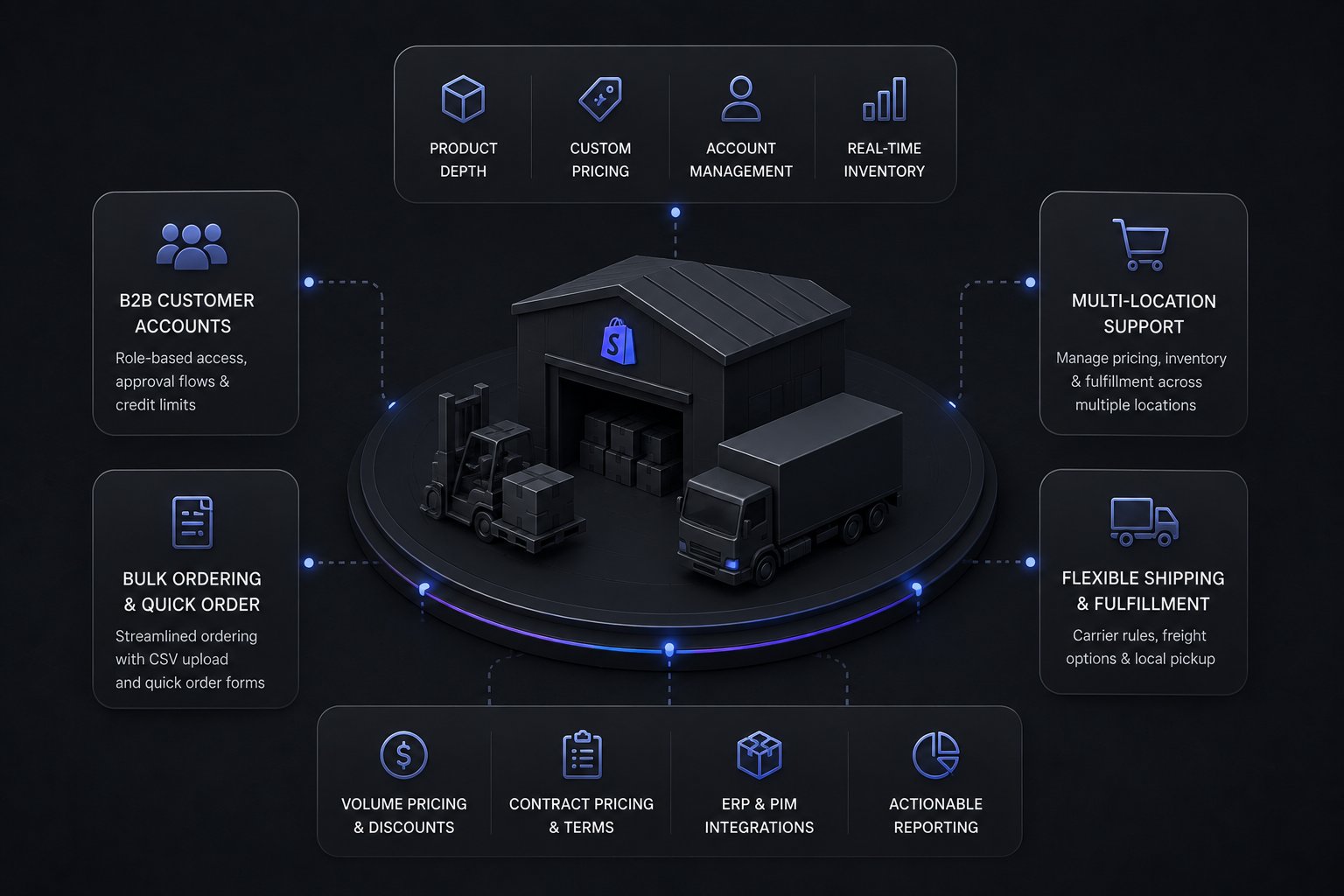
- Customer-specific pricing. Shopify says B2B catalogs "determine the products and pricing your B2B customers can access." On Basic, Grow and Advanced, catalogs are assigned to B2B markets; on Plus you can also assign them directly to companies and locations. Quantity price breaks and quantity rules are on all four plans. For ERP pricing logic, see how ERPs decide what a B2B buyer pays.
- Company accounts. "A company is the parent organization for one or more company locations." Each location can carry its own tax ID, addresses, pricing and payment terms, with buyers set to ordering only or location admin.
- Payment terms and POs. Shopify offers "net 7, net 15, net 30, net 45, net 60, and net 90," plus due on fulfillment, and a fixed date on individual draft orders. You set terms per company location, and buyers "can view these terms on any orders they place." PO numbers are on every plan. See our guide to Shopify net terms.
- Quick order and reorder. A quick order list and easy reorders are on every plan, so a buyer can rebuild last month's order without searching item by item.
- Multi-location stock. Buyers need the number at the branch that will ship, and it should be stock you can still promise, not just stock on the shelf.
- Large-catalog search. Distributor catalogs run deep, so search and filters carry the site.
ULE Group's case study lists "1M+" SKUs "managed through PIM and synced live from Epicor," with "100+" Algolia search filters.
Which Shopify plan does a distributor need?
Since April 2, 2026, most Shopify B2B features are on Basic, Grow and Advanced, not just Plus, and Shopify Plus is needed mainly for per-company catalogs, more than three catalogs, deposits and partial payments.
Shopify's changelog says merchants on Basic, Grow and Advanced "can start selling wholesale using native B2B features," including "up to 3 active B2B catalogs (assigned via Markets), company profiles, payment terms, volume pricing, ACH payments (U.S. only), and vaulted credit cards."
What stays on Plus, per Shopify's plan comparison:
- Unlimited catalogs. Other plans allow "up to 3 active catalogs across all your B2B markets."
- Direct company catalogs. "Direct catalog assignment isn't available on the Basic, Grow, or Advanced plans."
- Advanced payments. "Deposit requirements, partial payments, and payment requests per fulfillment are available only on the Shopify Plus plan."
Contextual checkout and storefront through Shopify Markets sit on Advanced and Plus. Draft order to invoice, checkout to draft, sales staff permissions and Shopify Flow B2B objects are on all four.
For a distributor, the catalog rules are often the deciding line, because contract pricing means a price per account or group of accounts, and only Plus assigns a catalog directly to a company. Farmers Depot's case study describes a "Shopify Plus B2B build" with "about 10 company-specific pricing catalogs" for 13,046 companies. That is well past the three active catalogs the other plans allow. The full decision is in Shopify B2B vs Shopify Plus.
ERP integration: the part that decides the project
The ERP stays the system of record. Shopify is where buyers see and order, and the integration decides whether what they see is true. A distributor sync usually carries:
- Items and product data from the ERP, often through a PIM.
- Customers and companies, with locations, terms and catalog assignments.
- Price logic, translated from ERP rules into catalogs and price lists.
- Inventory by location, ideally available to promise rather than on hand.
- Orders into the ERP, and status, shipments and invoices back.
Price logic is the hard part. A distributor ERP may hold matrix pricing, contract pricing and special price agreements that no storefront models one to one, so someone decides what gets precomputed and what gets calculated live. We have published Shopify integration notes for distribution ERPs including Epicor Prophet 21, Infor SX.e, Epicor Eclipse, NetSuite and Dynamics 365 Business Central; they are listed on our ERP integrations page.
ULE Group has "real-time inventory and pricing through the Epicor ERP." At Farmers Depot, Microsoft Dynamics 365 F&O "stays the system of record for products, companies, pricing, and inventory," middleware keeps the two in sync, and Shopify Flow covers "ERP sync failures monitored with notifications."
Uncap Connect is native, two-way sync between Shopify and your ERP, embedded in Shopify. Our Shopify development page states that "ERP integration with Uncap Connect starts at $8,000 to set up and runs $390 a month."
Keeping reps, phone, email and EDI orders in one flow
Orders still arrive by phone, email, counter and EDI, and they should land in the same Shopify and ERP flow.
- Rep-entered orders. Shopify says "You can use draft orders to create orders on behalf of customers, review orders that customers submit, and send invoices."
- Quotes before orders. Plenty of B2B orders start as a quote, not a checkout. Uncap Quotes runs the configure, price, quote workflow inside the Shopify admin, and an approved quote becomes an order in one click.
- EDI from large accounts. X12 defines the "850 Purchase Order," "855 Purchase Order Acknowledgment," "856 Ship Notice/Manifest" and "810 Invoice" that big trading partners expect. See EDI on Shopify for distributors.
- Punchout from procurement systems. The cXML standard includes "the widely-used PunchOut feature." Our punchout catalogs guide explains the flow.
Checkout rules matter too. Welding Store's case study lists "Custom checkout scripts" for shipping and payment "unique to customer groups."
How long it takes and what it costs to start
We publish our ranges. From our Shopify development page: "A new build runs about 12 weeks from discovery to launch. A migration from another platform typically takes 10 to 16 weeks, and unifying B2B and B2C on a Shopify store you already run takes 4 to 8 weeks." Our Shopify migrations page adds that operator-led replatforms "cut over in around 14 weeks, our median."
We do not publish build price ranges, because every build is fixed scope and quoted after a scoping call. Two published prices help you plan the first steps. Uncap Blueprint is $7,500, fixed price, "Delivered in 4 weeks," and "The Blueprint cost is credited 1:1 toward implementation" if you build with us. Uncap Connect pricing is in the ERP section above.
What moves a distributor timeline is rarely the storefront. It is how clean the item master is, how many pricing rules must translate, and how many systems must stay in sync.
The distributor launch sequence, step by step
Step 1: Connect the ERP. Build and test the integration before anything goes live. Every price, stock figure and order depends on it.
Step 2: Map accounts. Your ERP customer master becomes Shopify companies and locations, each with the right catalog, terms and addresses.
Step 3: Build the catalog. Clean item data, set up search and filters the way buyers look for parts, and load pricing into catalogs.
Step 4: Move the reps first. Before inviting buyers, make sure reps can take phone and email orders as draft orders in Shopify. If the team trusts the system, buyers will too.
Step 5: Onboard buyers account by account. Start with accounts that already ask for online ordering. Give them a login, a short walkthrough and their reorder list, and let adoption spread from there.
Data migration runs through steps 2 and 3. When Microfiber Wholesale, "a 75-year-old, family-owned business" selling cleaning and janitorial supplies, left its legacy platform, its case study lists "Import of all website data, customer information and content" and "Achievement of all project objectives within the requested timeframe."
Where distributor ecommerce projects go wrong
A platform demos well. The build starts. The ERP turns out harder than scoped, pricing rules do not map, and months later the sales team still does not trust the prices on the site.
- Underestimating the ERP. Your item master and pricing reflect years of configuration. The integration has to fit your data, not a template.
- Choosing a consumer-first setup. A store tuned only for cart conversion is not built for account pricing, terms and rep orders.
- Skipping data cleanup. Duplicate items and stale customer records go live with you if nobody fixes them first.
- Skipping discovery. Projects that land on time mapped the data flows before anyone wrote code.
Uncap Blueprint exists for that last point: a paid plan covering solution architecture, data-migration taxonomy and an ERP integration audit, yours to keep, before you commit to a build.
How B2B ecommerce differs by distribution vertical
The core is the same everywhere. The details are not.
- Electrical. Branch stock and project pricing: how electrical distributors build online ordering portals.
- Building materials. Branch availability and dealer accounts: how building materials distributors move ordering online.
- Food service. Cut-offs, catch weight and standing orders: what food distributors should evaluate first.
- Farm supply. Seasonal demand and compliance: how farm supply distributors move ordering online.
- Medical supply. Group purchasing organization (GPO) and contract pricing: the medical supply distributor's guide.
- Auto parts. Fitment and supersessions: how auto parts distributors sell online.
- Beverage. Licensed accounts, keg deposits and route cut-offs: beverage distribution on Shopify.
ScooterWorks, which its case study describes as serving "both retail customers and authorized dealers," got "a custom Year-Make-Model search, shoppable parts diagrams, ERP integration" and "Shopify B2B catalogs and dealer resources."
If you make the products rather than distribute them, read our sibling guide, ecommerce for manufacturers.
Where Uncap Products fit in a distributor stack
Uncap Products work on top of Shopify, alongside your ERP and the team you already have. Which ones fit depends on the problem: the ERP sync above, quote-first orders, buyers who also book services or rentals, or buyers who find parts by schematic or by vehicle. Listed alphabetically:
- Uncap Connect. Two-way sync between Shopify and your ERP.
- Uncap Diagrams. Buyers pinpoint parts on your OEM diagrams and check out as one bundle.
- Uncap Garage. Year-Make-Model fitment, so buyers see only parts that fit their vehicle.
- Uncap Portal. A private ordering portal for commerce, services and rentals.
- Uncap Quotes. Quotes built, sent and revised in Shopify, then turned into orders.
Distributor and B2B supplier projects on Shopify
Published Uncap case studies, in their own words:
- ULE Group. "A leader in the industrial equipment space" with "a vast catalog of specialized construction products." The build adds a "cart-level convert-to-quote" feature for high-value purchases. Shopify's article on product information management, which features the project, reports that ULE Group "has achieved 225% growth in site traffic and a 250% increase in sales" since migrating. Those figures are Shopify's.
- Farmers Depot. A "Shopify Plus B2B build" integrated with Microsoft Dynamics 365 F&O, serving "14,528 customers across 13,046 companies" with "1,351 synchronized products" and "100%" login-required purchasing.
- Welding Store. Operated "for more than half a century as Welding Industrial Supply Company (WISCO)," and "needed a B2B ecommerce solution built from the ground up."
Denise Foley, EVP E-Commerce at ULE Group, wrote on Clutch: "Uncap not only knows B2B and Shopify Plus well, but they outlined the project and did not "nickle and dime" us on anything that came up along the way."
If you are planning B2B ecommerce for your distribution business, see how we approach Shopify for distributors. Then Talk to Our Experts, and bring your ERP name, your SKU count and the pricing rule you dread mapping most.
Frequently asked questions
What is B2B ecommerce for distributors?
B2B ecommerce for distributors is online ordering where business buyers log in to see their own catalog, contract prices, payment terms and stock, and place orders that flow into the distributor's ERP. It runs alongside rep, phone and EDI orders.
What is a B2B distributor?
A B2B distributor is a wholesaler that buys goods from manufacturers and resells them to other businesses, usually on negotiated prices and terms. The US Census Bureau's wholesale survey groups industrial distributors with merchant wholesalers that take title of the goods they sell.
Can Shopify handle B2B ecommerce for distributors, and do I need Shopify Plus?
Yes, and since April 2, 2026 many distributors can start without Plus. Company profiles, payment terms, volume pricing and up to 3 active B2B catalogs are on Basic, Grow and Advanced. Plus is required for unlimited catalogs, direct catalog assignment to companies and locations, deposits and partial payments.
What is the best B2B ecommerce platform for distributors?
The best platform is the one that models your pricing, accounts and ERP without workarounds. Test each option against your real contract pricing rules, your largest account's structure, your SKU count and your ERP.
How does ecommerce change the role of distributor sales reps?
It takes order entry off their desk, not the relationship. Routine reorders move online, and reps spend more time on new accounts, complex jobs and quotes, placing orders for buyers as draft orders when needed.
How do you get existing distributor customers to order online?
Start with the accounts that already ask for it. Give each buyer a login with their pricing and reorder list ready, and keep the phone line open. Adoption spreads when the site is faster than calling.
How long does it take a distributor to launch B2B ecommerce on Shopify?
Uncap's published ranges are about 12 weeks for a new build, 10 to 16 weeks for a migration from another platform, and 4 to 8 weeks to unify B2B and B2C on a Shopify store you already run.
What ERP systems can connect to Shopify for distribution?
Distribution ERPs connect through a connector, middleware or a custom integration, depending on the ERP. Uncap has published Shopify integration notes for Epicor Prophet 21, Infor SX.e, Epicor Eclipse, NetSuite and Dynamics 365 Business Central, and confirms fit for a specific ERP directly.
What is the 80/20 rule in ecommerce, and how does it apply to distributors?
The 80/20 rule is the Pareto principle, which Wikipedia summarizes as "roughly 80% of consequences come from 20% of causes." For a distributor it is a planning lens, not a measured fact: find the accounts and SKUs that reorder most, and build the first version of your site around them.