Shopify B2B Wholesale Setup: Catalogs, Pricing, Permissions, and Net Terms
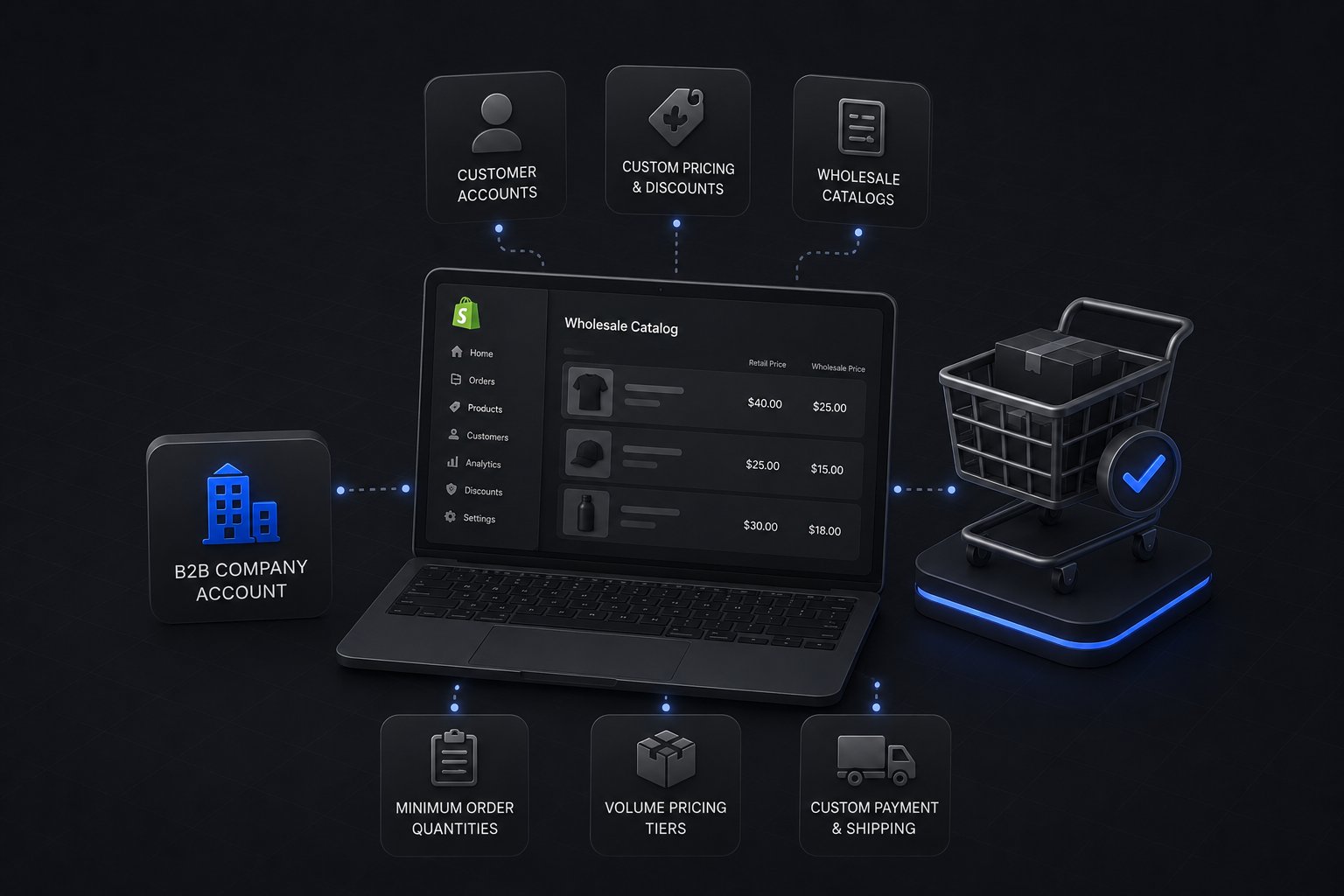
Shopify B2B gives you four native wholesale tools on the Basic, Grow, Advanced, and Shopify Plus plans: native catalogs for product visibility gating, price lists for B2B pricing (account-specific on Shopify Plus), company accounts with permission structures for your buyers, and net terms at checkout with purchase order support.
The setup looks clean in the documentation. In practice, each area requires decisions specific to your business. A catalog configured wrong means a reseller sees products they should not, or a buyer cannot find products they have contractual access to. A price list misconfigured means a customer checks out at the wrong price. Net terms set up without understanding how your invoicing works create reconciliation problems the first week the store is live. In beauty and cosmetics, where tiered pricing and account-specific catalogs stack up quickly, those decisions carry even more weight.
As a Shopify Platinum Partner since 2013, with 380+ storefronts launched on Shopify, including for manufacturers, distributors, and wholesalers, Uncap has seen the same Shopify B2B configuration mistakes repeat across every industry. This guide walks through each of the four setup areas, what they do, and how to configure them so they reflect how your wholesale business actually operates.
What Shopify B2B Wholesale Requires
Since April 2, 2026, Shopify B2B native features are available on the Basic, Grow, and Advanced plans as well as Shopify Plus. Below Plus you can assign up to 3 active catalogs through B2B markets; unlimited catalogs, catalogs assigned directly to companies and locations, deposits, and partial payments remain Plus only. Third-party apps can provide approximate versions of catalog gating, wholesale pricing, and net terms. But native B2B is built differently: it uses the company account as the core data structure, which means pricing, catalog access, permissions, and payment terms all attach to the same account record rather than being managed by separate apps with separate configurations.
For Shopify Plus merchants, the setup path runs through four connected areas.
Catalogs control which products a company account can see and purchase. You can assign multiple catalogs to a single company account, or restrict an account to one catalog covering only the product lines they carry.
Price lists control what a company account pays. They work separately from discount codes or automatic discounts. A price list can set fixed prices for individual products, apply percentage adjustments from the base price, or override prices at the variant level.
Company accounts are the structure that holds everything together. Each company can have multiple locations, multiple buyer contacts, and location-specific shipping addresses and payment terms. Permissions control what each contact within a company is allowed to do.
Net terms let you offer payment on net 30, net 60, or net 90 at checkout. Buyers place their order, select their payment terms, and submit a purchase order number. The payment follows your invoicing cycle rather than happening at the point of transaction.
Each of these areas connects to the others. A company account has catalogs assigned to it, a price list applied to it, contacts with specific permission roles, and payment terms set at the location level. Getting one wrong affects all of them.
Shopify B2B Catalogs: Product Visibility by Account
A catalog in Shopify B2B is not a product collection in the traditional sense. It is a visibility gate. Products that are not in a company account's assigned catalog are not visible to that account when they log in, and cannot be added to cart.
For a manufacturer with separate dealer and distributor tiers, this matters. A dealer account should not be able to see distributor-only pricing or access bulk purchase products that are not part of their agreement. Catalogs enforce that boundary at the account level without requiring a separate store or customer tag workarounds.
How to structure catalogs. The cleaner the catalog structure, the easier it is to maintain. The most common approach for B2B wholesalers is one catalog per customer segment: a standard wholesale catalog available to all approved wholesale accounts, and additional catalogs for specific product lines or customer tiers that are assigned selectively. Avoid building one catalog per account unless you have a strong operational reason for it. Managing hundreds of individual catalogs creates overhead that outweighs the precision.
Catalog pricing and price lists are separate. You can assign a price list to a catalog, which means every account with that catalog automatically sees that catalog's pricing. Or you can assign price lists at the company level, which overrides catalog-level pricing for that specific account. The company-level assignment wins.
What goes wrong. The most common catalog misconfiguration is building the catalog structure around how your internal team thinks about your product catalog, rather than how your wholesale accounts are segmented. Before you build a single catalog in Shopify, map out your account segments and the products each segment should access. Then build catalogs to match those segments.
Shopify B2B Pricing: Price Lists and How They Actually Work
Price lists are the mechanism Shopify Plus uses for account-specific pricing in B2B. They are not discount codes. They are not automatic discounts. They are a separate pricing layer that applies to a company account at login and overrides the standard product price throughout the buyer's session.
A price list can be configured in two ways. A percentage adjustment applies a uniform discount across all products in the list: 20% below MSRP for all items, for example. A fixed-price override sets a specific price for a specific product or variant, regardless of the base price. For manufacturers and distributors with negotiated contract pricing, fixed-price overrides are the accurate option.
Price lists and your ERP. For most B2B operators, the pricing authority is the ERP, not Shopify. Your ERP holds the customer-specific pricing conditions that your sales team negotiated account by account. Those conditions have to be mirrored in Shopify's price lists. If a price changes in the ERP and that change does not propagate to Shopify, the buyer gets the wrong price at checkout.
This is where integration matters before setup. If your price lists are going to be maintained manually, the operational burden is high. If they are going to be maintained by an ERP integration, the integration architecture has to be defined before you configure the price lists, not after. Brands arriving from a Salesforce Commerce store usually rebuild this pricing layer during the move, which is the moment to settle that architecture.
For practical context on structuring your wholesale pricing approach before and after Shopify B2B setup, see 5 Effective B2B Ecommerce Pricing Strategies.
Company Accounts and Permissions in Shopify B2B
The company account is the structural unit of Shopify B2B. It is not equivalent to a customer account on a standard Shopify store. A company in Shopify B2B contains locations, and each location contains contacts. That three-level hierarchy mirrors how real wholesale accounts are organized: a company with multiple distribution centers or retail locations, each with their own buyers who may have different authority levels.
The company, location, contact structure.
A company is the top-level record. It holds the account name, tax settings, and any company-wide pricing or catalog assignments.
A location within a company represents a ship-to address. It inherits the company's pricing and catalog settings by default, but can have its own payment terms if different locations operate under different credit arrangements.
A contact is an individual buyer within a company. Contacts are assigned to one or more locations and given one of two permission roles: ordering only (can place orders but not manage other contacts) or admin (can manage contacts and company settings within the portal).
What permissions control. A contact with ordering-only permissions can browse the catalog, build a cart, and submit an order. They cannot create new contacts, change payment terms, or access another location's order history. An admin contact can do all of those things. For a company with multiple buyers across multiple ship-to locations, this structure means your customers can manage their own account administration without relying on your team for every change.
What goes wrong. The company/location/contact hierarchy is the most commonly misunderstood part of the Shopify B2B setup. Setting up one company with one location and no permission structure works for simple accounts, but as soon as a buyer needs access to multiple ship-to addresses, or a company needs to restrict certain buyers to specific locations, the setup has to be done correctly from the start. Migrating a flat account structure to a proper hierarchy after go-live is more work than getting it right initially.
For the wider view of running wholesale this way, see our complete guide to Shopify B2B wholesale for suppliers.
Shopify B2B vs. Third-Party Wholesale Apps: What You Get Natively
Pricing
Third-Party Wholesale Apps: Discount codes or percentage off via app
Native Shopify B2B: Price lists with fixed-price overrides per account
Catalog Gating
Third-Party Wholesale Apps: Collection locking or customer tag visibility
Native Shopify B2B: Native catalogs assigned to company accounts
Customer Structure
Third-Party Wholesale Apps: Individual customer accounts with tags
Native Shopify B2B: Company, location, and contact hierarchy
Net Terms
Third-Party Wholesale Apps: App-based workaround or manual invoicing
Native Shopify B2B: Native net terms at checkout (net 30/60/90)
Purchase Orders
Third-Party Wholesale Apps: Custom field or app
Native Shopify B2B: Native PO number field at checkout
Order Management
Third-Party Wholesale Apps: Standard order flow
Native Shopify B2B: Separate B2B order management interface
ERP Integration
Third-Party Wholesale Apps: App-by-app, often fragmented
Native Shopify B2B: Unified company account as integration anchor
Apps can approximate B2B functionality on a standard Shopify plan. For businesses with a small number of wholesale accounts and simple pricing, that is a viable approach. For manufacturers and distributors with hundreds of accounts, negotiated pricing, and multiple ship-to locations per account, the native Shopify B2B structure is the right foundation.
Net Terms and Purchase Order Workflows in Shopify B2B
Net terms in Shopify B2B are configured at the location level within a company account. You set the payment due date interval, whether net 30, 60, or 90, and that term appears as a payment option for that location's buyers at checkout. The buyer selects their term, enters a purchase order number if required, and submits the order. No payment is collected at checkout.
This is how most wholesale buyers expect to transact. For them, the Shopify checkout is clean and familiar. For you as the operator, the process requires that your ERP or order management system receives the order and handles the invoicing on the agreed terms.
What happens operationally. Shopify creates the order with the net term and PO number recorded. Your ERP integration, if configured correctly, picks up the order and creates the corresponding sales document or invoice within your ERP. The invoice is generated and sent on your billing cycle. Payment is received and reconciled against the open invoice.
The failure point is when the ERP integration is not set up to carry the payment terms and PO data from Shopify through to the ERP correctly. Orders arrive without the right terms attached, finance has to manually chase the data, and the Shopify B2B checkout experience that looked clean becomes a reconciliation burden.
For a deeper look at how net terms work across the B2B order cycle, see B2B Payment Terms: Everything You Need to Know.
Shopify B2B Setup and Your ERP: Why They Have to Be Configured Together
The four setup areas in Shopify B2B are only half of the configuration work for most manufacturers and distributors. The other half is making sure Shopify reflects what your ERP knows: which accounts are active, what pricing they have, which products they have access to, and what their payment terms are.
When Shopify and your ERP are disconnected, two separate sources of truth develop. Pricing in Shopify drifts from pricing in the ERP. New accounts are added in the ERP and not reflected in Shopify. Orders placed in Shopify do not reach the ERP with the correct data attached. Every one of these gaps creates operational problems.
The Uncap Connect is an ERP integration suite built for Shopify Plus B2B merchants. It handles the sync between your ERP's customer master, pricing records, and inventory levels and the corresponding Shopify B2B data structures: company accounts, price lists, catalogs, and inventory availability. When a price changes in your ERP, it propagates to the correct Shopify price list. When a new account is created in your ERP, the corresponding Shopify company account and location are created automatically. In practice this is what a NetSuite integration handles, propagating price and account changes without manual re-entry.
Uncap's wholesale solution covers the full Shopify B2B configuration, from catalog architecture through ERP integration, for manufacturers and distributors running wholesale on Shopify Plus.
Talk to our team about your account structure and ERP setup.
Frequently asked questions
What is Shopify B2B and how does it differ from standard wholesale apps?
Shopify B2B is a set of native features on the Basic, Grow, Advanced, and Shopify Plus plans that allows you to sell wholesale to business buyers using company accounts, account-specific price lists, product catalogs, and net terms at checkout. It differs from third-party wholesale apps in that everything is built on a single company account structure rather than a collection of separate apps managing different parts of the wholesale experience.
Do I need Shopify Plus for B2B wholesale features?
No, not since April 2, 2026. The native Shopify B2B features, including company accounts, price lists, native net terms at checkout, and catalog gating, are available on the Basic, Grow, and Advanced plans as well as Shopify Plus. Below Plus you can assign up to 3 active catalogs across your B2B markets, while unlimited catalogs, catalogs assigned directly to companies and locations, deposits, and partial payments still require Shopify Plus.
How do Shopify B2B price lists work?
A price list in Shopify B2B is a pricing record assigned to a company account or a catalog. It can apply a percentage adjustment from the base price (for example, 20% below MSRP) or set a fixed price for specific products or variants. When a buyer from that company logs into the store, they see the prices defined in their assigned price list, not the public storefront prices. Price lists are separate from discount codes and do not require a buyer to enter any coupon at checkout.
Can I run B2B and DTC on the same Shopify Plus store?
Yes. Shopify Plus supports running a B2B and DTC experience from a single store. B2B buyers log into their company account and see the B2B catalog and pricing. DTC buyers see the standard storefront. The two experiences are separated at the account level, not at the store level. This means you maintain one product catalog, one inventory source, and one order management workflow for both channels.
How do net terms work in Shopify B2B checkout?
Net terms in Shopify B2B are configured at the company location level. When a buyer at that location reaches checkout, they see their assigned payment term as a payment option. They select the term, optionally enter a purchase order number, and submit the order. No payment is collected at checkout. The order is created in Shopify with the payment term and PO number recorded, and your billing process handles the invoice on the agreed schedule.