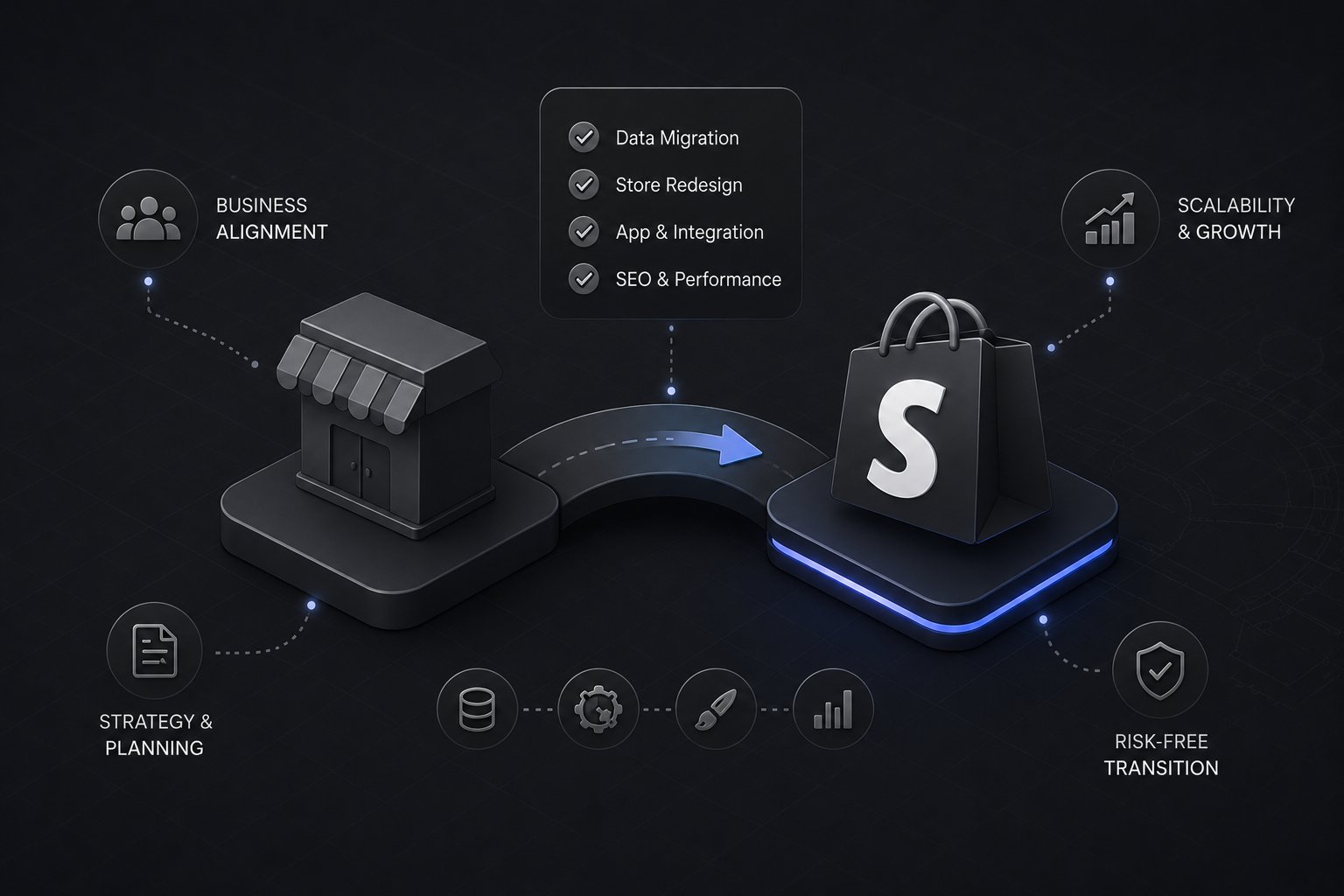
B2B ecommerce replatforming is the process of moving a business-to-business online store from one ecommerce platform to another, typically to gain B2B-specific functionality like account-based pricing, complex catalog management, ERP integration, or better performance at scale, without losing the order history, customer accounts, and search visibility the current site has already built.
It is a different project than a DTC replatform. A B2B store has active accounts placing recurring orders, negotiated pricing tied to specific customers, and often a direct ERP connection running the business behind the storefront. None of that can go down during a migration, which is what makes B2B replatforming a fundamentally different risk profile than moving a consumer storefront.
As a Shopify Platinum Partner since 2013, with 380+ storefronts launched on Shopify, Uncap has run this exact process enough times to know where it typically goes wrong, and what actually needs to happen for it to go right.
Why B2B Companies Replatform
Replatforming is rarely a first move. Most businesses that reach this point have already outgrown what their current platform can do.
The current platform can't handle B2B commerce natively. Many legacy platforms were built for consumer storefronts and had B2B features bolted on later. Account-specific pricing, quote workflows, and complex approval chains often require expensive custom development or third-party plugins that create their own maintenance burden. Uncap's guide to choosing an enterprise ecommerce platform breaks down what native B2B feature depth actually looks like across the major platforms, if you're still deciding what to replatform to rather than assuming Shopify Plus.
ERP integration has become unreliable or was never done properly. As a business grows, keeping inventory, pricing, and order data in sync between the storefront and the ERP becomes more critical and often more fragile on an older platform.
The platform can't scale with catalog or order complexity. B2B catalogs grow large and specific, thousands of SKUs, technical variants, and configuration options. Some platforms slow down or become difficult to manage as that complexity increases.
The total cost of ownership has become unsustainable. Between platform fees, plugin costs, developer hours for basic changes, and hosting, some businesses find they're paying enterprise-level costs for a platform that still can't do what they need. For teams leaving a composable, API-first stack, our API-first commerce to Shopify Plus migration page covers that path.
What B2B Ecommerce Replatforming Costs
Real project costs vary widely based on complexity, but based on projects across the B2B commerce space, replatforming typically falls into a few tiers.
Standard B2B replatform: $25,001 to $75,000. Fits a business with a moderately complex catalog, standard ERP integration needs, and a reasonably clean data migration.
Mid-complexity B2B replatform: $75,001 to $200,000. Fits a business with multiple ERP or third-party system integrations, complex pricing logic across many customer accounts, and custom functionality requirements.
Enterprise B2B replatform: $200,001 to $500,000+. Fits large manufacturers or distributors with multiple ERP systems, complex multi-entity or multi-currency requirements, extensive custom integrations, and large, highly technical catalogs.
The single biggest cost driver in almost every project is not the storefront build itself, it's the ERP integration and data migration work. A business with clean, well-organized ERP data and a single integration point will cost meaningfully less than one with years of inconsistent data across multiple systems. For the platform side of the budget, see what Shopify Plus costs and what it includes.
How Long B2B Ecommerce Replatforming Takes
Timeline follows a similar pattern to cost, and the two are closely related.
Standard replatform: 14 to 18 weeks from discovery through go-live.
Mid-complexity replatform: 18 to 24 weeks.
Enterprise replatform: 24+ weeks, sometimes longer depending on the number of integrations and the complexity of legacy data.
Rushing a B2B replatform timeline is one of the most common causes of a rough go-live. ERP integration testing, in particular, needs enough time to catch data discrepancies before they reach live customer accounts, not after.
The B2B Replatforming Process
Discovery and audit. Mapping the current platform's data structure, ERP connections, customer accounts, pricing logic, and integrations before any migration work begins. This phase determines almost everything about cost and timeline downstream.
Data migration planning. Deciding what moves, customer accounts, order history, pricing tiers, product catalog, and how it maps from the old platform's structure to the new one.
ERP integration build. Building the connection between the new storefront and the ERP system(s) running the business, matched to how that specific ERP has actually been configured, not a generic template.
Storefront build. Building the actual B2B storefront experience: account structure, pricing display, catalog navigation, and checkout, informed by everything mapped in discovery.
Testing and UAT. Testing the full order lifecycle, including edge cases specific to B2B: account-specific pricing accuracy, credit holds, multi-location shipping, and ERP data sync.
Phased go-live. Rather than switching every customer account over at once, a phased cutover, starting with a subset of accounts, catches issues before they affect the full customer base.
What Makes B2B Replatforming Riskier Than DTC
A DTC replatform that goes wrong for a day costs some lost sales. A B2B replatform that goes wrong can mean an existing customer account can't place a reorder they need for their own operations, at negotiated pricing they're contractually expecting, through an ERP connection that's supposed to be invisible to them.
That's why the discovery and testing phases matter more in B2B replatforming than almost anywhere else in the project. Every account-specific pricing rule, every ERP data flow, and every existing integration needs to be accounted for before go-live, not discovered after a customer calls in with a wrong price.
How Uncap Connect Fits Into a Replatform
Uncap Connect is the integration layer Uncap builds between the ERP and the Shopify Plus storefront during a replatform, handling the ongoing sync of inventory, pricing, customer accounts, and order data across the ten ERP platforms Uncap supports. During a replatforming project specifically, Connect is built and tested during the ERP integration phase above, well before the storefront goes live to any customer account.
Getting Started
Uncap's Migrate Accelerator is the structured engagement for B2B businesses replatforming onto Shopify Plus, covering the full process above from discovery through phased go-live, part of the broader Shopify Migrations focus area. For a step-by-step breakdown of what to check before starting, see the enterprise ecommerce replatforming checklist.
Talk to Uncap's team about your current platform, ERP setup, and what a replatform would actually involve.
Frequently asked questions
What is B2B ecommerce replatforming?
B2B ecommerce replatforming is the process of moving a business-to-business online store from one ecommerce platform to another, typically to gain B2B-specific functionality like account-based pricing, ERP integration, or better scalability, while preserving existing customer accounts, order history, and search visibility.
How much does B2B ecommerce replatforming cost?
Costs typically range from $25,001 for a standard replatform to $500,000+ for an enterprise-level project with multiple ERP systems and complex integrations. The biggest cost driver is usually ERP integration and data migration complexity, not the storefront build itself.
How long does B2B ecommerce replatforming take?
Standard projects run 14 to 18 weeks, mid-complexity projects run 18 to 24 weeks, and enterprise projects can run 24 weeks or longer, depending primarily on the number and complexity of ERP integrations involved.
What makes B2B replatforming different from a DTC replatform?
B2B replatforming has to preserve active customer accounts, negotiated account-specific pricing, and live ERP integrations throughout the migration, none of which can go down without disrupting real orders already in motion. DTC replatforms generally carry lower operational risk since there's no account-specific pricing or ERP-dependent order flow to protect.
Why is a phased go-live recommended for B2B replatforming?
A phased cutover, migrating a subset of customer accounts first rather than the entire customer base at once, surfaces pricing or integration issues while the impact is still limited, rather than after every account has moved.