


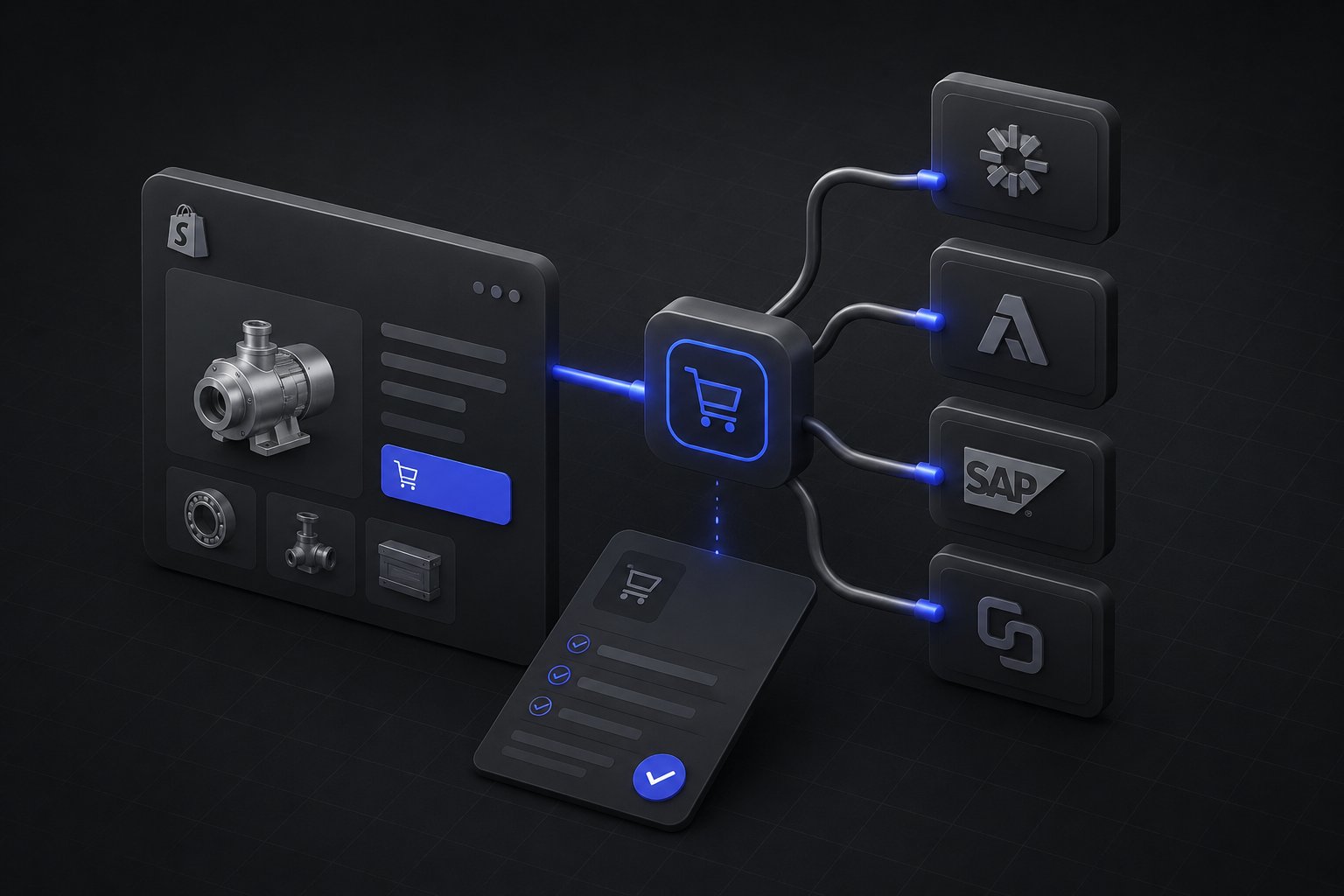
The email usually arrives from your largest account's procurement department, and it reads like a compliance notice: "We are standardizing purchasing on Coupa. To continue as a supplier, you will need to support punchout." It is good news wearing scary clothes, an enterprise buyer is systematizing their spend with you, which deepens the account, and the scary part is only that the request comes in procurement's language rather than yours. What punchout is and how a session works is covered in the PunchOut catalog explainer; this guide is the next conversation: what actually differs between Coupa, Ariba, and SAP, and what the enablement project looks like buyer by buyer.
Quick answer: The three names in the email are not three equal things. Coupa and Ariba both speak cXML, the punchout protocol family's common language, but each buyer's Coupa instance connects to you directly while Ariba relationships run through SAP Business Network, the network SAP built on Ariba. "SAP punchout" outside Ariba usually means OCI, an older, form-based interface used by SAP's own procurement modules, and which one your buyer means is the first scoping question of the whole project. Underneath all three sits one architecture: a punchout layer in front of your Shopify B2B storefront, built once, then configured per buyer.
One Protocol Family, Three Front Doors
Sellers hear "Coupa, Ariba, SAP" as a list of three integrations. It is closer to two protocols and three commercial arrangements. cXML is the message standard Coupa and Ariba share: the buyer's system opens your session with a PunchoutSetupRequest carrying their identity and context, and the finished cart returns as a PunchoutOrderMessage that becomes a requisition on their side. OCI is SAP's Open Catalog Interface, a different, simpler mechanism from the SAP SRM era that transfers the cart through structured form fields rather than cXML documents.
The practical consequence: your punchout layer's core, session handling, buyer-context pricing, cart return, is shared, and the per-network differences live at the edges, in authentication details, message dialects, and how purchase orders and invoices travel afterward. That is why the right mental model is one build, many configurations, rather than three projects.
Selling Into Coupa
Coupa's model is the most direct of the three. Each buyer runs their own Coupa instance, and Coupa's supplier documentation describes the arrangement plainly: punchout catalogs use cXML and create a direct link between the customer's Coupa instance and the supplier's ecommerce website. In practice that means every Coupa customer you win is its own connection, their instance pointed at your punchout endpoint, with their credentials, their contract price list resolving in the session, and a test-then-production sequence their procurement team will walk you through.
Around the transaction sits the Coupa Supplier Portal, where your company profile, purchase orders, and invoicing live depending on how each buyer configures their flows. The operational takeaway for a seller: Coupa enablement is a per-buyer motion with a familiar rhythm, credentials exchanged, a test punchout session validated, a test order round-tripped, then go-live, and each subsequent Coupa customer gets faster because only the configuration changes.
Selling Into Ariba and SAP Business Network
Ariba is SAP's procurement network, SAP acquired Ariba in 2012, and today the supplier side operates as SAP Business Network. The structural difference from Coupa matters to how you plan: instead of each buyer connecting directly to you, you hold a supplier account on the network, and each customer relationship is enabled through it. Punchout itself is still cXML, your endpoint receives the same style of setup request and returns the same style of order message, but purchase orders and invoices typically travel through the network rather than point to point, and your network account is where those documents live.
Two questions belong early in any Ariba conversation. First, which documents the buyer expects through the network, punchout only, or punchout plus POs plus invoices, because each added document type is configuration and testing. Second, what the commercial terms of network participation look like for your expected volume, since network membership carries its own terms that are between you and SAP, and better discovered before go-live than after.
"SAP Punchout" When It Is Not Ariba
Some buyers who say "SAP" do not mean Ariba at all. Organizations running SAP's own procurement modules, the SRM lineage and ECC-era deployments, often connect suppliers through OCI instead: the buyer's system opens your catalog with an OCI call, and the cart returns through structured form fields the SAP side ingests. It is older and plainer than cXML, and it is still very much in production across large industrial and institutional buyers.
So the first scoping question when the email says SAP: Ariba or OCI? The answer changes the dialect your punchout layer speaks for that buyer and nothing about your storefront, which is the point of the architecture, both doors front the same catalog, the same company-account pricing, the same inventory truth.
Level 1 vs. Level 2 Punchout
One more term will surface in enablement calls. Level 1 punchout is the standard arrangement: the buyer clicks your name in their procurement system and lands in your storefront to shop. Level 2 punchout adds an index of your items inside the buyer's procurement search itself, so a buyer searching their own system sees your products in results, and clicking one lands directly on your product page in a punchout session.
Level 2 asks more of you, an item-level catalog index to produce and maintain, aligned part numbers, and usually UNSPSC classification codes so your products sort correctly in procurement searches, and returns more: your items surface at the moment of search instead of depending on the buyer remembering to punch out to you first. The honest sequencing for most sellers is Level 1 first, proven with real order flow, then Level 2 for the accounts where search-level presence would genuinely move volume.
What This Looks Like Behind a Shopify Storefront
Shopify does not speak cXML or OCI natively, so the punchout layer is an integration in front of the store, and its jobs map cleanly onto Shopify B2B's own primitives. The inbound session authenticates the buyer and resolves them to their company account, so the catalog and pricing they see in the session are their contract rates from their price list, not a retail view. The cart they build converts into the cXML or OCI return message. And then comes the discipline the explainer post establishes: the returned cart is not the order, the purchase order that arrives after the buyer's approval workflow is the authorization to fulfill.
That PO is where the back office earns its keep. It needs to land as an order under the right account with the right references, flow into the ERP, and drive fulfillment and invoicing through whichever channel that buyer's configuration expects, which is exactly the both-directions, ERP-as-system-of-record pattern Uncap Connect runs, with the broader ERP integration practice behind it. Punchout without that plumbing is a demo; with it, the procurement channel becomes ordinary order flow.
And because every buyer arrives with their own instance, credentials, document expectations, and quirks, the architecture principle bears repeating: build the layer once, treat each buyer as configuration. Sellers who hard-wire their first Coupa customer's specifics into the integration rebuild it for their second.
The Enablement Project, Buyer by Buyer
Once the layer exists, each new procurement customer follows a recognizable sequence. Their team sends the connection kit: endpoints, credentials, environment details, and a test script. Your side prepares the account: the contract price list loaded and verified, buyer users mapped to the company account, units of measure aligned with what their system expects, and part numbers, plus UNSPSC codes where required, matching what their catalog governance wants to see. Then the test punchout session, a round-tripped test order reconciled on both sides, and go-live, with the first real orders watched the way any new integration deserves.
For a distributor selling into enterprise and institutional accounts, this motion compounds: the second procurement customer takes a fraction of the first's effort, and punchout stops being a compliance hurdle and becomes a moat, the suppliers already wired into the buyer's system are the ones the next requisition finds.
Uncap has been a Shopify Platinum Partner since 2013, with 380+ storefronts launched on Shopify, including for manufacturers, distributors, and wholesalers. Talk to Our Experts if a procurement team has sent you the punchout email, the scoping conversation, which system, which documents, which dialect, is exactly where to start.
Frequently asked questions
What is the difference between Coupa, Ariba, and SAP punchout for a supplier?
Coupa and Ariba both use cXML, but Coupa buyers connect their instances to your endpoint directly, while Ariba relationships run through a supplier account on SAP Business Network, where purchase orders and invoices typically travel too. "SAP punchout" outside Ariba usually means OCI, SAP's older form-based catalog interface used by its own procurement modules. The first scoping question with any buyer is which of the three they actually run.
Do you need a separate integration for each procurement system?
You need one punchout layer with per-network dialects and per-buyer configuration. The core, session authentication, contract pricing from the buyer's company account, cart return, is shared across cXML and OCI connections; endpoints, credentials, and document flows are configured for each buyer. Hard-wiring the first customer's specifics is the mistake that turns the second customer into a rebuild.
What is Level 2 punchout and when is it worth it?
Level 2 adds an item-level index of your catalog inside the buyer's procurement search, so your products appear in their results and click through to your product pages in a punchout session. It requires maintaining a catalog index with aligned part numbers and usually UNSPSC codes. Prove Level 1 with real order flow first, then add Level 2 for accounts where search-level visibility would genuinely capture more requisitions.
Do punchout orders come through Shopify checkout?
No. The buyer's cart returns to their procurement system as a requisition, runs their approval workflow, and the purchase order that comes back is the authorization to fulfill. That PO lands as an order under the buyer's account and flows to the ERP, which is why the ERP integration behind the storefront is as much a part of punchout as the session itself.


