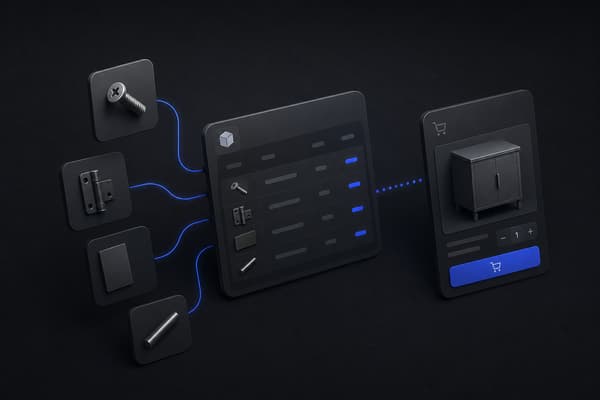
A customer places an order on Shopify. Three weeks later, your sales team is on a call with that same account about a bulk order, with no idea they already bought from you, because Shopify and HubSpot were never actually talking to each other. A Shopify HubSpot integration closes that gap: order activity, customer data, and product history flow into HubSpot so marketing and sales can act on what customers are actually doing, not just who filled out a form.
This guide covers how the integration works, what data moves between the two platforms, how to set it up, and what most guides don't mention: what changes once your Shopify store is running B2B orders alongside standard checkout. That question comes up most for teams fresh off WooCommerce, where the old store treated every buyer as a single-price consumer.
Does Shopify Integrate with HubSpot?
Yes. HubSpot publishes its own native Shopify integration, available directly from the HubSpot App Marketplace and the Shopify App Store, that syncs store data into HubSpot without requiring custom development for a standard setup. For more complex needs, a wider ecosystem of middleware and iPaaS tools can also connect the two platforms with additional mapping and automation control.
The native integration covers the common case well: contacts, orders, and products flowing into HubSpot's CRM. It has real limits once a Shopify store runs anything outside a standard consumer checkout, which is covered later in this guide.
What Data Syncs Between Shopify and HubSpot?
The native integration moves several categories of data automatically once it's connected:
Customer and contact data. Shopify customer records, including name, email, and address, sync into HubSpot as contacts, with new Shopify customers automatically creating new HubSpot contact records.
Order and deal data. Shopify orders sync into HubSpot, typically as deals or as ecommerce-specific order objects, carrying order value, line items, and status.
Product data. Your Shopify product catalog, including price and SKU, syncs into HubSpot so orders and quotes can reference real product records rather than free-text line items.
Abandoned checkout data. Carts that get started but not completed sync into HubSpot, which is what makes abandoned-checkout email and workflow automation possible.
Customer lifecycle signals. Purchase frequency, total spend, and last order date become properties on the HubSpot contact record, which is what powers segmentation and lifecycle-stage automation downstream.
What doesn't sync automatically in most setups: fulfillment and shipping status updates after the order is placed, inventory levels, and anything tied to Shopify's B2B-specific objects like company accounts, price lists, and draft orders. Those gaps matter more the further a Shopify store moves from a standard consumer storefront.
How the Shopify HubSpot Integration Actually Works
There are two real paths to connecting the two platforms, and the right one depends on how much control you need over what syncs and when.
Option 1: Native HubSpot data sync. HubSpot's own Shopify app handles the connection directly. You install it, authenticate both accounts, and HubSpot manages the sync on its own schedule. This is the fastest path to a working integration and covers standard ecommerce data well.
Option 2: Middleware or custom-coded sync. For stores with non-standard data, custom objects, or specific timing requirements, a middleware platform or custom-coded connection using Shopify's Admin API and HubSpot's API gives full control over what syncs, when, and under what conditions. This is more setup work but removes the native app's limitations around custom data and B2B-specific objects.
Most stores start with the native integration and move to a middleware or custom approach only once they hit a specific limitation, usually around B2B order types, custom product data, or a sync frequency the native app doesn't support.
Step-by-Step: How to Set Up the Shopify HubSpot Integration
The setup sequence is consistent whether you're using the native app or a middleware tool, though the specific screens differ.
Install the integration. From HubSpot, go to the Marketplace and search for Shopify, or install HubSpot's Shopify app directly from the Shopify App Store. Either path leads to the same connection.
Authenticate both accounts. You'll log into your Shopify store and grant HubSpot permission to read customer, order, and product data. This step is where API scopes get set, so confirm the integration has access to everything you actually need synced.
Configure your sync settings. Decide which Shopify data creates or updates HubSpot records, and whether historical orders backfill into HubSpot or only new activity going forward.
Map custom properties, if needed. If your Shopify store uses custom fields, tags, or metafields you want reflected in HubSpot, this is where those get mapped to HubSpot contact or deal properties.
Run a test sync. Place or simulate one order and confirm it appears correctly in HubSpot: right contact, right deal value, right product line items. Catching a mapping error here is far easier than finding it after hundreds of orders have synced incorrectly.
Build your first automation. With data flowing, set up one workflow, an abandoned-checkout email, a post-purchase segment, a lifecycle-stage update, to confirm the sync is actually usable, not just connected.
Monitor the first week closely. Most sync issues surface early: a mismatched property, a duplicate contact rule that needs adjusting, an order type the integration didn't anticipate. Check HubSpot's sync error log daily until the pattern looks clean.
Common Shopify HubSpot Integration Problems
A handful of issues account for most of the support threads and community questions about this integration.
Duplicate contacts. Guest checkouts, slightly different email capitalization, or a customer ordering under two different email addresses can all create duplicate HubSpot contacts instead of updating one record. Fix: configure HubSpot's deduplication rules to match on email exactly and review flagged duplicates weekly rather than letting them accumulate.
Orders not creating deals correctly. This usually traces back to how the integration is configured to treat orders, as deals, as a separate ecommerce object, or not at all for certain order types. Fix: confirm your sync settings explicitly define what counts as a deal-worthy order.
Sync delays during high-volume periods. A flash sale or a seasonal spike can back up the sync queue, especially on the native integration's shared infrastructure. Fix: if predictable high-volume periods are a regular pattern for your store, a middleware setup with dedicated sync capacity handles the load more reliably.
Lifecycle stages not updating as expected. A customer who's placed three orders should look different in HubSpot than someone who abandoned one checkout, but lifecycle-stage automation only works if the underlying order and purchase data is mapped correctly in the first place. Fix: audit what triggers a lifecycle-stage change and confirm it's tied to real Shopify order events, not just contact creation.
Revenue only reconciles cleanly when the accounting system agrees with the store too, which is the focus of our complete guide to the Shopify QuickBooks integration.
What Most Guides Skip: B2B-Specific Considerations
Nearly every Shopify HubSpot integration guide, including the setup steps above, is written for a standard consumer storefront: one checkout flow, one price per product, one order type. If that's your store, the guide above is genuinely all you need.
If you're running B2B or wholesale orders on Shopify alongside, or instead of, a standard consumer checkout, there are real gaps the native integration doesn't address.
Draft orders don't sync the same way. A meaningful share of B2B orders get created as draft orders in Shopify rather than through the public checkout, built manually by a sales rep, then confirmed by the buyer. The native HubSpot integration is built around standard checkout events. Draft orders that go through several revisions before completion, or that never complete through the standard checkout flow, often don't create or update HubSpot deals the way a normal order does. If your sales team is tracking B2B pipeline in HubSpot, this gap means real revenue activity isn't showing up where your team is looking for it.
Company accounts don't map to HubSpot's contact model cleanly. Shopify B2B supports company accounts with multiple contacts, locations, and buying roles under one account. HubSpot's standard contact and deal model wasn't built around that hierarchy. Without custom mapping, a single company's orders can end up scattered across multiple disconnected HubSpot contact records instead of rolling up to one company view, which is exactly the picture a B2B sales team needs.
Net terms change when a deal should actually close. In B2B, payment often happens after delivery under net 30 or net 60 terms. Standard integration logic tends to treat order placement as the deal-closing event. That's a reasonable assumption for a consumer store paying by card at checkout. For a wholesale account with net terms, it means HubSpot's revenue reporting and deal-stage automation can be out of sync with when money actually moves, which matters directly for how B2B payment terms should be reflected in your pipeline. The same timing has to line up in finance, which is where a clean QuickBooks connection keeps revenue reporting honest.
Customer-specific pricing throws off deal value accuracy. If different accounts pay different prices for the same product, and many B2B operations do, the integration needs to pass the actual negotiated transaction price into HubSpot, not a standard catalog price. Getting this wrong doesn't break the sync, but it quietly makes every revenue report and deal-value field in HubSpot inaccurate for exactly the accounts that matter most.
None of these are reasons to avoid the integration. They're reasons to scope it against what your Shopify store actually does, not against a generic setup guide written for a single-price consumer checkout.
Shopify + HubSpot vs. HubSpot's Native Commerce Tools
It's a fair question, and one worth addressing directly: HubSpot has its own commerce features built into the platform, payment links, quotes, subscription billing, so it's reasonable to ask whether a business needs Shopify at all versus running commerce through HubSpot natively.
For a services business, or a company selling a small number of products or subscriptions with limited catalog complexity, HubSpot's native commerce tools can genuinely cover the need without adding a second platform. That's a real, legitimate answer for that specific profile, not a strawman being knocked down to make the case for Shopify.
Architecture. HubSpot's commerce tools are built as an extension of its CRM and sales workflow, quotes and payment links tied to deals and contacts, not a storefront built to handle a real product catalog, cart, or checkout flow at retail or wholesale volume. Shopify is architected as a commerce platform first, with catalog management, inventory, checkout, and storefront design as its core product rather than an add-on to a sales pipeline tool.
B2B feature depth. For a genuine B2B catalog business, company accounts, tiered pricing, purchase order checkout, and self-serve buyer ordering, Shopify's B2B tooling has depth HubSpot's commerce features were never built to match, because that isn't the problem HubSpot's commerce tools were designed to solve.
Total cost of ownership. Running commerce through HubSpot's native tools avoids a second platform subscription and the integration work this guide covers. Running Shopify alongside HubSpot adds Shopify's subscription and setup time, but buys a commerce platform actually built for catalog and checkout complexity, which becomes the more cost-effective path the moment product count, order volume, or B2B requirements move past what a sales tool's payment features were designed to handle.
The honest split: a small catalog or subscription-only business can reasonably run on HubSpot alone. A business with real product catalog complexity, especially B2B or wholesale, needs Shopify's commerce depth, with HubSpot handling what it's actually built for, CRM and marketing.
When Should You Bring In an Integration Partner?
For a standard Shopify store with one checkout flow and no custom order types, the native HubSpot integration is a genuinely reasonable DIY project. That's an honest answer, not a setup to a sales pitch.
The calculation changes once B2B order types, custom pricing, or non-standard sync timing enter the picture. At that point, the native integration's assumptions stop matching how the business actually operates, and the fix usually isn't a setting to toggle, it's a properly scoped middleware connection or custom API work that accounts for draft orders, company accounts, and net terms explicitly rather than hoping the default behavior is close enough.
If you're not sure which category your store falls into, working through what actually happens between an order being placed and a deal closing in HubSpot, specifically for your non-standard order types, is a more useful exercise than reading another generic setup guide.
How Uncap Approaches Shopify Systems Integration
Uncap is a Shopify Platinum Partner, on Shopify since 2013, with 380+ storefronts launched on Shopify across manufacturers, distributors, and wholesalers. The pattern shows up constantly across those projects: a store connects Shopify to HubSpot, or to an ERP, or to both, and the connection itself works fine. The gap is almost always upstream, in how B2B-specific order types, company accounts, and pricing get represented in systems that were designed around a simpler, single-price consumer model. That pattern is especially visible in food and beverage distribution, where one company account spans many buyers and locations.
Rather than treating HubSpot, an ERP, and Shopify as three separate integration projects, Uncap Connect keeps the ERP in real-time, two-way sync with Shopify, and Uncap builds the CRM connection during implementation as part of one architecture, so draft orders, company accounts, and negotiated pricing reach the systems your sales, marketing, and finance teams actually use. If you want to think through the right approach before committing to a specific integration path, the Blueprint process is where that conversation starts.
See How This Works for Your Operation
A working Shopify HubSpot sync is a good start. Getting company accounts, draft orders, and real transaction pricing to show up accurately in HubSpot is where most standard setups fall short for B2B operations.
Talk to Our Experts to see how Uncap approaches Shopify systems integration for manufacturers, distributors, and wholesalers.
Frequently asked questions
Does HubSpot have a Shopify integration?
Yes. HubSpot publishes a native Shopify integration available through the HubSpot Marketplace and the Shopify App Store that syncs customer, order, and product data without custom development for a standard setup.
Is the Shopify HubSpot integration free?
The native data sync itself is included with a Shopify store and a HubSpot account, though the HubSpot features you use to act on that data, marketing automation, advanced reporting, custom objects, often require a paid HubSpot tier. Middleware or custom-built integrations carry separate setup and, in some cases, ongoing platform costs.
Do I need a developer to set up the Shopify HubSpot integration?
Not for a standard setup. The native integration is designed for a non-technical setup through the app installation flow. A developer becomes necessary once the integration needs custom property mapping, non-standard sync logic, or support for B2B order types the native app doesn't handle.
What data syncs between Shopify and HubSpot?
Customers, orders, products, and abandoned checkouts sync as core data types. Fulfillment status, inventory levels, and Shopify B2B-specific objects like company accounts and draft orders generally require additional configuration or a middleware tool to sync reliably.
Can I sync Shopify B2B and wholesale orders to HubSpot?
Yes, but not automatically through the native integration in most cases. Draft orders, company accounts, and customer-specific pricing need explicit mapping to sync correctly, since the native integration's default logic is built around a standard single-price consumer checkout.
What CRM works best with Shopify?
There's no single answer, it depends on your sales motion. HubSpot is a strong fit for ecommerce brands that need marketing automation and a straightforward CRM alongside Shopify. Operations with more complex B2B sales processes sometimes pair Shopify with a CRM built for longer sales cycles, though HubSpot's flexibility and native Shopify sync make it a common starting point either way.
Will the integration slow down my Shopify store?
No. The sync runs through Shopify's API in the background and doesn't affect storefront load times or checkout performance for your customers.
Can HubSpot replace my Shopify checkout or ecommerce features?
No. HubSpot is a CRM and marketing platform, not a commerce platform. It receives and acts on data from Shopify, it doesn't process orders, manage inventory, or replace anything Shopify handles on the commerce side.