A wholesale buyer with a valid resale certificate checks out on your Shopify store and gets charged sales tax anyway. Now someone on your team is issuing a credit memo, chasing down the certificate that was supposedly on file, and fielding a buyer who's annoyed they had to catch the mistake themselves. Tax exemption on Shopify is not complicated to set up correctly, but it's easy to set up at the wrong level, which is exactly what causes this. This guide covers how tax exemption actually works on Shopify for B2B wholesale and resale buyers, and the distinction that most setup guides skip entirely.
What Is Tax Exemption on Shopify?
Tax exemption on Shopify is a setting that removes sales tax from a customer's or company's orders, used when a buyer has a legal reason not to pay it, most commonly a valid resale certificate for wholesale buyers purchasing to resell, or a nonprofit or government exemption. Shopify's native tax override and exemption tools let you mark specific customers, company locations, or products as exempt, so tax is correctly excluded at checkout instead of being manually refunded after the fact.
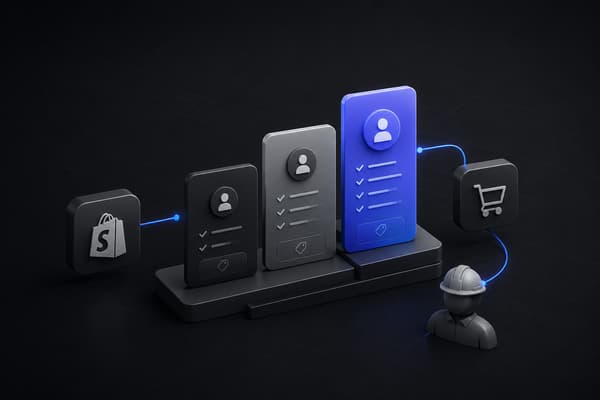
The important distinction, and the one most generic setup guides don't make clearly, is that Shopify gives you two different places to apply exemption: at the individual customer level, and at the company location level for B2B accounts. Which one you use changes how the exemption actually behaves for a wholesale buyer.
Exemptions are one piece of serving larger wholesale accounts, and enterprise buyers often expect to route orders through their own procurement systems too, which is where connecting a Shopify store to enterprise buyers over EDI comes into play.
Two Ways to Set Up Tax Exemption on Shopify: Customer-Level vs. Company Location-Level
Customer-level exemption applies to an individual customer record. This works cleanly for a single buyer purchasing as an individual or a sole proprietor with their own resale certificate. It does not automatically extend to anyone else at that buyer's company.
Company location-level exemption, available through Shopify B2B, applies to a specific location under a company account. This is the correct setting for most wholesale and resale B2B buyers, because it exempts the account itself, not just one person's login. If a company has multiple buyers placing orders under the same account, or multiple locations each with their own resale certificate (a retail chain with several stores, for example), company location-level exemption is what actually reflects how the business buys. This is common in high-SKU consumer wholesale like sports and outdoors distribution, where dealers span many states and each carries its own certificate.
Setting up exemption at the customer level for what is actually a company account is the single most common mistake in this process. It works until a second buyer at that company places an order and gets charged tax the first buyer wasn't, which is exactly the kind of inconsistency that erodes a wholesale account's trust in your store.
Setting Up Tax-Exempt Customers
For an individual buyer or sole proprietor with a resale certificate:
From the Shopify admin, go to Customers and open the buyer's profile.
In the customer's tax settings, mark them as tax exempt, either fully or for specific tax categories depending on what their exemption actually covers.
Save the change. The exemption applies automatically to future orders from that customer record.
This works well for a single-buyer account. It is not the right setup for a company with multiple purchasers, which is where company location-level exemption applies instead.
Setting Up Tax-Exempt Company Locations for B2B
For a wholesale or resale buyer operating as a Shopify B2B company account:
From the Shopify admin, go to the company's account and select the specific location that needs the exemption.
Apply the tax exemption at the location level, not to an individual buyer's login.
If the company has multiple locations (each with its own resale certificate, which is common for multi-state or multi-branch buyers), repeat this for each location individually rather than exempting the entire company by default.
Confirm the exemption applies correctly by checking a test order from that location before rolling it out to real buyers.
This is the setup that scales correctly as a wholesale account adds buyers, since the exemption lives with the account and its verified certificate, not with whichever individual happened to place the first order.
Collecting and Verifying Resale Certificates
A tax exemption setting in Shopify is only as sound as the documentation behind it. Before marking a customer or company location exempt, collect the actual resale certificate (or nonprofit or government exemption documentation) and keep a copy on file, tied to that account, not just a verbal confirmation that "they're wholesale so they're exempt."
A few practices that prevent problems later: verify the certificate covers the specific state or jurisdiction the order ships to, since resale certificates are often state-specific and don't automatically apply everywhere a multi-location buyer operates. Set a reminder to re-verify certificates periodically, since some jurisdictions require renewal. And keep the documentation accessible to whoever handles tax questions or an audit, not buried in an individual team member's inbox. A solid NetSuite connection helps here too, keeping exemption status and customer records aligned between checkout and the back office.
This is genuinely a compliance question, not just a Shopify settings question, and the specifics vary by state and by buyer type. Treat this guide as the platform mechanics, and confirm your actual compliance obligations with a tax professional familiar with your jurisdictions.
Common Mistakes When Setting Up Tax Exemption
Most of these mistakes trace back to the same root cause: treating tax exemption as a one-time setting instead of something tied to how an account actually grows and changes over time.
Exempting at the customer level for what's actually a company account. Covered above, and still the most frequent error, especially for wholesale accounts that started as a single buyer and grew.
No documentation on file for the exemption. An exemption without a verified certificate behind it is a liability if the business is ever audited, regardless of whether the buyer is legitimately exempt.
Applying a blanket exemption to an entire company instead of the specific certified location. A multi-location buyer may only have a valid certificate for some of its locations, not all of them.
Forgetting draft orders. A rep building an order manually for a phone or email buyer needs the same exemption logic applied, since a draft order doesn't automatically inherit a company's tax settings the same way a self-serve checkout does.
How Uncap Configures Tax Exemption for B2B Operators
Commerce Build sets up B2B checkout, including tax exemption at the correct level for how your wholesale and resale accounts actually operate, as part of implementing company accounts, net payment terms, and purchase order checkout together, not as an afterthought configured separately from the rest of the account structure. This is the same reason B2B payment terms and tax exemption should be scoped in the same phase of a build: both live at the company account level, and setting one up without the other creates the same kind of inconsistency for buyers.
Uncap is a Shopify Platinum Partner and Shopify Expert since 2013, with 380+ commerce storefronts launched on Shopify for wholesalers, distributors, and manufacturers. See how that work comes together in Uncap's case studies.
A Real-World Scenario: Fixing an Exemption Set at the Wrong Level
Picture a building materials distributor with a wholesale buyer whose purchasing manager had been placing orders for a year, correctly marked tax exempt at the individual customer level. When the buyer added a second purchaser to handle overflow orders, that new login wasn't exempt, since the exemption had been applied to one person's customer record instead of the company account.
The second buyer's orders started getting charged tax, generating credit memo requests every time it happened, until someone traced the pattern back to how the original exemption had been configured. Moving the exemption to the company location level instead of the individual customer resolved it permanently: every buyer under that account, present or future, inherited the correct tax treatment automatically.
Where to Start
Tax exemption on Shopify is straightforward to configure correctly once the customer-level versus company-location-level distinction is clear, and it's exactly the distinction most generic setup guides skip. For a wholesale or resale B2B buyer with more than one purchaser, company location-level exemption, backed by a verified resale certificate on file, is what actually holds up as the account grows. Teams often clean this up during a move off a legacy platform like nopCommerce, resetting exemptions at the account level as part of the migration.
Talk to our experts about setting up B2B checkout, including tax exemption, on Shopify.
Frequently asked questions
How do I make a wholesale customer tax exempt on Shopify?
For an individual buyer, mark their customer profile as tax exempt in the Shopify admin. For a company account with multiple buyers, which is more common for wholesale accounts, apply the exemption at the company location level instead, so every buyer under that account is covered, not just the person who happened to place the first order.
What's the difference between customer-level and company-level tax exemption?
Customer-level exemption applies to one individual's login and does not extend to anyone else purchasing under the same business. Company location-level exemption, available through Shopify B2B, applies to the account and location itself, which is the correct setting for most wholesale and resale buyers with more than one purchaser.
Do I need a resale certificate on file to mark a customer tax exempt?
Yes, in practice. Shopify's settings will let you mark a customer exempt without documentation, but that leaves the exemption unsupported if the business is audited. Collect and keep the actual certificate on file for every exempt account, and verify it covers the specific jurisdiction the order is shipping to.
Does tax exemption apply automatically to draft orders placed by a sales rep?
Not automatically in every case. A draft order built manually for a phone or email buyer needs the same exemption settings applied as a self-serve checkout order, since it doesn't always inherit company-level tax settings the same way. Confirm exemption is applying correctly on rep-assisted orders specifically, not just self-serve ones.