Most guides on food distributor software are written for buyers evaluating a new ERP. This one is written for a different reader: a food distributor who already runs an ERP, knows their operations, and is now asking whether their current tech stack can support an online ordering channel without rebuilding everything from scratch.
That is a fundamentally different decision. And it is the one most food distributors face in 2026 as restaurant groups, institutional buyers, and specialty retailers increasingly expect to place orders online at any hour, see account-specific pricing without calling a rep, and access their order history without an email thread.
This guide covers the criteria that actually matter when evaluating food distributor software for online channel readiness: the ERP integration questions, the buyer account requirements, the perishability constraints nobody models accurately, and the compliance data that has to surface in the buying experience before you can go live with confidence.
Two Decisions Most Food Distributors Conflate
The food distribution software market sells primarily to buyers who need an ERP: a core operations platform for purchasing, warehouse management, lot traceability, transportation, and finance. Products like NetSuite, Epicor, SAP S/4HANA, Microsoft Dynamics 365 Business Central, and food-specific ERPs built on top of those platforms all compete in this space.
That is a solved category. Most established distributors already have one of these systems in place.
The second decision, which software and architecture will power the online channel that sits in front of the ERP, is where most distributors get stuck. The assumption is that the ERP vendor will have an ecommerce add-on, or that a generic B2B ecommerce platform can be connected via middleware. In practice, both paths usually underdeliver on the features food buyers expect and overdeliver on the integration complexity the distributor did not budget for. A store cobbled together on WooCommerce is the classic example, holding up in a demo but buckling once real order volume and pricing complexity arrive.
Evaluating food distributor software for online channel readiness starts with being clear which decision you are making. This guide is about the second one.
Why Food Distribution Ecommerce Is More Complex Than a Standard B2B Online Store
Before running through evaluation criteria, it helps to understand what makes food distribution ecommerce genuinely different from selling industrial parts or office supplies online.
Perishability changes every ordering rule. A buyer placing a Wednesday order for Friday delivery has hard constraints on what can ship. Lead times are not flexible. Minimum order quantities exist because partial pallet loads are uneconomical for temperature-controlled delivery. These constraints have to be enforced at the product and cart level before an order is confirmed, not discovered during fulfillment.
Delivery windows are the product, not just the logistics. A restaurant ordering proteins for weekend service does not want to pick a delivery date from a calendar. They expect the system to show them available delivery slots based on their account's delivery route, their location, and the distributor's cut-off times. If an online store cannot model this, buyers call the rep instead.
Catch weight and variable weight items require non-standard pricing. A case of fresh salmon is priced per pound, not per case. The actual invoice weight differs from the ordered weight. Any ecommerce platform that assumes a fixed price per unit cannot handle this without custom development.
Lot traceability data has to be visible to the buyer. Under FSMA Section 204 (the FDA's Food Traceability Rule), certain high-risk foods require records documenting lot codes, harvest dates, and supply chain provenance at each step of the distribution chain. Buyers increasingly need this data surfaced in their order confirmations and invoices, not just stored in the distributor's ERP. An online channel that cannot deliver this forces manual intervention on every affected order.
Buyer account complexity is as high as any B2B vertical. A restaurant group with 15 locations is a single account with 15 ship-to addresses, customer-specific pricing on their most-ordered items, a weekly standing order that varies slightly each cycle, and Net 30 terms the accounts payable team expects to see on the invoice. Replicating this account structure online without losing the pricing logic or the order history takes more than a basic customer login.
Allergen and regulatory data must be accurate in the online catalog. A buyer ordering for a school cafeteria needs allergen declarations on every product before the order is placed. Publishing incorrect allergen data online creates liability. The catalog data quality requirement is higher than in a standard product catalog.
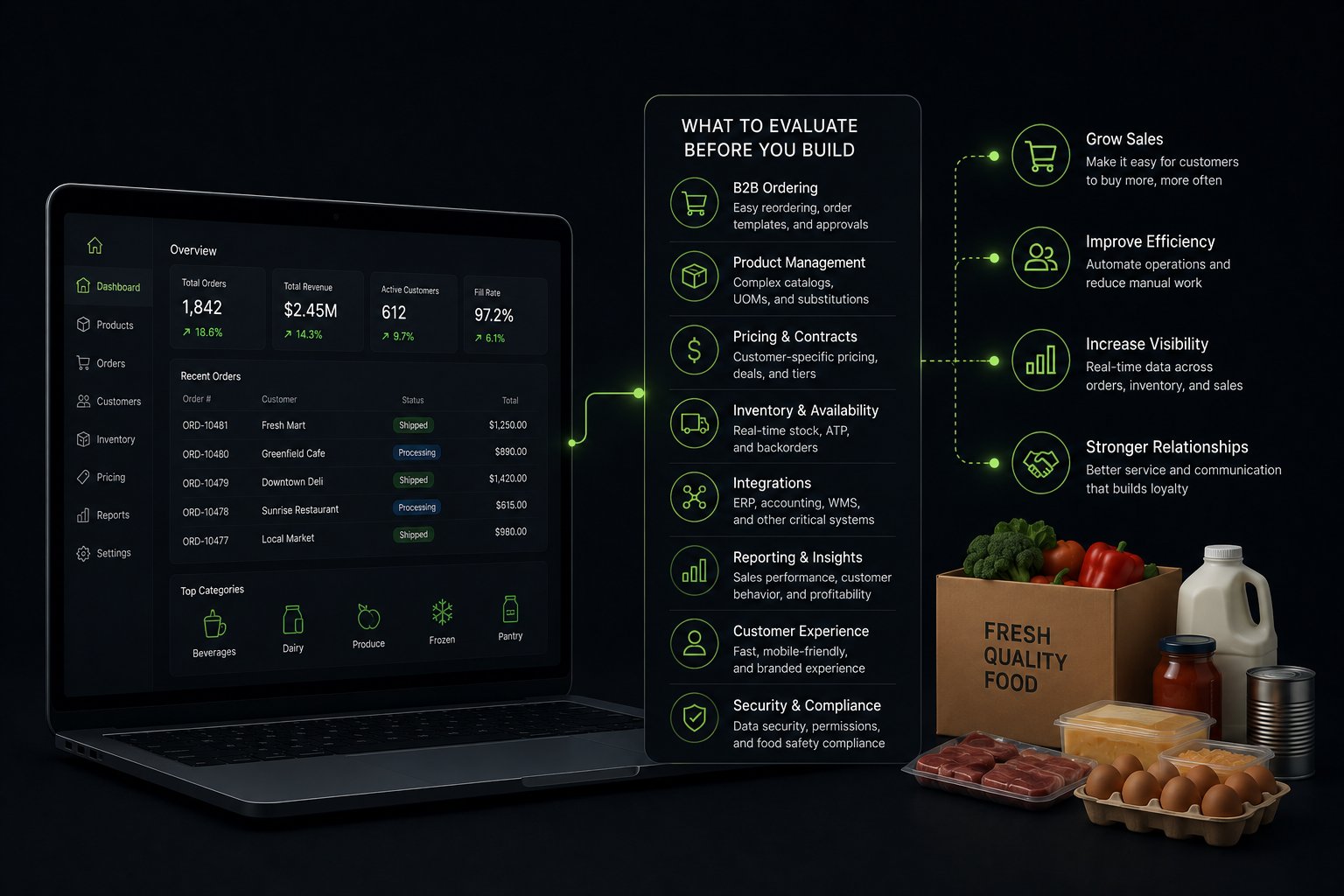
The 7 Criteria to Evaluate Before You Build
1. ERP Integration Fidelity
This is the single most important evaluation criterion and the one most distributors underestimate. An online ordering channel that does not sync bidirectionally with the ERP in real time will produce oversells, wrong pricing, and order status gaps within days of launch.
Evaluate integration on five specific data flows:
Inventory availability by location. Does the integration pull real-time stock counts from each warehouse location, not just aggregate availability? For a distributor with multiple facilities serving different delivery zones, location-level stock is the only number that matters for promise accuracy.
Customer-specific pricing. Most food distributor ERPs manage pricing through complex matrices, including contract pricing, volume tiers, promotional pricing, and account-specific overrides. Does the integration pull the correct price for each buyer based on their account ID, not a generic price list?
Customer account data. When a new account is set up in the ERP, does it automatically appear in the online channel with correct payment terms, credit limits, and catalog access? This should be automatic, not a manual sync step.
Order flow. When an order is placed online, does it flow into the ERP as a standard sales order, using the same workflows as phone and EDI orders? Or does it create a parallel order queue that operations has to monitor separately?
Order status updates. When the ERP marks an order as picked, shipped, or invoiced, does that status update in the online portal automatically so buyers can see it without calling? This is the most visible reliability test for buyers after their first few online orders.
2. Customer Account and Pricing Architecture
Food distribution accounts are not uniform, and the online channel cannot treat them as if they are. Evaluate whether the ecommerce platform supports:
Company accounts with multiple ship-to locations. A restaurant group account should be a single login environment, not 15 separate customer accounts. Buyers should be able to place orders for any of their locations from one interface, with the correct pricing and catalog for each.
Customer-specific catalogs. A broadline distributor does not show every buyer every SKU. Specialty buyers see specialty items. Seasonal buyers see current availability. Catalog access should be controlled at the account level, not the product level.
Tiered pricing by account. Contract pricing for national accounts, standard pricing for trade accounts, promotional pricing for new accounts. The storefront must apply the correct pricing from the ERP's price matrix without requiring manual updates when prices change.
Buyer role permissions. A head chef at a restaurant may be authorized to place orders, but a general manager needs to approve anything over a certain dollar amount before it is submitted. B2B buyer role hierarchies and order approval workflows protect food distributors from disputed orders and unauthorized purchases.
3. Delivery Window and Cut-Off Time Management
This is the constraint that most standard ecommerce platforms cannot handle without significant custom development.
Food buyers need to see their available delivery windows, not a generic estimated shipping date. A restaurant on a Tuesday/Thursday route should see Tuesday and Thursday as the only available delivery options. If they are placing an order after the Monday cut-off for Tuesday delivery, Tuesday should not appear as an option.
Evaluate whether the platform can:
Assign delivery routes and available delivery days at the account level
Enforce cut-off times per route (for example, orders for Tuesday delivery must be placed by 5 PM Monday)
Show buyers their next available delivery window automatically based on their account and location
Block checkout for products that cannot be fulfilled in the selected window due to availability or temperature constraints
Without this, the online channel creates expectation mismatches that sales reps spend hours resolving after launch.
4. Perishability and Order Constraint Handling
Perishable products require ordering rules that protect both the distributor's margins and the buyer's product quality. Evaluate whether the storefront can enforce:
Minimum order quantities by product or category. Fresh proteins and specialty produce often have pallet or case minimums that make smaller orders uneconomical for temperature-controlled delivery. These minimums should be enforced at the product level, with clear messaging to the buyer about why.
Catch weight and variable weight pricing. For items priced per pound where the actual weight varies per unit, the storefront needs to handle estimated pricing at order time and support invoice adjustment when actual weights are captured in the ERP. This is a core requirement for fresh seafood, meat, and produce distribution.
FEFO (First Expired, First Out) visibility. When a buyer orders a product, they should know what expiry window they are receiving. For buyers with strict shelf-life requirements, such as hospitals or schools, this data needs to be available at order time, not only on the invoice.
5. Compliance Data in the Buyer Experience
FSMA Section 204 took effect in January 2026 for large food businesses. It requires that Key Data Elements (KDEs) for certain high-risk foods be recorded and available for rapid recall response. For food distributors, this means lot codes, harvest and pack dates, and supply chain provenance data must be captured and retrievable for every affected order.
Evaluate whether the online channel can:
Display lot and batch information in order confirmation emails and in the buyer's order history
Support buyer-facing documentation downloads (certificate of analysis, country of origin declarations, allergen statements) linked to specific orders
Pass lot-level data into the ERP automatically when an order is placed, supporting the distributor's traceability records
If the online channel treats this data as irrelevant to the buyer experience, the distributor is building a compliance gap into their digital infrastructure.
6. B2B Self-Service Ordering Features
Food buyers, particularly restaurant buyers ordering recurring weekly supplies, need ordering tools that match how they actually work. Evaluate for:
Standing orders and recurring order templates. A restaurant ordering the same core items weekly needs a template that pre-populates with their standard quantities, which they can adjust before submitting. A standing order that runs automatically on a defined schedule saves the buyer significant time on routine replenishment.
Order from history. For buyers who do not use a template, the ability to find a past order and reorder it in full, or with modifications, is the most common time-saving feature requested in B2B ecommerce deployments. It needs to work reliably, pulling current pricing from the ERP rather than the historical price on the past order.
Quick order entry by SKU or case code. Buyers working from a prep list or purchase order should be able to enter item codes and quantities directly without navigating product pages. This is standard in B2B portals but absent from most standard ecommerce solutions.
PAR level ordering. For restaurant and institutional buyers managing Par (Periodic Automatic Replenishment) levels, the ability to enter current stock counts and let the system calculate the order quantity to reach par is a significant workflow efficiency. Few food ecommerce solutions support this natively.
Some of these criteria are specific to food, but others are the same fundamentals any operator should settle before building an online channel at all, which we lay out in the facts every operator should know before starting a B2B ecommerce business.
7. Net Payment Terms in the Online Checkout
Most food distribution accounts operate on credit terms: Net 30 is standard for restaurant and foodservice accounts, with Net 60 and Net 90 extended to larger groups and institutional buyers. The online checkout must support terms-based payment as a first-class option, not a workaround.
Evaluate whether the platform allows:
Assigning Net 30, Net 60, or Net 90 terms to specific accounts, applied automatically at checkout without buyer or rep intervention
Displaying a "Pay on Account" option at checkout with the buyer's current available credit
Preventing order placement if an account is over credit limit, with an appropriate message to the buyer rather than a payment error
Passing invoice generation and due-date calculation to the ERP automatically, so accounts receivable workflows are not disrupted by online orders
For more context on how net terms work across a wholesale distributor's customer base, the guide to B2B payment terms covers the mechanics in detail.
The Architecture Decision: ERP-Connected vs Standalone
The evaluation criteria above point toward a clear architectural requirement: the online channel needs to be deeply integrated with the ERP, not operating as a standalone system that syncs on a schedule.
Two approaches fail in practice:
Standalone ordering portals built specifically for food distribution (typically SaaS tools marketed as B2B ordering apps) handle ordering workflows well but lack the pricing fidelity, account complexity, and catalog management features that mid-to-large distributors require. They work for distributors with simple pricing and small customer bases.
ERP vendor ecommerce add-ons solve the integration problem because they live within the same data environment, but tend to deliver compromised buyer experiences, limited design flexibility, and slow roadmap updates compared to purpose-built ecommerce platforms.
The architecture that resolves this trade-off is a Shopify Plus storefront connected to the ERP via a real-time, bidirectional integration layer. Shopify Plus provides the buyer experience, the B2B account management, and the catalog infrastructure. The ERP remains the system of record for pricing, inventory, customers, and orders. The integration layer keeps them synchronized without the distributor having to maintain two separate sources of truth.
Uncap Connect is designed for exactly this architecture, built to connect ERPs such as NetSuite, Epicor, SAP S/4HANA, Microsoft Dynamics 365, Acumatica, and Cin7. Rather than generic API middleware that requires custom field mapping for each distributor's data model, Uncap Connect is built around the data structures food distributors actually use, including customer price matrices and multi-location warehouse configurations, with lot-level availability built during implementation on the inventory it syncs.
What Food Buyers Actually Need in a Self-Service Portal
Understanding what buyers want from an online channel before specifying the technology prevents building a portal buyers find ways around.
The five features food buyers consistently prioritize in self-service research, in order of importance:
1. Account-specific pricing without asking. The number one frustration with generic B2B portals is seeing list pricing instead of contract pricing. If a buyer sees the wrong price, they call the rep instead of completing the order. The pricing must be correct on first login.
2. Real-time stock confirmation. "Call to check availability" is not acceptable in an online ordering context. Buyers need to know if an item is available before they build an order around it. Out-of-stock or limited availability messaging at the product level, drawn from real-time ERP inventory, is the baseline requirement.
3. Delivery window selection. As covered in the evaluation criteria, buyers need to select their delivery date from their available windows, not enter a date and wait to be contacted about whether it is feasible.
4. Order history accessible by date, product, and invoice number. Buyers use order history for accounts payable reconciliation, reordering, and compliance documentation. History that only shows recent orders or requires filtering by date is insufficient for accounts that have been ordering for years.
5. Invoice download and proof of delivery. Restaurant and institutional buyers need invoices in a downloadable format for their own accounts payable systems. Proof of delivery documentation is increasingly requested by compliance-focused buyers. Both should be available in the buyer's self-service portal without a support request.
Evaluation Framework: Food Distributor Software for Online Channel Readiness
ERP Integration
What to Verify: Real-time, bidirectional sync on inventory, pricing, orders, customers
Red Flag: Scheduled batch sync or manual export/import
Customer Pricing
What to Verify: Contract and account-specific pricing pulled from ERP price matrix
Red Flag: Single price list or manual price entry in ecommerce
Account Structure
What to Verify: Company accounts with multiple ship-tos, buyer roles, credit limits
Red Flag: One account per location
Delivery Windows
What to Verify: Route-based windows enforced at checkout by account
Red Flag: Open date picker with no route logic
Perishability
What to Verify: Catch weight support, FEFO visibility, minimum order enforcement
Red Flag: Fixed unit pricing only
Compliance Data
What to Verify: Lot codes surfaced in order confirmations, FSMA 204 data passed to ERP
Red Flag: No lot-level data in buyer experience
B2B Ordering Tools
What to Verify: Standing orders, reorder from history, quick entry, PAR support
Red Flag: Cart-based ordering only
Net Payment Terms
What to Verify: Terms applied by account at checkout, credit limit enforcement
Red Flag: Credit card or PayPal only
Allergen/Nutrition Data
What to Verify: Allergen declarations on product pages from structured data source
Red Flag: Manual product description only
Order Status
What to Verify: Real-time status updates from ERP (picked, shipped, invoiced) in buyer portal
Red Flag: No status updates until delivery
How Food Distributors Are Building Their Online Channel: A Phased Approach
Phase 1: ERP data audit and integration design
Before any ecommerce build begins, audit the quality of three data sets in the ERP: customer records (pricing tiers, terms, ship-to addresses), product records (descriptions, units of measure, catch weight flags, allergen data), and inventory records (location-level stock, lot data structure). Poor data quality in any of these sets will appear immediately in the buyer experience after launch.
Map the integration architecture before choosing the ecommerce platform. The integration requirements should drive the platform evaluation, not the other way around.
Phase 2: Account structure design
Map your existing customer base to the company account model: which customers have multiple locations, which have approval workflows, which have custom catalogs versus full catalog access, which have special payment terms. Define your pricing tier structure and how it maps to the accounts in the ecommerce platform. This design work is slower than building but prevents significant rework post-launch.
Phase 3: Catalog build and compliance review
Build the online catalog starting with your highest-velocity SKUs. Verify allergen data, unit of measure configurations, and any catch weight pricing before those products go live. For FSMA 204 covered commodities, confirm that the ERP passes lot-level KDE data to the integration layer correctly.
Phase 4: Delivery and ordering constraint configuration
Configure delivery routes, cut-off times, and minimum order rules at the account and product level. Test ordering scenarios that exercise edge cases: orders placed after cut-off, products with conflicting delivery windows, minimum order scenarios, accounts at or near credit limits.
Phase 5: Controlled launch with key accounts
Launch with five to ten high-volume accounts who have an existing relationship with the sales team. Use their first 30 days of ordering to identify pricing discrepancies, integration gaps, and UX friction points before the full customer base is invited.
For food distributors approaching this transition for the first time, the broader context in how distributors move from offline to online B2B commerce is worth reviewing before the build begins.
Uncap has supported food and beverage distributors through this exact process, building the ERP integration architecture, account structures, and ecommerce infrastructure that allow distributors to run a credible online channel without compromising the operational complexity their business already manages. Much of what to evaluate in food distributor software applies in other verticals too; our industries index shows how the same criteria translate beyond food and beverage.
Ready to Build Your Online Channel?
Uncap has built B2B commerce platforms for manufacturers, distributors, and wholesalers since 2013, with 380+ storefronts launched on Shopify across sectors including food and beverage distribution. An online channel for a food distributor is not a standard ecommerce project. It requires ERP integration precision, buyer account complexity, and compliance data handling that generic agencies are not equipped to deliver.
Book a Strategy Session to map out what your online channel build would require.
Frequently asked questions
What is food distributor software?
Food distributor software refers to the technology stack a food distribution business uses to manage purchasing, inventory, lot traceability, customer pricing, order management, and delivery. For most mid-to-large distributors, this means an ERP such as NetSuite, Epicor, SAP S/4HANA, or Microsoft Dynamics 365, potentially alongside warehouse management, transportation management, and online ordering systems. The term is also used loosely to describe any software purpose-built for food distribution operations.
What is the difference between food distribution ERP software and food distributor ecommerce software?
Food distribution ERP software manages internal operations: purchasing, warehouse, inventory, finance, and fulfillment. Food distributor ecommerce software creates the online channel through which buyers place orders. The two need to be integrated so that the ecommerce channel reflects accurate pricing, inventory, and account data from the ERP. Most distributors need both, with the ERP remaining the system of record.
What is FSMA Section 204 and how does it affect food distributor software?
FSMA Section 204 is the FDA's Food Traceability Rule, which took full effect for large food businesses in January 2026. It requires that Key Data Elements (KDEs), including lot codes, harvest dates, and supply chain location records, be maintained and accessible for rapid recall response for foods on the Food Traceability List. Food distributor software must support capturing, storing, and surfacing this data at the lot and order level. Distributors adding an online channel need to ensure this data flows correctly from the ERP to the online order record.
What is FEFO inventory management in food distribution?
FEFO stands for First Expired, First Out. It is the inventory rotation method used for perishable products, ensuring that stock with the earliest expiry date is allocated and shipped before stock with later expiry dates. Food distribution ERP systems that support FEFO automatically prioritize older lot inventory during picking. For online ordering, FEFO information should ideally be surfaced to buyers who have strict shelf-life requirements, such as hospitals, schools, or fine dining accounts.
How do net payment terms work in food distribution ecommerce?
Net payment terms such as Net 30 allow wholesale buyers to receive their order and pay the invoice within 30 days of delivery. In food distribution ecommerce, terms are applied at the account level in the ERP and should be reflected automatically at checkout. Rather than asking a buyer to enter a credit card, the system displays a "Pay on Account" or "Net 30" option, generates a sales order with payment terms attached, and passes the invoice to the ERP for accounts receivable processing. Buyers should not need to interact with the terms setup on each order.
What are standing orders in food distribution and how should they work online?
A standing order is a recurring order template that a buyer, typically a restaurant or institutional buyer, uses to replenish regular items on a set schedule. In an online portal, standing orders should allow the buyer to define their regular items and quantities, set a delivery frequency, and either have orders auto-submit on a schedule or receive a reminder to review and confirm the order before it is placed. The pricing on a standing order should always pull current contract pricing from the ERP, not the historical price from when the template was created.
What is catch weight pricing and why does it matter for food distributor software?
Catch weight refers to the practice of selling products by weight rather than by a fixed unit price when the actual weight varies per item, which is common for fresh seafood, meat, and specialty produce. A food distributor selling fresh salmon lists a price per pound, but each case may weigh differently. At order time, the buyer is given an estimated price. When the actual case is weighed at the warehouse, the invoice is adjusted to reflect the actual weight. Food distributor software must support catch weight at both the ERP and the online ordering level to handle this correctly without manual intervention.
How should allergen information be managed in a food distributor's online catalog?
Allergen data for each product, covering the 9 major allergens recognized by the FDA: milk, eggs, fish, shellfish, tree nuts, peanuts, wheat, sesame, and soybeans, should be stored in the product record in the ERP or a connected product information management system and published to the online catalog from that structured data source. Manually entering allergen data in product descriptions introduces error risk and creates a compliance liability. Buyers purchasing for schools, hospitals, or allergy-sensitive venues need to verify allergens before placing orders, and the catalog must make this data unambiguous.
What ERP systems are most commonly used by food distributors?
Mid-to-large food distributors typically run one of the following ERP platforms: Oracle NetSuite (widely used by mid-market distributors for its cloud-native architecture), Epicor Prophet 21 (strong in wholesale distribution, commonly used in food and industrial distribution), SAP S/4HANA (preferred by large and enterprise distributors), Microsoft Dynamics 365 Business Central (common in food-specific builds from vendors like inecta and others), and Acumatica (popular with growing mid-market distributors). Food-specific ERP platforms like JustFood (now part of Aptean), NECS Entrée, and BFC Software are also used in specific segments.
How long does it take to build an online ordering channel for a food distributor?
A distributor-grade online ordering channel built on Shopify Plus with ERP integration, account structure, delivery window logic, and compliance data typically requires 16 to 24 weeks from project kickoff to a controlled launch with key accounts. Data preparation, particularly product data quality and ERP integration mapping, is usually the longest phase. Distributors with clean ERP data and well-structured customer records can move faster. Distributors with incomplete product data, inconsistent pricing records, or highly customized ERP configurations should budget more time and plan the data cleanup phase before the ecommerce build begins.