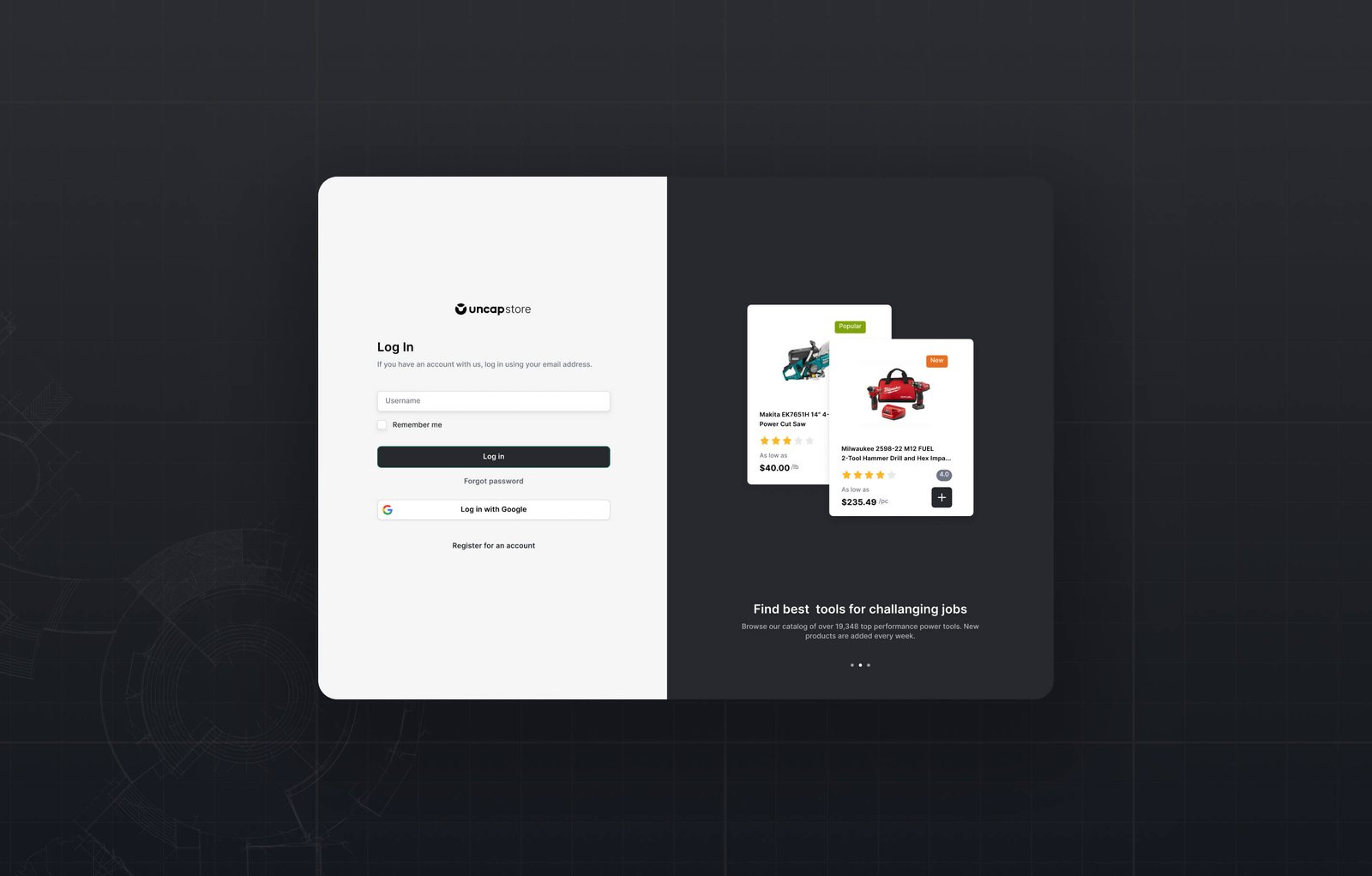
A private order portal on Shopify Plus is a restricted-access storefront that wholesale buyers log into and experience as their own: their prices, their catalog, their payment terms, their order history. No public browsing. No retail pricing. No friction from a generic checkout not built for their purchasing workflow.
For manufacturers and distributors, a properly built portal eliminates phone orders, manual entry, and the operational overhead that comes from B2B buyers who cannot self-serve. For buyers, it means 24/7 access to correct pricing, instant reorder, and full account visibility without waiting for a sales rep. This is especially true in auto parts and aftermarket distribution, where buyers order by fitment and expect their account pricing right on the first screen.
This guide breaks down every component of a Shopify Plus private order portal: how each layer works, how to set it up, what the buyer experience looks like, and where the native features end and custom development begins.
Do You Need Shopify Plus for a Private Order Portal?
This is the first question, and it deserves a direct answer.
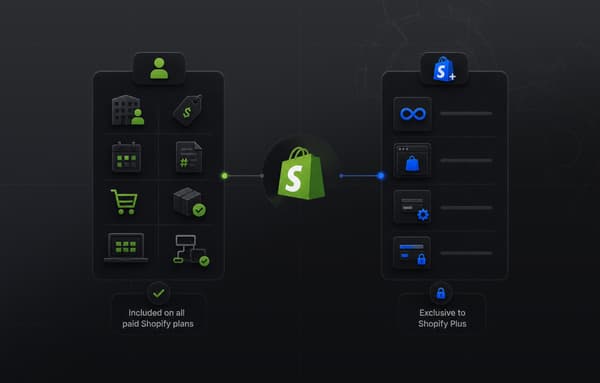
On Shopify Plus: Every Shopify B2B feature is available, including the ones only Plus has: unlimited B2B market catalogs, direct company catalogs (catalogs assigned directly to a company or company location), deposit requirements for companies and for draft orders, partial payments, and payment requests per fulfillment. That sits on top of what every B2B plan gets, such as company accounts, net payment terms, and purchase order numbers at checkout.
On the Basic, Grow, and Advanced plans: Since April 2026, Shopify B2B runs on these plans too, with companies and company locations, Location admin and Ordering only permissions, up to 3 active catalogs across all your B2B markets, quantity rules and price breaks, net terms, vaulted credit cards, checkout to draft, easy reorders, PO numbers, and the quick order list. Contextual checkout and storefront through Shopify Markets need Advanced or Plus. Shopify B2B isn't available on the Starter or Retail plans.
For what that native portal covers on any plan and where it stops, see our guide to the B2B buyer portal on Shopify.
Plus earns its place when you need more than 3 catalogs, catalogs assigned to individual companies or locations, deposits, or partial payments. The rest of this guide covers how the portal fits together on Plus.
The Eight Components of a Shopify Private Order Portal
1. Access Control and Authentication
The portal begins before a buyer sees a single product. Access control determines who can enter, what they can see, and how they authenticate.
Restricted storefront access. In a dedicated B2B store, you can restrict the whole store to signed-in B2B customers from Online Store > Preferences, so the wholesale storefront is not open to public browsing. Restricting only specific pages takes custom Liquid development or a third-party app.
Company account-based access. Access is not granted to individuals, it is granted to companies. A buyer's login is linked to their company account, which determines what catalog they see and what pricing they have. If a buyer works for two companies, they need two separate logins.
Invitation-based onboarding. The standard flow for new buyers: you create a company and contact in the Shopify admin, assign their catalog and pricing, and send them an invitation email. The buyer signs in with a one-time code and lands directly in their portal with the correct catalog and prices loaded on first login.
New buyer request flow. For inbound wholesale inquiries, a form on the public-facing site captures buyer information. Shopify Flow can automate the review and setup: when a tagged form submission arrives, Flow creates the company record, assigns a default catalog, and sends the invitation email. What was a manual multi-step admin task becomes a single approval action.
Passwordless sign-in. Shopify B2B runs on customer accounts, where buyers sign in with their email and a one-time 6-digit code. A password isn't required.
2. Company Accounts and Locations
Company accounts are the account management layer in Shopify B2B. Understanding how they are structured is critical for setting up a portal correctly.
Companies and locations. A company represents the buying organization. A location represents a specific purchasing entity within that company (a branch, warehouse, or subsidiary). Catalogs, price lists, and payment terms are all assigned at the location level, not the company level. A company with three locations can have different pricing and catalogs at each one.
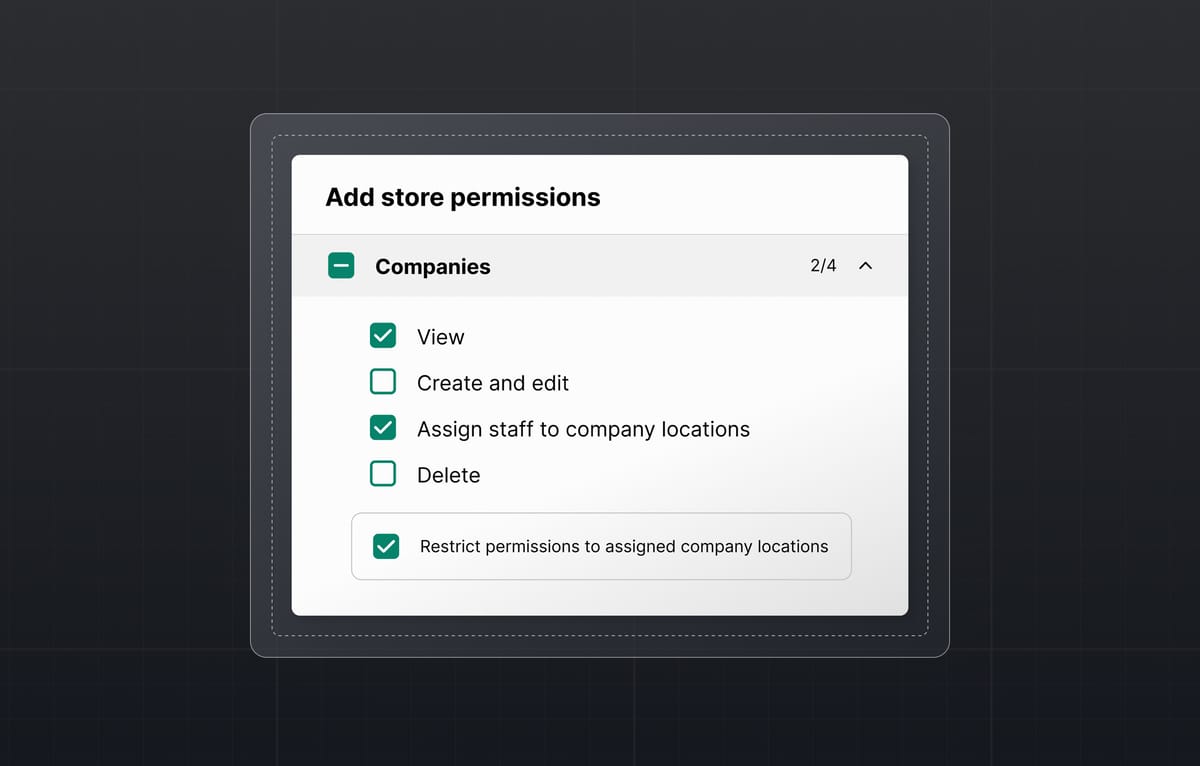
Multi-user accounts. Each company location can have multiple buyer contacts, each with a defined role. Two permissions are available natively: Ordering only (places orders for the assigned locations and sees the contact's own order history) and Location admin (also sees every order placed for the location and edits its billing and shipping addresses). Additional role customization is available through custom development.
Sales rep assignment. You can assign internal team members as account managers for specific companies. This surfaces order history and account activity for your sales team without requiring them to ask operations.
Order history and account visibility. Every buyer has full visibility into their own order history, filtered by date, order number, and status. For manufacturers where buyers reorder frequently, this self-service history is the most-used feature in the portal, eliminating the "what was the status of my order from last month?" support inquiry.
3. Catalogs vs. Collections: A Critical Distinction
This is the point where many B2B setups go wrong. Collections and catalogs look similar but serve entirely different purposes. Operators leaving a heavily customized Magento store often relied on rigid category trees for this, and B2B catalogs replace that model cleanly.
Collections group products for storefront navigation and merchandising. A collection called "Fasteners" contains all fastener products. Every buyer who can access the storefront can see any public collection. Collections do not control pricing.
B2B Catalogs control which products a specific company sees AND at what price. A catalog assigned to Company A shows 200 of your 500 SKUs at that company's negotiated pricing. A catalog assigned to Company B shows a different 300 SKUs at different pricing. Neither company sees the other's catalog or pricing.
Purpose
Collections: Navigation grouping for all visitors
B2B Catalogs: Product and pricing assignment per company
Pricing Control
Collections: No
B2B Catalogs: Yes (percentage adjustment, fixed overrides, volume tiers)
Assignment
Collections: Public storefront
B2B Catalogs: Per company location
Quantity Rules
Collections: Not built-in
B2B Catalogs: Built-in per product in catalog
Who Sees It
Collections: All customers
B2B Catalogs: Only assigned companies
Unlimited catalogs are Shopify Plus exclusive. On the Basic, Grow, and Advanced plans, you can assign up to 3 active catalogs across all your B2B markets.
4. Pricing: Price Lists, Quantity Rules, and Volume Pricing
Shopify B2B's pricing architecture has three distinct layers that work together. Understanding the difference matters for setup and for avoiding misconfigurations that show buyers incorrect prices.
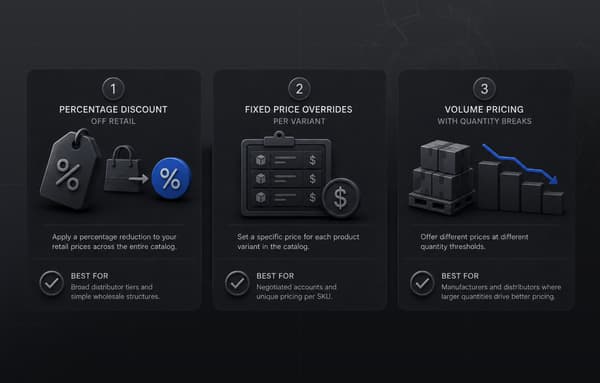
Catalog pricing (price lists). Sets the base price each company pays for each product. Configured as: a percentage adjustment off the standard retail price (e.g., Company A gets 30% off all products), or fixed price overrides for specific products or variants (e.g., Company A pays exactly $8.90 for SKU X regardless of the standard price).
Quantity rules. Controls how much a buyer can purchase. Minimum order quantity (must order at least 6 units), maximum order quantity (cannot order more than 144 units per order), and order increment rules (must order in multiples of 6) are all configurable per product within a catalog.
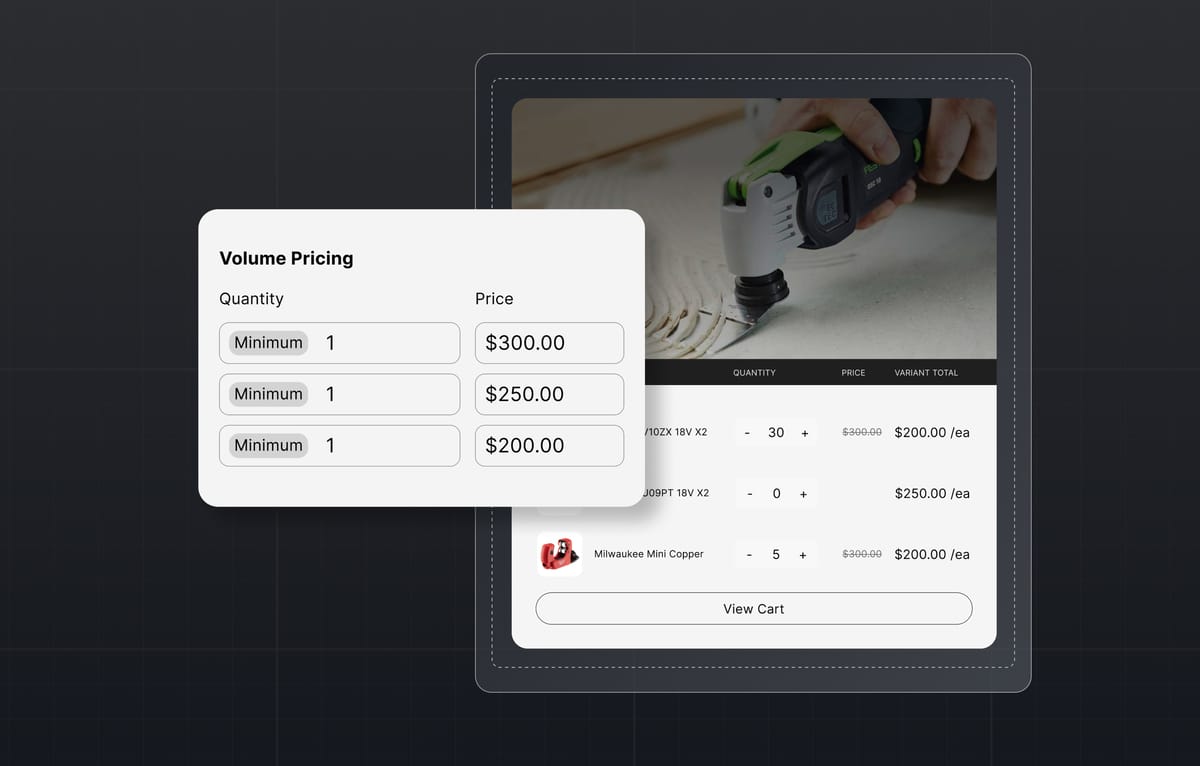
Volume pricing. Creates tiered unit pricing based on order quantity. A distributor who orders 50 units gets a lower per-unit price than one who orders 10 units, all within the same catalog and the same checkout without discount codes or manual quoting.
Catalog Pricing
What It Controls: Who pays what base price
Set At: Catalog level, per product
Example: Company A sees SKU X at $8.90, Company B at $9.50
Quantity Rules
What It Controls: How much can be ordered
Set At: Per product in catalog
Example: Must buy 6+, in multiples of 6
Volume Pricing
What It Controls: How price changes with quantity
Set At: Per product in catalog
Example: 1-9 units at $10.00, 10-49 at $9.50, 50+ at $9.00
These three layers stack on top of each other and apply automatically when a buyer is logged in. The buyer sees their correct price without entering a code, without contacting a rep, and without any manual intervention from your team.
5. Payment Terms and B2B Checkout
B2B buyers do not pay at checkout the way consumers do. The payment structure for wholesale accounts requires different checkout behavior.
Net payment terms. Shopify B2B handles net payment terms natively on every plan that has B2B. A buyer on Net 30 completes their order without entering payment details, and you can send payment reminders on the due date with Shopify Flow. Net 7, Net 15, Net 30, Net 45, Net 60, Net 90, and due on fulfillment are available. Payment terms are configured per company location.
Purchase order number capture. Buyers enter their internal PO number at checkout. The PO number flows through to the Shopify order record, your ERP, and all order notifications and invoices. This is a hard requirement for procurement-managed purchasing in most wholesale accounts.
Tax exemption management. B2B buyers with tax-exempt status have their exemption applied at the account level. Buyers do not need to upload certificates at each checkout. Tax exemptions are configured in the company account and enforced automatically.
Multiple shipping addresses. Buyers can select from all locations registered to their company account without re-entering addresses. A buyer at a company with five warehouse locations selects the correct delivery address from a dropdown.
Custom checkout fields. Fields such as internal order notes, special delivery instructions, or approval codes come from checkout UI extensions, and extensions on the information, shipping, and payment steps are available only on Shopify Plus. Custom checkout logic, such as discounts, payment and delivery options, and cart and checkout validation, runs on Shopify Functions, which replaced Shopify Scripts. Shopify stopped running all Scripts on June 30, 2026.
6. The Buyer Portal Experience
What buyers see when they log in determines whether they use the portal or route around it. A portal with correct pricing but a frustrating interface does not reduce support volume. It generates it.
The buyer dashboard. The default landing page after login shows two sections: order history and shop. Order history provides a filterable view of all past orders for that location. The shop shows the catalog assigned to that location with the buyer's pricing already applied.
Product search and discovery. Buyers searching for a specific SKU, part number, or product description in a large catalog need search that works like B2C search. Shopify's native search handles standard catalogs. For operations with thousands of SKUs, complex attribute structures, or technical part number searches, Algolia provides the search experience that drives buyer adoption.
Quick reorder. The most frequently used feature in wholesale portals. Buyers view their order history, find the last order for a product or a full order, and reorder with a single action. Shopify's native B2B customer account supports reorders from order history on every B2B plan. For operations with heavy repeat ordering patterns, custom reorder features (CSV upload for bulk orders, saved carts, quick-add by SKU) extend the native capability.
Mobile access. B2B buyers place orders from warehouse floors, job sites, and trade shows. The buyer portal must work on mobile without compromising functionality. Shopify Plus storefronts are mobile-responsive by design. The B2B buyer portal renders on mobile with full order placement capability.
The right add-ons make this easier, and we round up the best Shopify apps for running a private ordering portal.
7. ERP Integration: Keeping the Portal and Back-Office in Sync
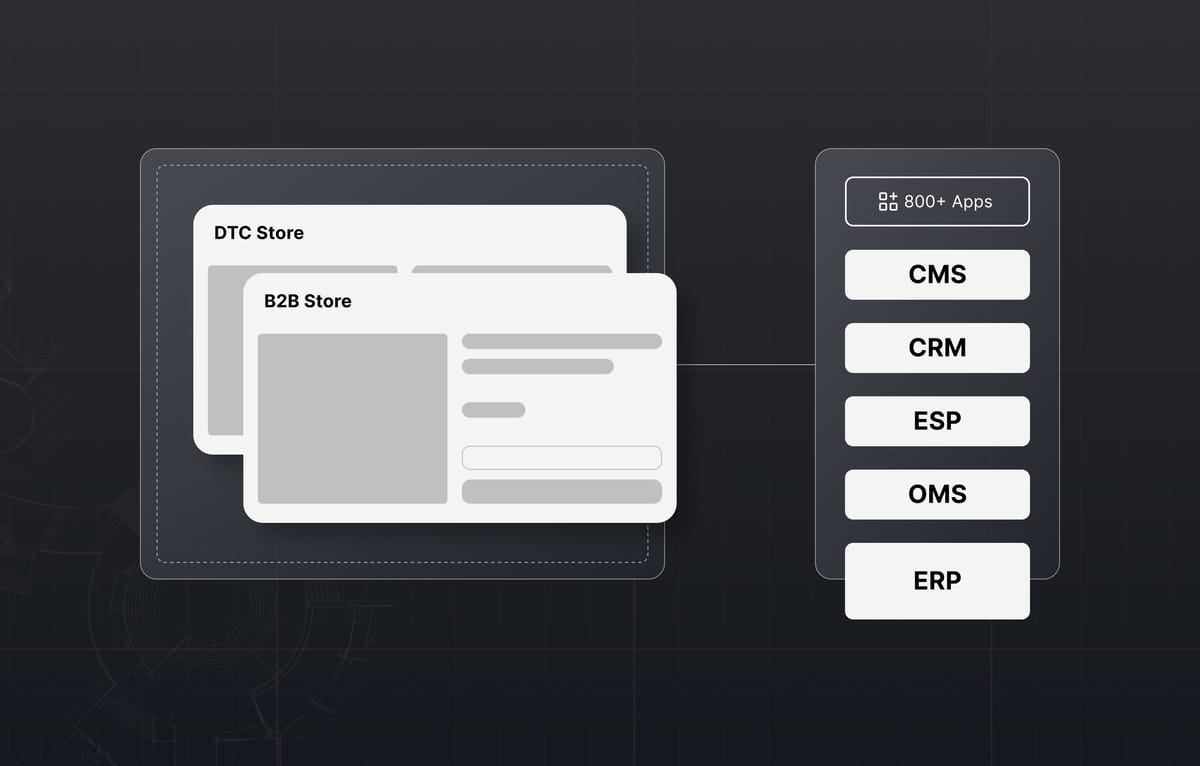
A private order portal without ERP integration is a data entry job. Orders placed by buyers in the portal must flow automatically to your fulfillment and accounting systems without manual re-entry.
Real-time order sync. Orders placed in the Shopify portal appear immediately in the ERP's fulfillment queue. No one on your operations team needs to manually enter the order. The buyer places the order; your warehouse receives the pick slip.
Inventory sync. Stock levels in your ERP update the portal in real time. Buyers see accurate availability. Overselling on out-of-stock items is prevented at the point of ordering. For manufacturers with complex multi-location inventory, inventory sync shows availability by warehouse or displays a combined total, depending on your configuration.
Pricing sync. Customer-specific pricing in your ERP syncs to Shopify's price lists. When contract terms change in your ERP, the buyer's price in the portal updates automatically. Pricing disputes caused by portal prices differing from invoiced prices are eliminated.
Customer account sync. New accounts approved in your ERP are created in Shopify. Account status changes and credit limit adjustments apply in both systems. A buyer whose account is placed on hold in the ERP cannot place new orders in the portal.
Uncap builds ERP integrations to Shopify Plus for NetSuite, SAP, Microsoft Dynamics, and Epicor as part of our B2B portal implementations. Uncap Connect is the real-time data layer between Shopify, your ERP, and the warehouse floor, with two-way sync embedded natively inside Shopify. For lighter warehouse setups, a Fishbowl integration keeps stock levels and the storefront showing the same available quantity.
8. Workflow Automation with Shopify Flow
Shopify Flow handles the rule-based automation that makes the portal operational without manual admin work.
New buyer onboarding automation. When a wholesale inquiry form is submitted and tagged, Flow creates the company account, assigns a default catalog, and triggers the invitation email. What took 15 minutes of admin work per new account becomes an automated sequence.
Order routing. Custom order tags based on company account, order value, or product type route orders automatically to the correct fulfillment team or warehouse. Large orders above a threshold get a review tag before fulfillment confirmation.
Credit limit enforcement. Flow can trigger alerts or hold orders when a company account approaches or exceeds its credit limit, giving your finance team visibility before fulfillment is completed.
Reorder reminders. Automated communications via Klaviyo triggered by order history patterns (last order was 30 days ago, buyer normally orders monthly) prompt buyers to reorder before they run out of stock.
Setting Up the Portal on Shopify Plus: Step-by-Step
Step 1: Activate Customer Accounts
From your Shopify admin, go to Settings > Customer accounts and activate customer accounts, because Shopify B2B requires them. Organize your product data with unique SKUs and clear variant structures before proceeding.
Step 2: Create a Company
From your Shopify admin, go to Customers > Companies and click Add company. Enter the company name and primary contact information. When you create a company, Shopify automatically creates one company location for it.
Step 3: Add a Company Location
Every company requires at least one location. Orders, catalogs, price lists, and payment terms are all assigned at the location level. For companies with multiple purchasing locations (different warehouses, branches, or subsidiaries), create a separate location for each.
Configure payment terms at the location level: select the appropriate net terms (Net 30, Net 60, etc.) or set the location to pay at checkout if no credit terms apply.
Step 4: Assign Company Contacts with Roles
Add buyer contacts to the company location. Assign each contact a permission: Ordering only or Location admin. You can then send each contact an invitation email; they sign in with a one-time code, with no password to set.
Step 5: Build Your Catalogs
From your Shopify admin, go to Markets > Catalogs and click Create catalog. Add the products this company should see. For each product in the catalog, configure:
- Catalog pricing: apply a percentage adjustment or set fixed price overrides for specific SKUs
- Quantity rules: set minimum order quantity, maximum quantity, and order increments
- Volume pricing: configure tiered pricing breaks by order quantity
Assign the completed catalog to the company location.
Step 6: Test the Buyer Experience
Log in as a test buyer contact. Confirm that:
- The catalog shows the correct products (and only those products)
- All prices reflect the configured price list
- The checkout correctly presents net payment terms rather than a payment form
- The PO number field appears at checkout
- Order history is visible and accessible
Fix any mapping issues before inviting real buyers.
Step 7: Connect Your ERP
Build the integration between Shopify Plus and your ERP before go-live. Define the five core data flows: order sync (Shopify to ERP), inventory sync (ERP to Shopify), pricing sync (ERP price lists to Shopify price lists), customer account sync (ERP accounts to Shopify companies), and fulfillment status sync (ERP fulfillment events back to Shopify order status). Test each flow with real data against your staging environment before switching buyers to the live portal.
International B2B: Expansion Stores vs. Shopify Markets
For manufacturers operating across multiple countries or legal entities, the portal architecture needs to account for regional differences in pricing, catalogs, compliance, and currency.
Shopify Markets. The recommended approach for most international B2B operations. Shopify Markets allows catalog management with market-specific pricing, currency, and product availability from a single Shopify backend. A German distributor and a US distributor log in to the same portal but see market-specific pricing and currency automatically.
Expansion Stores. For operations with complete operational independence per region, separate legal entities, or significantly different product ranges across markets, Expansion Stores create fully separate Shopify environments under one Plus contract. Each store has its own B2B portal, its own catalog, and its own admin.
Most mid-market B2B manufacturers serving international distributors use Shopify Markets. Expansion Stores are appropriate for enterprise operations with regulatory, legal, or structural reasons for complete separation.
Going Beyond the Native Portal: Uncap Portal
Shopify's native buyer portal handles the core self-service workflow. For B2B operations where buyers need more than order history and reordering, the native portal has limits.
Uncap Portal works with Shopify B2B and your ERP and gives trade accounts a self-serve home on Shopify:
- Company accounts: real multi-user accounts with roles and permissions
- Account catalogs: each buyer sees their assortment and pricing
- Fast reorder: reorder lists and order history a click away
- Invoices and terms: NET terms, invoices, and payments in the portal
- Spend controls: budgets, approvals, and limits per user
- Account insights: reps see activity and openings at a glance
Portal works on top of Shopify B2B, so it extends the platform rather than replacing it.
Working with a Shopify B2B Portal Implementation Partner
A private order portal is not a Shopify theme install. The complexity is in the pricing architecture, the ERP integration, the buyer onboarding workflow, and the account management layer that has to work correctly from the moment buyers start using it.
Uncap is a Shopify Platinum Partner with 380+ storefronts launched on Shopify, including for manufacturers, distributors, and wholesalers. Uncap Products such as Uncap Portal and Uncap Quotes extend Shopify's native B2B layer where it needs extending.
Continue Reading
- Shopify B2B Wholesale for Suppliers: The Complete 2026 Guide
- Shopify B2B Wholesale Setup: Catalogs, Pricing, Permissions, and Net Terms
- B2B Ecommerce Replatforming: A Step-by-Step Guide to Moving to Shopify Plus
Frequently asked questions
What is a Shopify private order portal?
A Shopify private order portal is a restricted-access storefront on Shopify Plus where approved wholesale buyers log in to access their company-specific pricing, product catalogs, and ordering workflow. Unlike a public Shopify store, the portal is not accessible without a login. Each buyer sees only their assigned catalog and pricing, not the pricing or products assigned to other accounts.
Do you need Shopify Plus for a B2B ordering portal?
No. Since April 2026, Shopify B2B runs on the Basic, Grow, Advanced, and Plus plans, with company accounts, net payment terms, purchase order numbers, Location admin and Ordering only permissions, and up to 3 active catalogs across all your B2B markets. Shopify Plus adds unlimited B2B market catalogs, direct company catalogs, deposit requirements, partial payments, and payment requests per fulfillment. Shopify B2B isn't available on the Starter or Retail plans.
What is the difference between B2B catalogs and collections on Shopify?
Collections group products for storefront navigation and are visible to all customers. B2B catalogs control which products a specific company sees and at what price. A catalog assigned to one company shows different products at different prices than a catalog assigned to another company. Collections do not affect pricing. Catalogs define both product access and pricing for each wholesale account.
Can a Shopify B2B portal integrate with an ERP?
Yes. Shopify Plus integrates with ERP platforms including NetSuite, SAP, Microsoft Dynamics, Epicor, and Sage through API-based connectors. A properly built integration handles real-time order sync, inventory updates, pricing sync, customer account management, and fulfillment status tracking between the portal and the ERP. Neither system requires manual data entry once the integration is live.
How does pricing work in a Shopify B2B portal?
Shopify B2B pricing works across three configurable layers. Catalog pricing sets the base price each company pays through percentage adjustments or fixed price overrides per SKU. Quantity rules control minimum order quantities, maximum quantities, and order increments. Volume pricing creates tiered unit pricing that drops automatically as order quantity increases. All three layers apply simultaneously when a buyer is logged in, with no discount codes or manual quoting required.
Can multiple buyers from the same company use the same portal?
Yes. A company location can have multiple buyer contacts, each signing in with their own email. An Ordering only contact places orders for the assigned locations and sees their own order history. A Location admin also sees every order placed for the location and can edit its billing and shipping addresses. All contacts within a company location share the same catalog and pricing.
How long does it take to build a Shopify B2B private order portal?
A standard B2B portal on Shopify Plus with ERP integration, custom pricing configuration, catalog setup, and buyer onboarding automation typically takes 6 to 12 weeks from project kickoff to go-live. Projects involving large catalog migrations, heavily customized ERP environments, or international multi-market configurations may require additional time.
What is the best way to handle new wholesale buyer applications?
The most efficient approach combines a public-facing wholesale application form with Shopify Flow automation for the review and onboarding sequence. When a completed form submission is tagged as approved, Flow creates the company account, assigns the appropriate catalog, sets payment terms, and sends the invitation email. This reduces the time-per-new-account from 15 or more minutes of manual admin work to a single approval action.