Most guides on Shopify B2B pricing stop at how to configure a catalog. That is not where wholesale operators run into problems. The configuration is straightforward once you understand which pricing model fits your buyer program, how the catalog limit maps against your actual tier structure, and what happens to your pricing accuracy when the source of truth lives in your ERP rather than in Shopify.
This guide covers how Shopify's three catalog pricing models work, which buyer programs each is built for, the operational trap that catches operators who assign buyers to multiple catalogs, and what ERP pricing sync requires for each model at scale.
How Shopify B2B Pricing Works
Shopify B2B pricing is built around the pricing catalog. A catalog is a pricing configuration assigned to one or more company accounts or company locations. It defines which products are available to those buyers and at what prices. Every B2B buyer who places an order through your Shopify store gets their pricing from the catalog assigned to their company account, not from your standard retail product prices.
This is the fundamental architecture: your product-level prices are your retail prices. Your B2B prices live in catalogs. A buyer logged in to their company account sees catalog pricing in the cart. A buyer who is not logged in, or a DTC customer with no company account, sees your retail prices. The two layers do not interfere with each other unless you have catalog assignment or draft order errors, which is covered below. This separation earns its keep in verticals like food and beverage distribution, where tiered and volume pricing tangle with contract rates and promotional allowances that the catalog has to hold without hand-editing.
According to Shopify's B2B catalog documentation, catalogs determine both the products B2B customers can access and the pricing they see. A catalog does not have to include your full product range. You can restrict which SKUs are visible and purchasable for specific buyer segments by including or excluding products from a catalog.
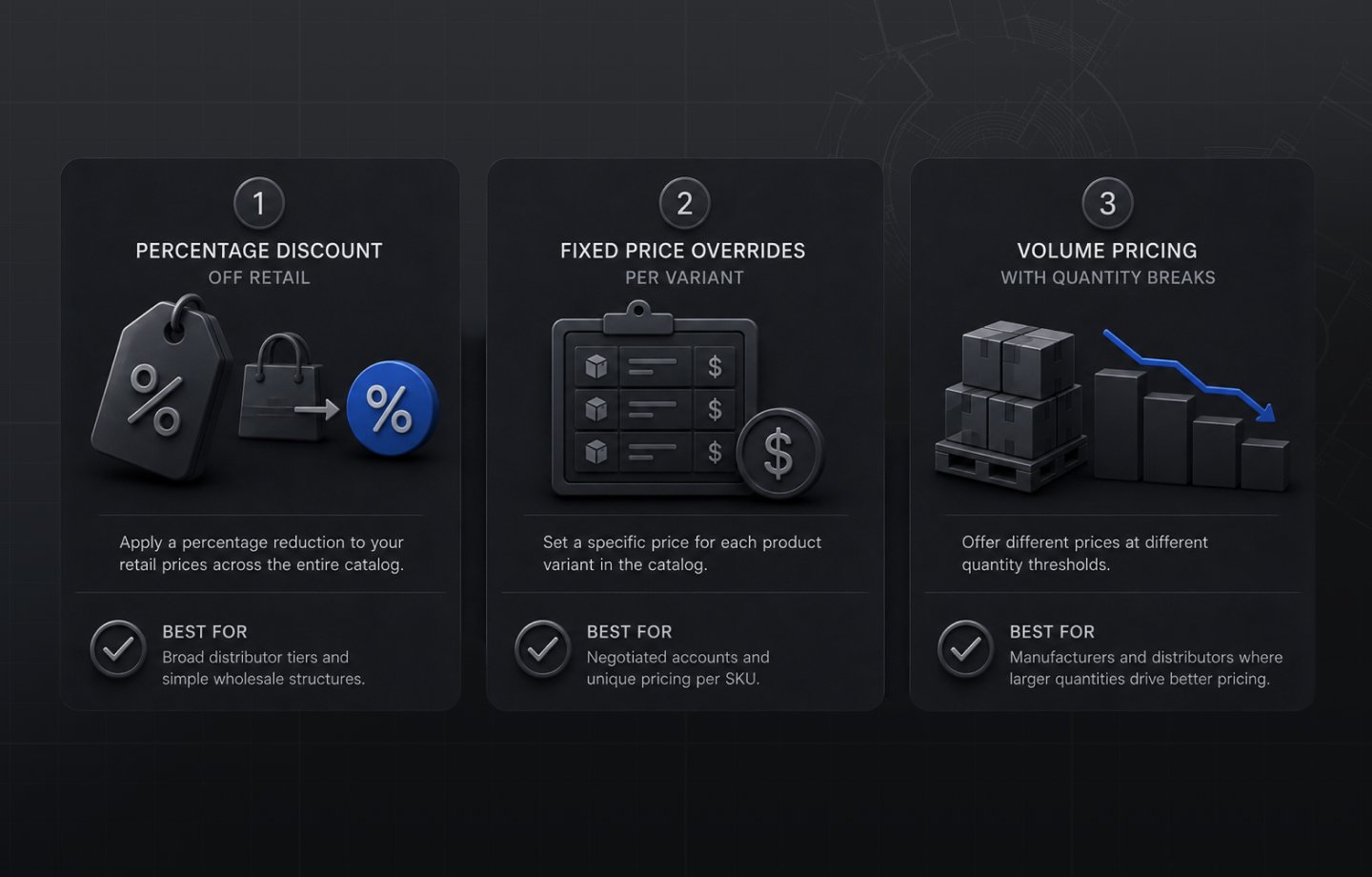
Within a catalog, there are three ways to define how a buyer's price is calculated. Each serves a different wholesale pricing structure and each carries different operational implications.
The Three Pricing Models in Shopify B2B
Percentage discount from retail price. This model applies a percentage reduction from your standard product prices across the catalog. Assign a 30% off catalog to a distributor account and every product in that catalog is priced at 70% of your retail price. The calculation is automatic and updates whenever you change your retail product prices.
This is the most operationally simple model for broad distributor tiers. When you raise retail prices by 5% across your catalog, every buyer on a percentage-based catalog automatically gets the updated wholesale price without any catalog edits. The tradeoff is that wholesale pricing is always derived from retail, which creates a visible relationship between the two. It also means percentage discounts can produce awkward price points on specific SKUs where a clean round number matters more than mathematical consistency.
Fixed price overrides per variant. This model assigns a specific price to each product variant in the catalog rather than calculating from a percentage. A national account with individually negotiated prices for every SKU gets a catalog built with fixed prices across the relevant range.
Fixed overrides give you complete control and no dependency on retail pricing. They are the right tool when pricing is negotiated product by product and cannot be derived from a consistent percentage off list. The maintenance cost is higher: when your costs change and you need to update pricing for a key account, you update each price individually in the catalog or import a new catalog CSV with updated values. For catalogs with hundreds of SKUs, price update management becomes a meaningful operational task.
Volume pricing with quantity breaks. This model adds price tiers at the line item level, with different prices applying at different quantity thresholds. A buyer who purchases 1-11 units pays one price; 12-23 units triggers a lower price per unit; 24 or more units triggers a lower price still. The buyer sees these tiers in the cart and the discount applies automatically when the quantity threshold is crossed.
Volume pricing is built for manufacturers and distributors where per-unit economics shift meaningfully at quantity. It incentivizes larger orders at the product level without requiring a separate catalog for each volume tier. Shopify's quantity rules and volume pricing documentation covers the technical setup including increment rules, minimum and maximum quantity rules, and how volume pricing interacts with other catalog settings.
Volume pricing can be layered on top of a percentage discount catalog or a fixed price catalog within the same catalog configuration. It operates at the variant level, so you can apply volume breaks to high-velocity SKUs while other products in the same catalog have flat pricing.
The Three-Catalog Limit: Where It Hits Real Operations
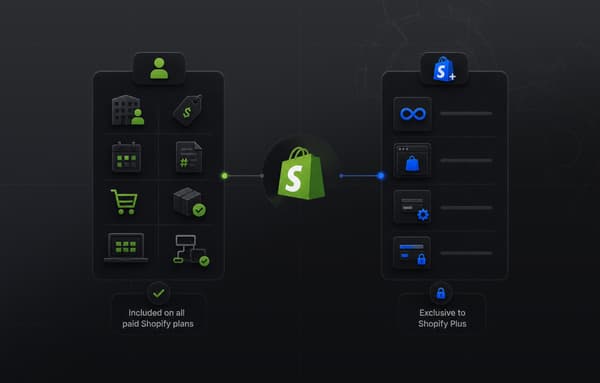
On Shopify Basic, Grow, and Advanced plans, you can have a maximum of three active pricing catalogs. Shopify Plus removes this ceiling entirely.
Three catalogs sounds workable until you map it against an actual manufacturer's or distributor's buyer program. A mid-size industrial manufacturer with a standard wholesale program might have: a national distributor tier at one discount level, a regional distributor tier at a different discount level, and a dealer program at a third level. That is three catalogs, and the limit is already full. A key account with individually negotiated prices would need a fourth catalog. A strategic partner with a different product mix restriction would need a fifth.
The constraint is not a design flaw. Three catalogs is sufficient for a wholesale operation that is just beginning to build a B2B channel or running a simple single-tier program. The gap appears when the buyer program has grown to a point where pricing differentiation between segments is real and necessary.
The practical implication is that operators who hit the three-catalog ceiling on non-Plus plans face a choice: consolidate buyer tiers in ways that do not reflect how those buyers actually are priced, upgrade to Plus for unlimited catalogs, or use a wholesale pricing app that manages its own pricing layer outside the native catalog system.
For the full breakdown of what each plan tier determines for your B2B pricing architecture, the Shopify B2B on Basic, Grow, and Advanced guide covers exactly where the plan ceilings are and what Plus changes. For the broader question of when the Plus upgrade is the operationally correct decision for a wholesale manufacturer or distributor, the Shopify B2B vs Shopify Plus guide works through the specific scenarios where the Plus capabilities justify the contract.
The Lowest-Price Behavior When Multiple Catalogs Overlap
When a buyer is assigned to more than one pricing catalog simultaneously, Shopify applies the lowest price available across all assigned catalogs on a product-by-product basis. This is documented behavior with operational consequences that most implementations do not plan for.
The scenario where this creates a problem is when a promotional or temporary catalog is created for a discount event and assigned to company accounts that are already assigned to a base wholesale catalog. If the promotional catalog covers a subset of products at a deeper discount than the base catalog, those products price correctly. But if the promotional catalog also inadvertently includes products at prices lower than the base catalog intended for those accounts, the buyer gets a deeper discount than your pricing program calls for on those SKUs. The error does not surface in the order, because the system is working as designed. It only surfaces when you reconcile margins.
The operational rule this creates: catalog assignment is not a casual configuration. Maintaining clear governance over which company accounts are assigned to which catalogs, and auditing assignments before promotional or event-based catalogs go live, is part of running a multi-catalog B2B pricing program correctly.
Self-Serve Orders vs Draft Orders: Where Pricing Errors Happen
B2B orders on Shopify come in through two paths: self-serve checkout where the buyer logs in and orders through the portal, and draft orders created by your sales or operations team in the Shopify admin.
In self-serve checkout, catalog pricing is automatic. The buyer logs in to their company account, catalog prices appear in the cart, and the order creates at the correct price without any manual step. There is no pricing error risk in a correctly configured self-serve checkout unless the catalog itself is misconfigured.
Draft orders are where pricing errors concentrate. When a sales rep creates a draft order in the Shopify admin and does not assign it to the correct company account, the order prices at retail, not at the buyer's catalog price. The draft order flow in Shopify defaults to retail pricing and only applies catalog pricing when the order is explicitly linked to a company and the correct company location with the appropriate catalog assignment. A rep who creates a draft order, adds products, and sends an invoice without the company account step has just quoted the buyer at retail prices. If the buyer pays the invoice, the revenue looks correct. If the buyer notices and disputes, the correction requires a credit memo and a reissue.
For wholesale operations where a meaningful portion of orders come through sales reps rather than self-serve, building a draft order workflow that includes the company account assignment step as a required check is an operational necessity, not an optional refinement.
When ERP Pricing Needs to Drive Shopify Catalogs
For manufacturers and distributors running an ERP as their business system of record, pricing originates in the ERP, not in Shopify. Your product cost data, margin calculations, customer tier agreements, and price book updates all live in NetSuite, SAP, Microsoft Dynamics, Sage, or a comparable system. The Shopify catalogs are a downstream representation of that pricing, not the source.
The implication is that when pricing changes in the ERP, those changes need to reach the correct Shopify catalog correctly and without manual rekeying. How demanding that sync is depends on which pricing model you are using.
Percentage discount catalogs are the least sync-intensive. If the percentage tier itself does not change, only your retail product prices need to sync from the ERP to Shopify's product-level prices, and the catalog pricing recalculates automatically. The sync requirement is simpler: keep retail prices current in Shopify and the catalog does the rest.
Fixed price override catalogs are the most sync-intensive. Every individual price in every catalog must match what the ERP holds for each buyer segment. When the ERP updates a price for a key account, that update must propagate to the specific catalog and the specific variant. At any real scale, this is not a manual process. A catalog with 300 SKUs and price updates across a buyer's agreement produces 300 individual catalog updates that need to execute correctly and in sync.
Volume pricing catalogs sit in between. The tier thresholds themselves rarely change. What changes is the underlying base price that volume tiers are calculated from, which means the sync requirement mirrors whichever base pricing model (percentage or fixed) the volume tiers sit on top of.
The failure mode when ERP pricing does not reach Shopify catalogs cleanly is an order placed at a wrong price. At low order volume, this is a correctable nuisance. At the order volumes where a wholesale operation's ERP investment is justified, unreconciled catalog pricing is a margin problem that compounds. For manufacturers and distributors whose pricing lives in an ERP, Uncap Connect is built specifically for this: keeping Shopify pricing catalogs in sync with ERP price books, routing the right price to the right catalog for the right buyer segment, and managing fixed override updates at scale without manual entry.
The catalog mechanics here sit inside a wider set of pricing decisions, from tiered and volume models to contract and dynamic pricing, which we cover in our complete guide to B2B ecommerce pricing strategies.
Choosing the Right Pricing Architecture
The right pricing structure for your Shopify B2B catalog is determined by four questions about your buyer program.
How many distinct pricing tiers does your buyer program require? If the answer is three or fewer, the non-Plus native catalog system handles it. If you have more than three meaningful buyer segments that cannot be consolidated without changing your actual pricing program, either Plus or an alternative approach to catalog management is warranted.
Is your wholesale pricing derived from retail, or individually negotiated per account? Pricing that is consistently a percentage off list is naturally served by percentage discount catalogs. Pricing that is negotiated individually for each key account is served by fixed price override catalogs. Most buyer programs have both, which means you will likely run a mix of catalog types across your company accounts.
Do you need to incentivize order size through per-unit price breaks on specific SKUs? If volume economics are meaningful to your business model and you want buyers to see and respond to them at the point of ordering, volume pricing with quantity breaks is the right tool. It operates within any catalog type and does not require a separate pricing structure.
Does your ERP hold the pricing source of truth? If your pricing originates in Shopify (because you started there), the catalog is the source of truth and no external sync is required. If your pricing originates in an ERP and Shopify is a channel that receives that pricing, the sync architecture matters and needs to be designed for the specific pricing models you are running. Brands moving off SAP Commerce often had this pricing logic locked in code, and it only scales cleanly on Shopify once the ERP drives the catalogs instead.
Getting these four questions answered clearly before building your catalog structure is the difference between a pricing architecture that scales with your buyer program and one that requires disruptive rework when a new account tier or a plan upgrade changes the constraints. And if you want Shopify B2B pricing explained in the context of a complete wholesale build, our wholesale solution page shows how catalog architecture fits into the larger program.
As a Shopify Platinum Partner, on Shopify since 2013, with 380+ commerce storefronts launched on Shopify, including for manufacturers, distributors, and wholesalers, Uncap has designed pricing catalog architectures across a wide range of buyer programs, tier structures, and ERP environments. If you are building or restructuring your wholesale pricing on Shopify and want an honest assessment of which model fits your operation and where your current setup may have gaps, talk to our experts before you commit the catalog structure to production.
Frequently asked questions
How does Shopify B2B pricing work?
Through catalogs: a product selection paired with a price list, assigned to company locations. Signed-in buyers see their prices storewide. Fixed prices, percentage adjustments, and quantity rules are the three native models.
What is the Shopify catalog limit problem?
Plans carry catalog ceilings, and operations with many negotiated tiers or per-account pricing can exceed them. That is when pricing architecture, and often ERP-driven catalogs, matters more than configuration.
What happens when catalogs overlap?
The buyer gets the lowest price among the catalogs assigned to them. Overlapping catalogs are the most common source of silent margin leaks in Shopify B2B.
When should ERP pricing drive Shopify catalogs?
When contracts, tiers, and customer-specific pricing already live in the ERP. Syncing ERP price records into catalogs keeps one pricing truth and stops storefront drift.