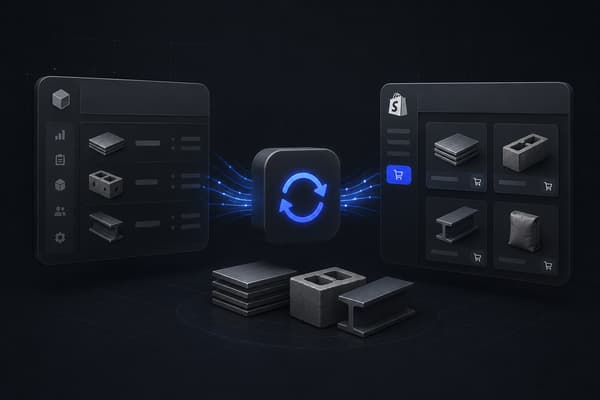
A Shopify Epicor integration connects your Shopify storefront to your Epicor ERP, creating an automated data bridge between your commerce front end and your back-office systems, so orders placed on Shopify flow into Epicor for fulfillment, and pricing, inventory, and customer records stay accurate in both places without manual re-entry.
The integration pattern depends entirely on which Epicor product you run. Epicor Kinetic is what Epicor calls "a global cloud ERP solution" with "flexibility for on-premises and hybrid deployments," built for manufacturers, with a full material requirements planning data model. Epicor Prophet 21, usually shortened to P21, is a distribution-focused ERP widely used by industrial, electrical, and wholesale distributors. Epicor Eclipse is a distribution ERP purpose-built for electrical, plumbing, and PVF (pipe, valve, and fitting) distributors specifically. Most content about "Shopify Epicor integration" treats these as one system. They are not, and the integration project looks different depending on which one you are actually running. For what Uncap builds on Epicor, see our Epicor Shopify integration page.
Epicor Kinetic vs. Prophet 21 vs. Eclipse: How the Integration Differs
Typical operator profile Kinetic: manufacturers with configured or assembled products P21: industrial and wholesale distributors Eclipse: electrical, plumbing, and PVF distributors
Core data model Kinetic: full MRP part master, BOM, job/production data P21: item master, multi-warehouse inventory, price matrices Eclipse: item master built around counter sales and will-call, branch-level inventory
Pricing structure Kinetic: price lists and configured pricing tied to production P21: price matrices by customer, product class, and warehouse Eclipse: contract and job pricing, branch-specific price overrides
API access Kinetic: Epicor REST API (Epicor Web Services / EpicorERP REST) P21: P21 REST API, ODBC for legacy integrations Eclipse: Eclipse REST API, more limited third-party connector support
Integration middleware Kinetic: iPaaS or custom connector, typically required for B2B pricing logic P21: Shopify App Store connectors exist (P21-specific apps), iPaaS for deeper B2B logic Eclipse: mostly custom or iPaaS-built, fewer off-the-shelf connectors
Typical implementation timeline Kinetic: 12-16 weeks for full B2B data sync P21: 10-14 weeks Eclipse: 10-16 weeks, more custom work due to limited connector availability
Best fit for Shopify B2B Kinetic: manufacturers selling to dealers, distributors, or direct B2B accounts P21: distributors with multi-warehouse inventory and customer-specific pricing Eclipse: electrical and PVF distributors running branch and counter sales alongside online ordering
Most integration content treats "Epicor" as a single system with one connector. A distributor on Prophet 21 with branch-level inventory across a dozen warehouses is running a fundamentally different integration project than a manufacturer on Kinetic building configured products to order.
Why Manufacturers and Distributors Are Connecting Epicor to Shopify
Most Epicor customers built their sales process around counter sales, phone orders, and rep-quoted business. That process still works. It is also increasingly not enough on its own, because buyers now expect to check stock, confirm their account pricing, and reorder without calling anyone.
Pricing accuracy across warehouses and accounts. A P21 or Eclipse distributor with price matrices that vary by customer, product class, and branch cannot maintain that accuracy with a manually exported price sheet. Once it is uploaded to a storefront, it is already out of date. Integration pushes the resolved price for each account directly from Epicor to Shopify at browse time, not as a discount applied later.
Inventory that reflects what is actually on the shelf. Distributors running Eclipse or P21 typically operate multiple branches or warehouses, each with its own stock. A Shopify store that shows a single aggregated inventory number, or one synced once a day, will oversell or undersell against what is actually available at the branch serving a given buyer.
Order-to-cash without re-keying. When a buyer places an order on Shopify, it has to become an Epicor sales order, an Epicor job order for a configured product, or a P21 order document, with the right customer number, warehouse, and pricing attached. Without integration, someone on staff re-enters every online order by hand, which caps how many orders the digital channel can actually handle.
Epicor stays the system of record. For distributors and manufacturers with existing finance and inventory processes built around Epicor, an integration that routes every order back through Epicor keeps a single source of truth. A Shopify storefront that processes orders independently creates a second record that has to be reconciled by hand.
The Data Flows That Have to Sync
Order sync gets most of the attention in generic integration content. For manufacturers and distributors on Epicor, it is the last step in a chain of data flows that all have to work correctly first.
Item or part master to product catalog. Epicor part and item records carry more data than a typical ecommerce product: unit of measure conversions, weight and dimensions, warehouse assignment, and for Kinetic, configuration options tied to production. The integration has to map this to Shopify's product and variant structure without flattening the detail buyers use to select the right item, particularly for configured products where a single Epicor part number can represent dozens of buildable configurations.
Warehouse and branch inventory to Shopify locations. P21 and Eclipse distributors need Shopify to reflect stock at the specific warehouse or branch that will fulfill an order, not a single blended total. The integration aggregates available quantity per location, accounts for committed or allocated stock, and routes each Shopify location to its corresponding Epicor warehouse.
Pricing to Shopify price lists. Epicor's pricing structure, price lists in Kinetic, price matrices in P21, contract and branch pricing in Eclipse, has to resolve to a single price per customer per product at sync time, then push to the Shopify Plus catalog and price list assigned to that account. This is not a flat export. It is a resolution step that has to run correctly every time pricing changes.
Customer records to company accounts. Shopify Plus B2B company accounts map to Epicor's customer master, including payment terms, credit status, and for distributors with multiple buyers per account, the contact and location structure Epicor already tracks.
Sales orders from Shopify to Epicor. A completed Shopify order needs to create the correct Epicor document, a Kinetic sales order and potentially a job for configured products, or a P21 or Eclipse order tied to the right warehouse and customer. Line items map from Shopify SKUs back to Epicor part numbers, and the Epicor order number should write back to Shopify so customer service can reference it without switching systems.
Shipment and tracking back-sync. When Epicor posts a shipment, the tracking information needs to update the Shopify order. A B2B buyer checking order status on a portal that still shows "unfulfilled" days after a truck left the warehouse generates support calls the integration was supposed to prevent.
What Generic Connectors Miss for Epicor Users
Multi-warehouse allocation logic on Prophet 21 and Eclipse. A distributor with a dozen branches needs the integration to know which warehouse serves which Shopify order, based on the buyer's location and what is actually in stock where. Generic connectors often sync a single inventory total, which looks fine at low volume and breaks the moment a buyer orders something in stock at one branch but not another.
Configured and job-based products on Kinetic. A manufacturer selling assembled or configured products, where a buyer's selections determine the finished part number, cannot represent that as a standard Shopify product without custom logic mapping the configuration to the correct Epicor job or part number at add-to-cart.
Branch and counter-sale pricing on Eclipse. Electrical and PVF distributors running Eclipse often have contract pricing and branch-specific overrides layered on top of standard pricing. A connector that pushes one price per item misses the pricing logic that actually drives the business.
Customer's own part numbers. Distributors selling to contractors, OEMs, and other B2B accounts often need buyers to search by their own reference numbers, not Epicor's internal item numbers. Where Epicor tracks a cross-reference for this, a proper integration surfaces it on the Shopify storefront so buyers can find what they already know how to search for.
How Uncap Connect Handles Epicor Integration Architecture
Uncap Connect is an embedded Shopify app that connects Epicor Kinetic, Prophet 21, or Eclipse to Shopify, with no separate middleware platform to maintain. Rather than a generic connector requiring the client to map every field themselves, Uncap Connect starts from data models already built around each Epicor product: warehouse-to-location mapping for P21 and Eclipse, configured-product logic for Kinetic, and company account provisioning from Epicor customer records.
The integration runs in three layers: extraction from Epicor's published API surface (REST APIs for Kinetic and P21, Eclipse's REST API where available), transformation that applies the pricing resolution and inventory allocation logic specific to your Epicor product, and a write to Shopify Plus through the Admin, Storefront, and B2B-specific APIs, including catalogs, company accounts, and price lists.
An Epicor and Shopify integration at catalog scale is already running in production. ULE Group, an industrial supply distributor, runs its Shopify B2B storefront on a live Epicor integration: product and inventory data synced in real time from Epicor, a catalog of over 250,000 SKUs managed through a PIM, Algolia search behind more than a hundred filters, and B2B ordering, account payment terms and cart-level convert-to-quote, native to the storefront. For a distributor evaluating whether Epicor and Shopify can carry a full catalog together, that build is the reference answer.
A Phased Approach to Epicor-Shopify Integration
Phase 1: Foundation data sync. Map the item or part master to Shopify products, establish warehouse or branch-to-location rules, and push initial catalog and inventory data. No buyer access yet, this phase is about confirming the data renders correctly.
Phase 2: Pricing and company accounts. Resolve Epicor's pricing structure for each customer segment, build the corresponding Shopify Plus catalogs and price lists, and provision company accounts from Epicor customer records with correct payment terms.
Phase 3: Order-to-cash integration. Connect the Shopify order webhook to Epicor order creation, validate warehouse determination and customer matching, and test edge cases: split shipments, backorders, and partial fulfillment. Configure shipment and tracking back-sync.
Phase 4: Product-specific logic. For Kinetic manufacturers, implement configured-product mapping to jobs. For P21 and Eclipse distributors, refine multi-warehouse allocation and, where relevant, customer part number cross-referencing. Stress test with real order volume before a phased buyer rollout.
Manufacturers and distributors planning a full platform move alongside the ERP integration should also review the enterprise ecommerce replatforming checklist, which covers the additional planning work when replatforming and ERP integration happen together.
Connect Your Epicor System to Shopify Plus
Whether you are running Epicor Kinetic, Prophet 21, or Eclipse, the integration work is about getting the data model right for your specific system, not forcing a generic connector to approximate it. Uncap is a Shopify Platinum Partner, on Shopify since 2013, with 380+ storefronts launched on Shopify, including for manufacturers and distributors.
Talk to Our Experts to map your specific Epicor environment to a Shopify Plus integration architecture built for it.
Frequently asked questions
Does Shopify integrate with Epicor?
Yes. Shopify integrates with Epicor Kinetic, Prophet 21, and Eclipse through pre-built connectors, third-party iPaaS platforms, and custom API integrations, depending on which Epicor product you run and how deep the B2B pricing and inventory logic needs to go.
What is the difference between integrating Epicor Kinetic, Prophet 21, and Eclipse with Shopify?
Kinetic is a manufacturing ERP with a full production and configured-product data model, best suited to manufacturers selling assembled or built-to-order goods. Prophet 21 is built for distributors with multi-warehouse inventory and customer-specific pricing matrices. Eclipse is purpose-built for electrical, plumbing, and PVF distributors running branch and counter sales alongside online ordering. Each requires different data mapping and, in most cases, a different integration timeline.
Is there a native connector between Epicor and Shopify?
Epicor sells one: Epicor Storefront Connector, which Epicor says supports inventory, order, and shipment data flows between ERP systems and supported eCommerce channels, with Shopify among them. Epicor's product page lists supported channels but not specific Epicor ERPs, so confirm coverage for Kinetic, Prophet 21, or Eclipse with Epicor. Other routes are a purpose-built integration app such as Uncap Connect, a third-party iPaaS platform, or a custom build on the two vendors' APIs: Epicor's REST APIs for Kinetic, Prophet 21, and Eclipse on one side, and Shopify's Admin and B2B APIs on the other. The right choice depends on which Epicor product you run and how much pricing and warehouse logic the integration has to carry.
How does inventory sync work for a distributor running Prophet 21 or Eclipse across multiple branches?
The integration aggregates available quantity per warehouse or branch in Epicor, accounts for allocated or committed stock, and maps each Shopify location to its corresponding Epicor warehouse, so a buyer sees accurate availability for the location that will actually fulfill their order rather than a single blended total across every branch.
Can Shopify handle configured or built-to-order products from Epicor Kinetic?
Yes, with the right integration logic. A buyer's configuration choices on the Shopify storefront need to map to the correct Epicor job or part number at add-to-cart, which requires custom logic beyond what a generic product-sync connector provides.
How does pricing sync between Epicor and Shopify Plus?
The integration resolves Epicor's pricing structure, price lists on Kinetic, price matrices on P21, contract and branch pricing on Eclipse, for each customer at sync time, then pushes the resulting price to the Shopify Plus catalog and price list assigned to that company account. Pricing refreshes automatically when Epicor pricing changes rather than requiring a manual export and re-upload.
What happens to an Epicor order when a Shopify checkout completes?
The integration creates the corresponding Epicor document, a sales order or job for Kinetic, an order tied to the correct warehouse and customer for P21 or Eclipse, using the buyer's Epicor customer number and mapped line items. The Epicor order number writes back to the Shopify order so customer service can reference either system without switching tools.
How long does a Shopify Epicor integration take to implement?
Timelines vary by Epicor product and scope. A Prophet 21 integration covering products, multi-warehouse inventory, pricing, and orders typically runs 10 to 14 weeks. Kinetic integrations typically run 12 to 16 weeks and Eclipse integrations 10 to 16 weeks, since both usually involve more custom logic for configured products or branch pricing. Phasing the rollout, starting with product and inventory sync before adding pricing and order flows, reduces go-live risk.
Should Epicor or Shopify be the system of record?
Epicor should remain the system of record for inventory, pricing, and customer and financial data. Shopify is the storefront and commerce layer. Product merchandising content, images, descriptions, and SEO fields, can be managed directly in Shopify without writing back to Epicor. Financial and inventory data flows from Epicor to Shopify, and orders flow from Shopify back to Epicor.