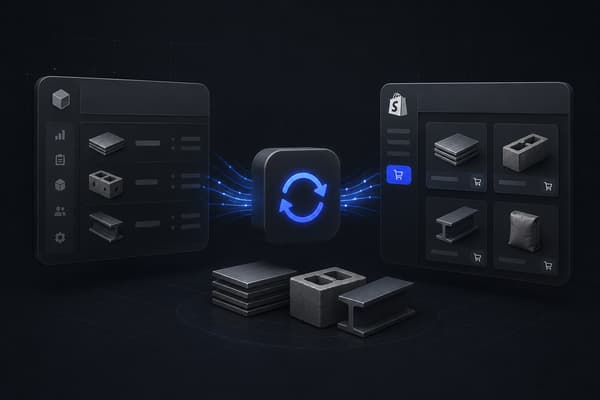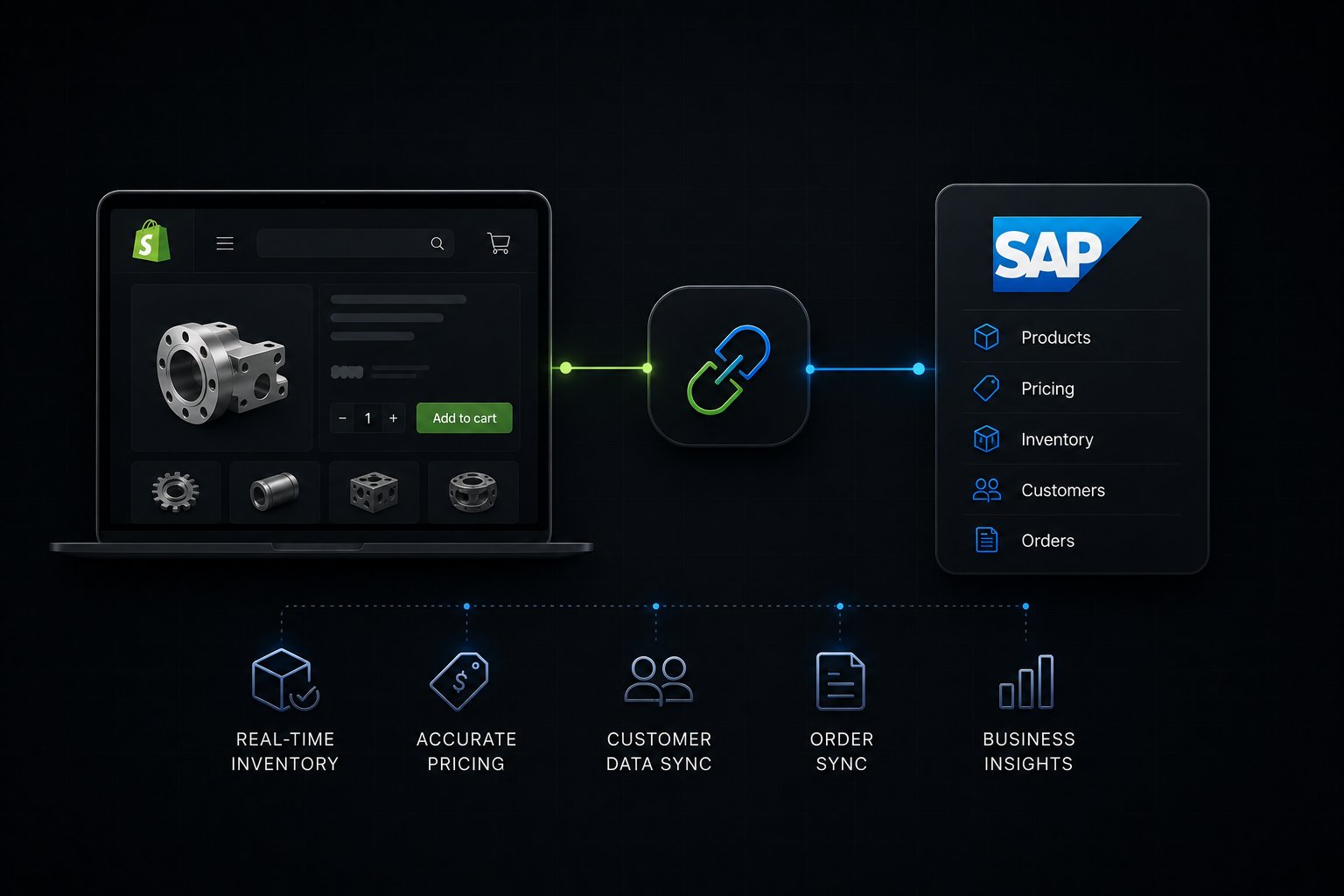
Shopify SAP integration connects your SAP system (SAP S/4HANA or SAP Business One) to your Shopify Plus storefront so that product master data, inventory levels, pricing conditions, customer records, and orders stay synchronized in real time without manual re-entry. For manufacturers, the integration works through a middleware layer that maps SAP-native entities, such as material master records, plant and storage location hierarchies, and condition-based pricing, to Shopify Plus constructs like catalogs, company accounts, and price lists. A properly architected integration gives your B2B buyers an accurate, self-service storefront while keeping your SAP system as the single source of truth for operations, finance, and supply chain.
SAP S/4HANA vs SAP Business One: How the Integration Differs
Before choosing an integration approach, manufacturers need to understand that "SAP integration" covers two fundamentally different system architectures. The integration pattern, middleware requirements, and Shopify Plus features you can unlock depend entirely on which SAP product you run.
Typical Manufacturer Profile
SAP S/4HANA: Large enterprise, multi-plant, global
SAP Business One (SAP B1): Mid-market, single or few plants
API Access
SAP S/4HANA: SAP Integration Suite (SAP CPI), OData/REST APIs
SAP Business One (SAP B1): SAP B1 Service Layer (REST), DI API
Material Master Complexity
SAP S/4HANA: Full MRP II data model (MRP type, lot size, procurement type)
SAP Business One (SAP B1): Simplified item master
Pricing
SAP S/4HANA: Condition technique (VKORG/VTWEG/KSCHL)
SAP Business One (SAP B1): Price lists, special prices, contract pricing
Integration Middleware
SAP S/4HANA: Enterprise iPaaS or custom connector required
SAP Business One (SAP B1): Native Shopify App Store apps + iPaaS both viable
Shopify Plus B2B Features Unlockable
SAP S/4HANA: Company accounts, catalogs, price lists, net terms, vaulted payment methods
SAP Business One (SAP B1): Company accounts, price lists, net terms
Implementation Timeline
SAP S/4HANA: 12-20 weeks for full B2B data sync
SAP Business One (SAP B1): 6-12 weeks for full B2B data sync
Best Fit for Shopify Plus
SAP S/4HANA: Manufacturers selling direct to dealers, distributors, or large B2B buyers
SAP Business One (SAP B1): Mid-market manufacturers adding a D2C or B2B online channel
This distinction matters because most integration content online treats SAP as a monolith. A manufacturer running SAP S/4HANA with 40,000 material master records and complex condition-based pricing faces a fundamentally different integration project than a distributor on SAP Business One with 3,000 SKUs.
Why Manufacturers Are Connecting SAP to Shopify Plus
The majority of manufacturers running SAP built their sales processes around phone orders, EDI, and sales rep quotes. Those channels still exist, but buyers have changed. B2B purchasing teams now expect to self-serve: check stock, confirm pricing against their contract, reorder without calling a rep, and get shipment tracking without opening a ticket.
The business case for SAP-Shopify Plus integration compounds quickly when you map it against manufacturer-specific pain points:
Pricing accuracy at scale. A manufacturer with 500 dealers may have 500 unique price lists in SAP. Without integration, keeping dealer-specific pricing accurate on the storefront requires manual exports that are outdated the moment they are uploaded. With integration, SAP condition records or B1 special prices push to Shopify Plus company-level catalogs automatically, so every dealer sees their contracted price at checkout.
Inventory commitment visibility. Manufacturers carry both warehouse stock and production-committed inventory. Without pulling SAP's available-to-promise (ATP) quantity, not just total on-hand, a Shopify store will oversell into stock already committed to production or existing open orders. Accurate ATP-driven inventory sync prevents this.
Order-to-cash without re-keying. When a B2B buyer places an order on Shopify Plus, that order needs to become a SAP sales order under the right sales area (sales organization, distribution channel, division), with the right customer number, payment terms, and shipping conditions. Without integration, someone re-keys the order manually. With it, the sales order creates automatically and feeds into SAP's standard order-to-cash process.
Compliance with SAP as system of record. For publicly traded manufacturers or those with audit requirements, financial data must originate in SAP. A Shopify integration that processes orders outside SAP creates a parallel record that finance teams must reconcile. A properly integrated system routes all financial events back through SAP, keeping the ERP as the authoritative source.
Shopify's ERP integration research found that manufacturers who integrate their ERP with ecommerce see measurable reductions in order processing errors and faster cash conversion cycles. The gains compound as order volume grows because the manual workarounds that "work fine" at low volume become operational bottlenecks at scale.
The 7 Data Flows Manufacturers Must Sync (Not Just Orders)
Most integration content focuses on order sync. For manufacturers, that is the last step in a chain of six preceding data flows that must work correctly for orders to process cleanly.
1. Material Master to Product Catalog
SAP material master records contain far more data than a typical product record: base unit of measure, sales unit, conversion factors, weight, dimensions, hazardous material flags, country of origin, and custom fields. Shopify needs a subset of this, but the mapping is not one-to-one. A material with multiple sales units of measure (each vs. case vs. pallet) may need to become a single Shopify product with variants, or separate products with metafield-driven UOM logic.
Manufacturers with configurable products or variants linked to SAP classification hierarchies face additional complexity. The integration layer must map SAP's classification system to Shopify's product structure without flattening data that buyers use to filter and select.
2. Plant and Storage Location to Inventory Locations
SAP inventory is plant-and-storage-location-specific. A Shopify store needs a single "available to sell" quantity per location. The integration must aggregate unrestricted stock across the relevant storage locations, subtract safety stock and quality inspection quantities, and push a net figure to Shopify. For manufacturers with multiple plants fulfilling the same product, the integration also needs rules for which plant serves which Shopify market or shipping zone.
3. Condition-Based Pricing to Shopify Price Lists
SAP S/4HANA pricing runs through condition records organized by sales area, customer group, material group, and specific customer-material combinations. This is not a flat price list. It is a hierarchical determination procedure where the system finds the most specific applicable price. Shopify Plus's catalog and price list model can replicate the output of this logic, but the integration must resolve SAP's pricing hierarchy at sync time and push the correct resolved price per customer segment to the corresponding Shopify catalog.
For SAP Business One, special prices and customer-specific contract pricing serve the same purpose and map more directly to Shopify B1 price lists.
4. Customer and Business Partner to Company Accounts
Shopify Plus B2B company accounts, introduced in 2023, allow manufacturers to assign a company, its locations, and individual buyer contacts to a single entity with shared payment terms and catalogs. This maps well to SAP's customer master and account group structure. The integration should create or update Shopify company accounts from SAP customer master records, including payment terms (Net 30/60/90), credit limits, and tax classification.
New dealers or customers created in SAP should automatically provision a Shopify company account, and account changes in SAP should propagate to Shopify without requiring manual intervention.
5. Sales Orders from Shopify to SAP
When a Shopify order is placed, the integration creates a SAP sales order using the correct sales area, customer number, payment terms, and condition records. Line items map from Shopify variant SKUs back to SAP material numbers. Shipping address maps to a SAP delivery address. The integration must handle edge cases: split shipments, partial availability, backorder logic, and freight cost postings.
The SAP sales order number should write back to Shopify's order metadata so customer service can reference it without switching systems.
6. Delivery and Tracking Back-Sync
When SAP creates a goods issue and posts a delivery document, the tracking number and shipment status need to update the corresponding Shopify order. B2B buyers check order status online. If the Shopify order stays in "unfulfilled" while the pallet left the dock two days ago, you generate unnecessary customer service contact and erode confidence in the channel.
7. Invoice and AR Posting Back-Sync
SAP invoices created against B2B orders should reference back to Shopify. For manufacturers offering net payment terms through Shopify Plus's vaulted payment or net terms feature, the payment status must stay synchronized between systems to avoid extending credit beyond approved limits.
How Uncap Connect Handles SAP-Shopify Data Architecture
Uncap's approach to SAP integration starts from a principle that most generic middleware misses: the integration logic should live with the Shopify expertise, not just the connectivity layer.
Uncap Connect is the middleware backbone that Uncap builds and manages for manufacturers connecting SAP (S/4HANA, SAP Business One) to Shopify Plus. Rather than offering a generic "connect any two apps" platform that requires manufacturers to configure field mappings themselves, Uncap Connect ships with manufacturer-specific data models pre-built: material master mapping, plant-to-location rules, condition-based pricing resolution, and company account provisioning from SAP customer master records.
The architecture follows a three-layer pattern:
Layer 1: SAP extraction. Uncap Connect uses SAP's published API surfaces (SAP Integration Suite OData APIs for S/4HANA, Service Layer REST for SAP B1) to pull data without custom ABAP development in most implementations. This reduces SAP-side implementation risk and keeps the integration supportable through SAP upgrades.
Layer 2: Transformation and business rules. The middleware applies manufacturer-specific logic: pricing hierarchy resolution, ATP quantity calculation, UOM conversion to Shopify product variants, and customer-to-company-account mapping. This is where the majority of implementation work lives, and where generic connectors fail.
Layer 3: Shopify Plus write. Transformed records write to Shopify Plus via the Storefront API, Admin API, and B2B-specific APIs (catalogs, company accounts, price lists). Shopify Functions extend SAP pricing logic directly at checkout for scenarios like tiered volume discounts that must reflect SAP condition scales.
You can review the full integration architecture on Uncap's SAP integration page.
Manufacturer-Specific Challenges Generic Connectors Do Not Solve
After 380+ B2B implementations, Uncap has cataloged the integration failure patterns that manufacturers encounter when they use off-the-shelf connectors built for general ecommerce use cases.
Bill of Materials and configured products. A manufacturer selling assembled products where configuration choices (dimensions, finish, voltage) map to different finished goods or semifinished assemblies in SAP cannot represent this in a standard Shopify product without custom logic. Generic connectors push the material master record as-is. A proper manufacturer integration resolves the configurable product relationship and presents it as a Shopify product with guided options that resolve to the correct SAP material number at add-to-cart.
Customer Material Info Records (CMIRs). In SAP, a Customer Material Info Record stores the customer's own part number for a material you sell them. Large manufacturers and OEM customers often reference your parts by their internal numbers, not yours. A SAP-Shopify integration that surfaces CMIRs allows B2B buyers to search and order by their own part number on the Shopify storefront, which dramatically improves adoption among buyers accustomed to their own numbering systems.
Tiered pricing with minimum order quantities. SAP condition scales allow pricing to step down as order quantity increases. Shopify does not natively apply quantity-based pricing tiers at the variant level. Shopify Functions, which replaced Shopify Scripts after the June 2026 sunset, allow this logic to run at checkout using SAP-sourced condition data pushed via metafields or a real-time API call. Generic connectors do not implement this.
Freight and surcharge handling. Many manufacturers apply surcharges (fuel surcharges, small order fees, hazardous material fees) that are calculated in SAP based on order characteristics. These need to appear as line items on the Shopify checkout, not buried in a "miscellaneous fee" that confuses buyers. The integration layer must map SAP condition types for surcharges to Shopify's additional fees structure.
Plant determination per shipping destination. Manufacturers with multiple plants often route fulfillment based on the buyer's shipping address and stock availability across plants. This ATP-with-plant-determination logic lives entirely in SAP. The integration must either call SAP's ATP check at order placement or use pre-calculated available quantities per ship-from location to set buyer expectations accurately on the product page.
For a full picture of the operational workflows Uncap solves for manufacturers, see the manufacturing solution overview.
Shopify Plus B2B Features That Activate Through SAP Master Data
Shopify Plus's native B2B features, introduced in 2023 and expanded through 2025, are powerful but only as good as the data feeding them. SAP integration is what makes them operationally accurate for manufacturers.
Company accounts. Each of your B2B customers becomes a Shopify company with assigned locations, buyers, and payment terms. The buyer from your Denver distributor sees their catalog and terms. The buyer from your Dallas dealer sees theirs. This only works at scale if company accounts are provisioned and maintained from SAP customer master data automatically.
Catalogs and price lists. Shopify Plus allows multiple catalogs, each with its own price list, assigned to specific companies. For a manufacturer with dealer tiers (Bronze, Silver, Gold), each tier maps to a catalog with SAP-sourced pricing. As SAP pricing conditions update during annual price reviews, the integration refreshes all affected Shopify price lists without a manual export-import cycle.
Net payment terms. Shopify Plus supports Net 30, 60, and 90 terms natively at checkout for approved B2B companies. The terms assigned in Shopify should match the payment terms in SAP's customer master. Integration ensures they stay in sync, including for new customers approved in SAP after the initial integration go-live.
Vaulted payment methods. B2B buyers can save payment methods at the company level. For manufacturers offering credit-based terms, the integration can use SAP AR balance data to gate which buyers see the net terms option versus requiring upfront payment, enforcing credit limits set by the finance team in SAP.
Buyer roles and permissions. Shopify Plus B2B allows companies to assign ordering vs. viewing roles to individual buyers. For manufacturers with procurement approval workflows, this maps to SAP's customer hierarchy and authorization levels, allowing junior buyers to build carts that senior buyers must approve before the SAP sales order is created.
What a Phased SAP-Shopify Plus Integration Looks Like
A successful SAP-Shopify Plus integration for manufacturers follows a phased approach that de-risks each layer before adding the next. The enterprise ecommerce replatforming work that precedes or runs alongside the integration adds additional planning requirements, which the enterprise ecommerce replatforming checklist covers in detail.
Phase 1: Foundation data sync (Weeks 1-4)
Map material master to Shopify products. Establish plant-to-location rules. Push initial product catalog and inventory. Configure SAP API access (SAP Integration Suite or Service Layer). Validate that product data, UOM conversions, and inventory quantities render accurately in Shopify. No B2B buyer access yet.
Phase 2: Pricing and company accounts (Weeks 5-8)
Resolve SAP pricing hierarchy for each customer segment. Create Shopify Plus catalogs and price lists per tier. Provision Shopify company accounts from SAP customer master records with correct payment terms. Test that each company account sees the correct catalog and pricing. Validate against known SAP customer contracts.
Phase 3: Order-to-cash integration (Weeks 9-12)
Connect Shopify order webhook to SAP sales order creation. Validate sales area determination, customer number matching, payment term assignment. Test edge cases: split shipments, out-of-stock items, partial deliveries. Configure delivery and tracking back-sync. Validate AR invoice back-sync for net terms buyers.
Phase 4: Advanced manufacturer logic (Weeks 13-16 for S/4HANA; optional for B1)
Implement Shopify Functions for SAP condition-scale pricing at checkout. Surface Customer Material Info Records in product search. Configure plant determination rules per shipping zone. Activate configurable product logic. Stress test with representative order volumes. Go-live with phased buyer cohort.
10 Questions Manufacturers Ask About Shopify SAP Integration
Ready to Connect SAP to Your Shopify Plus Store?
Uncap has built SAP-Shopify Plus integrations for manufacturers across industrial equipment, building materials, consumer goods, and specialty chemicals. As a Shopify Platinum Partner since 2013, we bring 380+ B2B implementations worth of manufacturing-specific integration knowledge to every project.
Book a Strategy Session and we will map your SAP environment to the Shopify Plus integration architecture that fits your dealer network, pricing complexity, and operational requirements.
Frequently asked questions
1. Can Shopify integrate with SAP?
Yes. Shopify Plus integrates with both SAP S/4HANA and SAP Business One through middleware that maps SAP's native data entities (material master, customer master, pricing conditions, plant inventory) to Shopify Plus constructs. The integration supports bidirectional sync for inventory and pricing, inbound order creation in SAP from Shopify orders, and outbound delivery and tracking updates back to Shopify.
2. What is the difference between integrating SAP S/4HANA vs. SAP Business One with Shopify?
SAP S/4HANA uses the SAP Integration Suite (formerly CPI) with OData/REST APIs and has a more complex data model including full MRP, condition-based pricing, and sales area determination. SAP Business One uses the Service Layer REST API and has a simpler item and pricing model. S/4HANA integrations typically take 12-20 weeks for full B2B data sync; SAP B1 integrations typically run 6-12 weeks.
3. Do you need custom ABAP development for Shopify SAP integration?
In most cases, no. SAP S/4HANA exposes standard OData APIs through the SAP Business Accelerator Hub that cover the data objects manufacturers need to sync with Shopify. SAP Business One's Service Layer covers item master, business partner, inventory, sales orders, and AR documents without custom code. Custom development is sometimes required for manufacturer-specific extensions like configurable products or CMIR-driven search.
4. How does SAP pricing sync with Shopify Plus price lists?
The integration middleware resolves SAP's condition hierarchy at sync time and pushes the resulting customer-segment prices to Shopify Plus price lists assigned to the corresponding company account catalogs. For complex tiered or volume-break pricing, Shopify Functions apply SAP condition scale logic at checkout. Price lists refresh automatically when SAP condition records change, typically overnight or on a configurable schedule.
5. How does inventory sync work for multi-plant manufacturers?
The integration calculates available-to-promise (ATP) quantity per plant and applies your configured rules: which plant serves which shipping region, what safety stock to hold back, and how to handle quality inspection stock. The resulting available quantity per Shopify location updates on a scheduled basis (typically every 15-60 minutes) or via real-time event triggers when SAP goods movements post.
6. What happens to the SAP order when a Shopify checkout completes?
The integration creates a SAP sales order using the buyer's SAP customer number, the correct sales area (sales organization, distribution channel, division), payment terms from the customer master, and line items mapped from Shopify variant SKUs to SAP material numbers. The SAP sales order number writes back to the Shopify order as metadata. From that point, the standard SAP order-to-cash process handles fulfillment, delivery, and invoicing.
7. Can Shopify Plus enforce SAP credit limits for B2B buyers?
Yes, with integration. SAP AR balances and credit limit data can push to Shopify company accounts, gating net terms availability for buyers who have exceeded their credit limit. Buyers over limit see upfront payment options only, while buyers within limit see their standard Net 30/60/90 terms.
8. How long does a Shopify SAP integration take to implement?
Timelines depend on SAP version, data complexity, and scope. A SAP Business One integration covering products, inventory, pricing, and orders typically completes in 6-12 weeks. A SAP S/4HANA integration with full B2B data sync, condition-based pricing, and Shopify Functions for tiered pricing runs 12-20 weeks. Phasing the rollout, starting with product and inventory sync before adding B2B pricing and order flows, reduces go-live risk significantly.
9. What integration middleware do manufacturers use for SAP-Shopify?
The middleware options range from generic iPaaS platforms that require significant configuration to manufacturer-specific connectors purpose-built for SAP-Shopify data flows. Generic platforms offer flexibility but require deep internal expertise to configure SAP pricing conditions, material master mapping, and ATP logic correctly. Purpose-built connectors like Uncap Connect ship with manufacturer data models pre-configured, reducing implementation time and the risk of mapping errors in pricing and inventory logic.
10. Should SAP or Shopify be the system of record?
For manufacturers, SAP should always be the system of record for pricing, inventory, customer terms, and financial data. Shopify is the storefront and commerce experience layer. Product merchandising fields (descriptions, images, SEO metadata) can be managed in Shopify without writing back to SAP. Financial and operational data flows from SAP to Shopify, and orders flow from Shopify to SAP. This unidirectional principle prevents data conflicts.