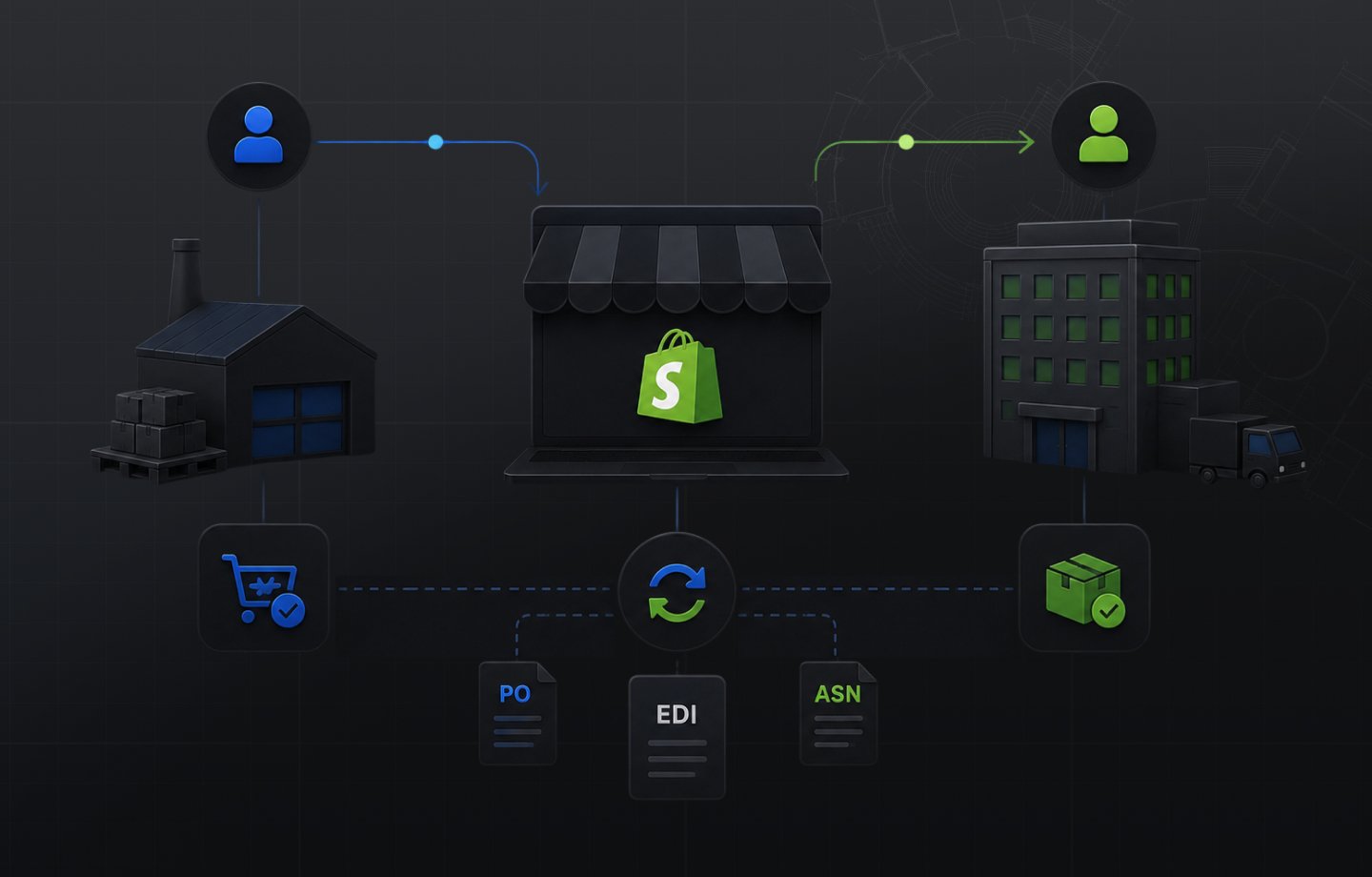
Large enterprise buyers do not accept emailed PDFs and manual purchase orders. When you sell wholesale to retail chains, national distributors, or third-party logistics providers at any meaningful scale, your trading partners require Electronic Data Interchange to process orders. Shopify has no native EDI capability. Getting Shopify EDI integration working correctly is the infrastructure question most B2B wholesale guides skip entirely.
This article covers how Shopify EDI integration actually works, which transaction sets matter for enterprise buyers, where the technical stack breaks down in practice, and what a B2B wholesale supplier on Shopify needs to build a compliant, scalable connection to their trading partner network. Many suppliers reach this point right after moving onto Shopify from OroCommerce, where the trading-partner and catalog layers never fully lined up.
Does Shopify Have Native EDI Capability?
No. Shopify does not include native EDI functionality on any plan, including Shopify Plus. Shopify handles the storefront, company account management, order processing, and fulfillment workflows. EDI communication with external trading partners requires a separate middleware layer that bridges those two systems.
This is worth stating directly because it comes up consistently in B2B Shopify implementations. Enterprise buyers that mandate EDI compliance, large retail chains, national distributors, and 3PL networks, cannot connect to Shopify directly via EDI protocol. The EDI layer sits between them and your Shopify store and translates structured electronic documents into Shopify order events and back.
According to Shopify's B2B documentation, the native B2B feature set covers company accounts, customer-specific pricing catalogs, net payment terms, purchase order numbers, and self-serve ordering. None of those features include EDI protocol support. EDI is an integration you add on top of Shopify, not a capability you activate inside it.
What EDI Is and Why Enterprise Buyers Require It
Electronic Data Interchange is a standardized format for exchanging business documents between trading partners without manual input. Instead of emailing a PDF purchase order, an enterprise buyer's procurement system sends a structured electronic document in a machine-readable format both systems can act on automatically.
The standard governing most EDI transactions in North American B2B commerce is ANSI ASC X12, maintained by the Accredited Standards Committee. Each document type has a transaction set number. The documents B2B wholesale suppliers encounter most often are:
850 Purchase Order. The buyer's procurement system sends an 850 to initiate a new order. This is the trigger for order creation on your side. Every EDI-enabled trading partner relationship starts here.
855 Purchase Order Acknowledgment. You confirm receipt and acceptance of the 850. Enterprise buyers require this before processing any inbound shipment. Missing or late 855s create order exceptions.
856 Advance Ship Notice. Sent when your order ships. Contains carrier information, tracking, packaging details, and line-item specifics. Failing to send an accurate 856 before delivery is the most common trigger for EDI chargebacks.
810 Invoice. Sent after fulfillment. Enterprise buyers match the 810 against the 850 and 856 before authorizing payment. Invoice discrepancies create payment delays.
846 Inventory Inquiry/Advice. Some trading partners require periodic inventory updates so their systems can see your available stock before placing orders.
997 Functional Acknowledgment. A receipt confirming that a transmitted document arrived without errors. Most EDI transactions require a 997 from both sides.
Enterprise buyers require EDI because it removes the manual handling risk that creates chargebacks, payment delays, and routing errors. A national distributor managing inbound freight from dozens of suppliers cannot absorb manual order management at volume. EDI is the infrastructure that makes scale work on the buyer side, and compliance with it is the condition for staying in a trading partner network.
How Shopify EDI Integration Works
The integration connects three systems: your trading partner's EDI network, your Shopify store, and in most real B2B wholesale operations, your ERP. The standard order flow works like this:
- Your trading partner sends an 850 Purchase Order through their EDI network via AS2, SFTP, or a Value-Added Network (VAN).
- Your EDI middleware receives the 850 and translates it into a Shopify order via the Shopify Orders API.
- Shopify creates the order in your admin, assigns it to the correct company account, and triggers your fulfillment workflow.
- When the order ships, your connector retrieves the shipping confirmation from Shopify and generates an 856 Advance Ship Notice, transmitted back through the EDI channel to the trading partner.
- After fulfillment, the connector generates an 810 Invoice and sends it to the trading partner's accounts payable system.
Every step in that flow requires mapping. The fields in an 850 must map correctly to Shopify order fields. Product identifiers (UPC, GTIN, buyer item number) must match your Shopify variants. Quantities, units, pricing, and ship-to addresses must translate without error. A misconfigured mapping produces chargebacks because the trading partner's system cannot reconcile what they sent with what was received and shipped.
Key implementation note: EDI middleware handles document translation and transmission. It does not handle your ERP sync. A supplier running NetSuite or SAP as their system of record still needs a separate integration between their ERP and Shopify to keep pricing, inventory, and customer data current. Most B2B Shopify suppliers need both: an EDI connector for trading partner communication and an ERP connector for back-office sync. These are different problems with different solutions and should be scoped separately from the start.
The Three Approaches to Shopify EDI Integration
B2B brands on Shopify typically approach EDI integration one of three ways, each with different tradeoffs on cost, flexibility, and ongoing maintenance overhead.
Dedicated Shopify EDI apps. Several apps in the Shopify App Store connect to specific trading partner networks and handle document mapping within a self-serve interface. These work for suppliers with a small number of trading partners and standard document requirements. The limitation is network coverage: not every enterprise buyer's EDI configuration is supported out of the box, and non-standard document mapping often falls outside what a self-serve app handles cleanly.
iPaaS or middleware platform. Integration platforms connect to both the EDI network and the Shopify API and handle the translation layer between them. These scale better across multiple trading partners and support non-standard document requirements. The tradeoff is implementation and ongoing configuration complexity. Setting up a new trading partner connection on an iPaaS requires mapping work each time, and that work typically needs technical resources familiar with both the EDI spec and the Shopify API.
Managed EDI with a Shopify connector. A managed EDI provider handles trading partner onboarding, compliance testing, and document mapping on your behalf, with a Shopify connector as the order creation endpoint. This is the most operationally complete approach for B2B brands managing relationships with multiple enterprise buyers across different compliance requirements. The total cost of managed EDI often compares more favorably against alternatives once manual correction overhead and chargeback exposure are factored in.
Where Shopify EDI Integration Breaks Down
The technical challenge is not connecting Shopify to an EDI network in isolation. That part is solvable. The breakdown happens at the points where EDI touches systems that are not Shopify.
Product identifier mismatches. Enterprise buyers reference products by their own item numbers, UPCs, or GTINs. Your Shopify catalog uses your internal SKUs. If the mapping between those identifier systems is not clean and maintained, every 850 that arrives with an unfamiliar identifier creates a manual intervention.
Pricing discrepancies. If your ERP holds negotiated pricing for a trading partner and that pricing has not synced to the corresponding Shopify catalog, orders created via EDI will reflect the wrong prices. At any real volume, this generates invoice disputes and credit memo processing overhead.
Inventory synchronization gaps. An 846 Inventory Advice sent to a trading partner reflects what Shopify thinks is available. If Shopify's inventory is out of sync with your ERP or warehouse management system, you are sending inaccurate availability data, which breaks buyer trust and creates order exceptions before a purchase order is even sent.
Acknowledgment timing failures. The 855 Purchase Order Acknowledgment must return to the trading partner within a defined window, typically 24 hours. If the EDI connector is not monitoring for new Shopify orders and triggering acknowledgments automatically, a manual process introduces the risk of missed SLA windows and the chargeback exposure that follows.
These are not edge cases. They are the standard failure modes in Shopify EDI implementations that did not fully account for the ERP and inventory sync layer. For wholesale operations where Uncap's wholesale commerce solutions are in scope, integration design starts with all three systems mapped together before a single document transmits: the EDI network, Shopify, and the ERP.
Wholesale buyers on that native layer also need their tax status handled correctly, which we walk through in our guide to setting up tax exemption for B2B buyers on Shopify.
EDI Alongside Shopify's Native B2B Features
It is worth being clear about what EDI does versus what Shopify's native B2B layer does, because they handle different parts of the enterprise buyer relationship and serve different buyer types.
Shopify B2B covers the buyer-facing commerce layer: company accounts, self-serve ordering portals, customer-specific pricing catalogs, net payment terms at checkout, and purchase order number fields. For buyers who place orders through a web interface, the Shopify native B2B feature set, now available on all paid plans as of April 2026, handles the full ordering workflow without EDI involved. The Shopify B2B on all plans expansion made that layer accessible without a Shopify Plus contract.
EDI handles a different buyer type entirely: trading partners who send structured documents from automated procurement systems rather than placing orders through a portal. Large retail chains, national distributors, and procurement-heavy 3PLs almost universally require EDI because their internal systems are built around it. They do not use buyer portals. They send 850s.
For a B2B brand with a mixed buyer base, both systems coexist. Some buyers log in to the Shopify company portal and self-serve their reorders. Others send 850s from procurement systems through EDI. Your Shopify stack needs to handle both order entry paths and reconcile them in one admin. For a full picture of how the Shopify B2B feature set is structured for the portal side of that equation, the Shopify B2B wholesale for suppliers guide covers how the native layer fits into a complete wholesale channel.
What to Evaluate in a Shopify EDI Integration
When reviewing EDI integration options for a Shopify B2B operation, these are the criteria that determine operational outcomes:
Trading partner network breadth. Your EDI connector needs to support the specific buyers you work with or are trying to win. Not all EDI solutions connect to all trading partners. Confirm that your key accounts are already in the provider's network before committing to a configuration.
Transaction set coverage. Verify that the integration handles all document types your trading partners require: 850, 855, 856, and 810 at minimum. Some partners also require 846, 860 (Purchase Order Change Request), or 824 (Application Advice). A connector that only handles inbound 850s and outbound 810s leaves acknowledgment and ASN generation as manual steps, which is where chargeback exposure accumulates.
Shopify order fidelity. The integration should create Shopify orders with the correct company assignment, pricing from the right catalog, ship-to location, and PO number. Orders that create with generic customer assignment or incorrect pricing require manual correction that compounds across every transaction at volume.
ERP integration path. If you are running NetSuite, SAP, or Microsoft Dynamics, confirm how EDI-originated Shopify orders flow into your ERP. An EDI connector that terminates at Shopify without an ERP path means your operations team manually keys Shopify orders into your back office. Uncap Connect is designed specifically for this: connecting Shopify to ERP systems natively, so orders created in Shopify from any source move downstream into your ERP automatically without a manual step in between.
Compliance testing support. New trading partner connections require compliance certification before going live. Confirm whether the provider handles that testing process as part of onboarding or whether you carry it independently.
When to Prioritize Shopify EDI Integration
Not every B2B wholesale operation on Shopify needs EDI as an immediate priority. The conditions that make it urgent are:
You are actively selling to or pursuing enterprise buyers that require it. If a large retail chain, national distributor, or 3PL is a current or target customer and they have an EDI mandate, there is no workaround. Compliance is a condition of the relationship.
Your team is manually rekeying emailed purchase orders into Shopify. If that is the current workflow, EDI is the structural fix. The per-order cost of manual entry plus the error rate that comes with it makes the integration economics straightforward at moderate volume.
You are taking on new trading partners and cannot scale manual onboarding. Each new enterprise buyer with EDI requirements represents a one-time setup investment. At a small number of active partners, manual is survivable. At ten or more, the overhead becomes a real constraint on sales growth.
Your current setup has recurring chargeback or ASN failure patterns. If you already have an integration but are seeing consistent acknowledgment delays, 856 errors, or invoice discrepancies tied to the EDI configuration, the issue is architectural, not operational. It needs a rebuild, not closer monitoring.
For manufacturers and distributors working through what Shopify EDI integration means alongside plan and ERP decisions, the plan tier choice is a separate question from the integration requirement. EDI and ERP connectivity are implementation decisions that apply regardless of whether you are on Shopify Basic or Shopify Plus. That pressure shows up early in auto parts and aftermarket supply, where the same enterprise buyers demanding 850s and 856s also expect fitment-accurate catalogs.
As a Shopify Platinum Partner since 2013 with 380+ storefronts launched on Shopify, including for manufacturers, distributors, and wholesalers, Uncap has built EDI and ERP integration stacks across industrial, food service, and wholesale verticals. If you are working through what your Shopify EDI integration needs to cover, or if an existing integration is producing errors your team is manually correcting, talk to our experts about your trading partner requirements and how the full integration architecture should be structured.
Frequently asked questions
Does Shopify have native EDI capability?
No. Shopify has no built-in EDI. Retail chains and distributors that require EDI documents connect through an EDI provider or managed integration that translates between EDI and Shopify's APIs.
What EDI documents do enterprise buyers require?
The core set is the 850 purchase order, 855 acknowledgment, 856 advance ship notice, and 810 invoice, exchanged automatically between the buyer's system and yours.
What are the approaches to Shopify EDI integration?
Three: a self-serve EDI app, a full-service EDI provider network, or a managed integration that routes EDI through your ERP with Shopify kept in sync. The right one depends on volume and where your order of record lives.
Where does Shopify EDI integration break down?
When EDI orders bypass the ERP or hit Shopify as unstructured drafts: inventory drifts, acknowledgments lag, and chargebacks follow. EDI needs one system of record with everything else synced to it.