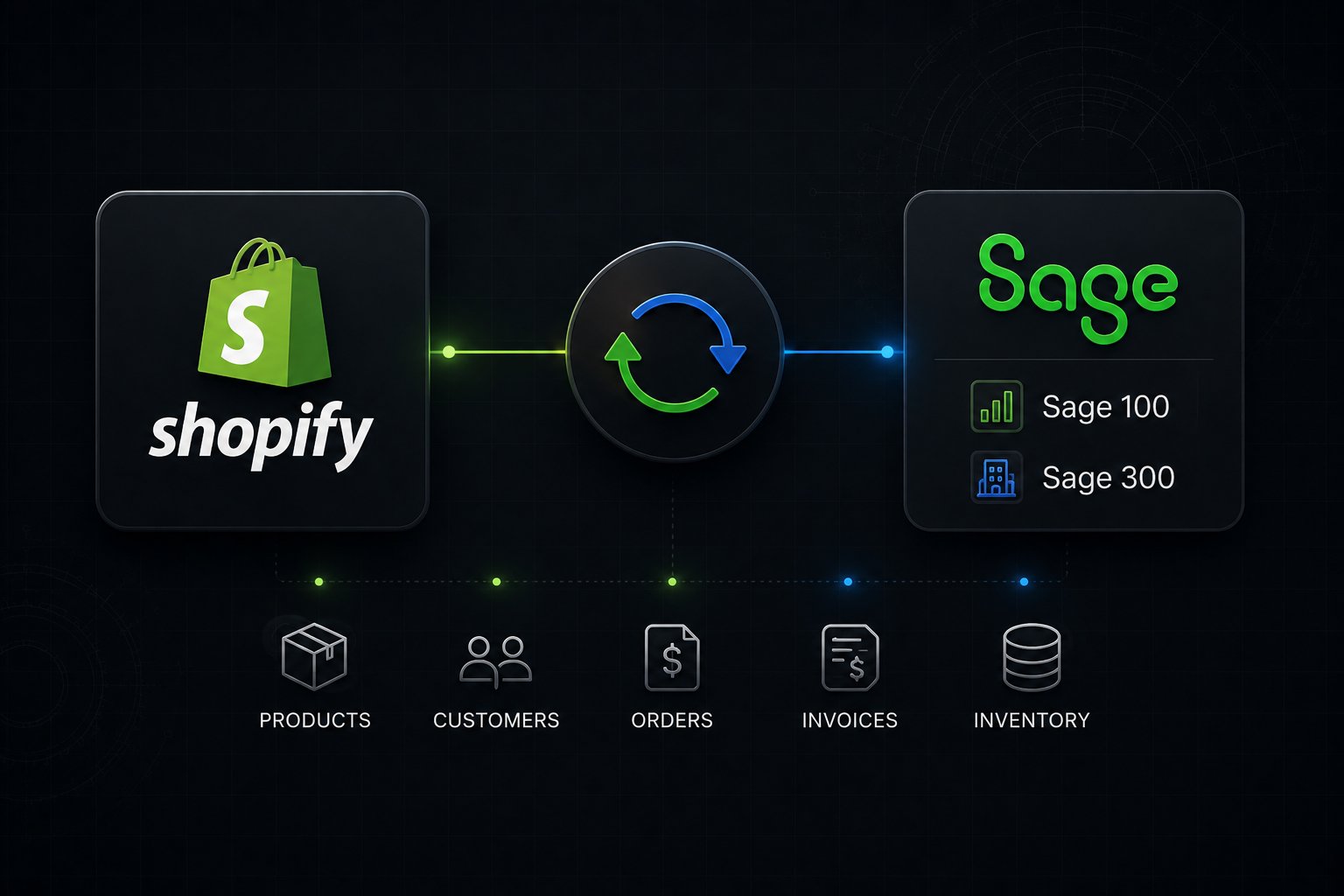
Sage 100 and Sage 300 do not have native Shopify connectors. Neither ERP is part of the Shopify Global ERP Program, which means every connection runs through middleware: a pre-built Sage-specific connector, an iPaaS platform, or a custom embedded app. The core data flows are items, pricing, customers, orders, inventory, and AR status. Manufacturers and distributors running B2B on Shopify also need customer-specific price codes, credit limits, and net payment terms mapped between systems before a buyer ever reaches checkout.
Which Sage Product Are You Actually Running?
Before evaluating any integration path, identify which Sage product sits in your stack. The Sage family spans five distinct products with different APIs, deployment models, and integration complexity levels. Treating them interchangeably is the most common scoping error in Sage ecommerce projects.
Sage 50 is a small-business accounting application, not a mid-market ERP. It lacks the inventory, order entry, and manufacturing modules that a Shopify integration typically needs to reach. If your operation has grown beyond Sage 50, the integration question and the ERP question are the same question.
Sage 100 (formerly MAS 90 and MAS 200) is the US-focused mid-market ERP for manufacturers and light distributors. It runs on a modular architecture: core financials plus optional modules for Sales Order, Inventory Management, Production Management, Bill of Materials, and Purchase Order. Most mid-market manufacturers in the United States running 20 to 500 users are on Sage 100 or its cloud variant, Sage 100c.
Sage 300 (formerly Accpac) is the internationally focused mid-market ERP built for multi-currency, multi-company distributors. It has native multi-entity consolidation and foreign exchange handling, which makes it common in Canadian, APAC, and UK distribution operations selling into the US market via Shopify.
Sage X3 is enterprise-grade, designed for global manufacturers with complex production planning, advanced WMS, and multi-country regulatory compliance. X3 integrations are always custom-built and rarely part of a standard Shopify Plus project scope.
Sage Intacct is a cloud financial management platform, not a traditional ERP. It does not carry an inventory or order management module. Connecting Intacct to Shopify addresses accounting reconciliation, not operational sync. That is a different project with a different scope and a different class of tools.
Primary Market
Sage 100 / 100c: US mid-market manufacturing and distribution
Sage 300: International multi-currency distribution
Sage X3: Global enterprise manufacturing
API Type
Sage 100 / 100c: Business Framework (100c) or SBO SDK (on-prem)
Sage 300: Web Services API (REST, 2019+)
Sage X3: REST API
Native Shopify App Store Connector
Sage 100 / 100c: None
Sage 300: None
Sage X3: None
Shopify Global ERP Program Member
Sage 100 / 100c: No
Sage 300: No
Sage X3: No
Manufacturing Module
Sage 100 / 100c: Yes (Production Management)
Sage 300: Limited
Sage X3: Yes
Multi-Currency
Sage 100 / 100c: Limited
Sage 300: Yes (native)
Sage X3: Yes
Multi-Company
Sage 100 / 100c: Limited
Sage 300: Yes (native)
Sage X3: Yes
Typical Integration Path
Sage 100 / 100c: Pre-built connector or iPaaS
Sage 300: iPaaS or custom
Sage X3: Custom only
Why There Is No Native Shopify Connector for Sage 100 or Sage 300
The Shopify Global ERP Program certifies ERP vendors whose native Shopify App Store connectors meet Shopify's standards for security, API maintenance, and update cycles. As of 2026, the program includes Oracle NetSuite, Microsoft Dynamics 365, Acumatica, Infor, and Brightpearl. Sage 100 and Sage 300 are not members.
This is not a dealbreaker. It means the integration maintenance model is different. With a certified program connector, the ERP vendor owns the update cycle. With a middleware-based Sage integration, the iPaaS platform or connector vendor owns it. The risk profile is similar, but the dependency shifts from the ERP vendor to the middleware layer.
What it does mean practically: you will not find a Sage 100 or Sage 300 connector in the Shopify App Store that carries a major ERP vendor's name behind it. Every Sage + Shopify implementation goes through a connector product or an integration platform, and that selection decision matters more than it does for certified ERP partners.
Sage 100 and Shopify: API Architecture and Data Flows
The Two API Surfaces
Sage 100 has two API surfaces depending on your version and deployment.
Sage 100c (the cloud-enabled version, introduced with v2016) exposes the Business Framework API: a REST-like interface built on the Sage 100 Business Framework object model. It supports the standard business objects your integration will touch most often: AR/Customer, SO/SalesOrder, CI/Item, IM/Warehouse, GL/JournalEntry, and AR/Invoice. Connections authenticate via API key against the Sage 100c service layer, which runs on a Windows application server inside your network or in a hosted environment.
Sage 100 on-premise (versions prior to the "c" designation, or customers who have not adopted the cloud framework) exposes the Sage Business Objects (SBO) COM SDK: a DCOM-based programmatic interface. SBO-based integrations require a Windows integration server running in the same environment as Sage, and they are significantly more brittle than Business Framework integrations. They fail silently on API version mismatches and require regression testing after every Sage upgrade.
If you are on Sage 100 on-premise using the SBO SDK and you are evaluating a move to ecommerce, the integration project and a Sage 100c migration conversation belong in the same discovery session. Retrofitting a robust Shopify integration onto SBO-based middleware is technically possible but carries higher long-term maintenance cost. Distributors still on an aging Volusion store tend to hit this sooner, since its pricing and account logic never fit wholesale in the first place.
The 6 Core Data Flows for Sage 100 + Shopify
1. Item master sync (Sage 100 CI/Item → Shopify products)Item code, description, unit of measure, weight, and item class sync from Sage 100 to Shopify. Item classes determine whether a record is a finished good, raw material, subassembly, or kit. Only finished goods and kits should publish to the storefront. Subassemblies and raw materials stay internal. Getting item class filtering right prevents dozens of internal part numbers appearing as purchasable products.
2. Customer-specific pricing (Sage 100 price codes → Shopify B2B price lists)Sage 100 carries pricing tiers via Price Code assignments on the customer master. Customer A might be on Price Code 1 (list price), Customer B on Price Code 3 (distributor price), Customer C on a contract price. These codes map to Shopify Plus B2B price lists, enforced at login. The integration reads the Sage 100 customer record, identifies the price code, and writes the corresponding Shopify catalog assignment. Price changes in Sage 100 propagate to Shopify on the sync interval.
3. Inventory positions (Sage 100 IM/Warehouse → Shopify inventory levels)Sage 100 tracks warehouse quantities by location. For Shopify, the integration writes available-to-sell quantity: on-hand minus committed (open sales orders) minus any safety buffer you configure per item class. Manufacturing operations should use a tighter safety buffer on finished goods with active production runs, because committed-but-not-yet-produced inventory does not reduce Sage on-hand until a work ticket is completed.
4. Shopify orders → Sage 100 SO/SalesOrderPaid Shopify orders trigger sales order creation in Sage 100. Line items map by SKU to Sage 100 item codes. Ship-to address maps to the SO shipping address. If the buyer is a Shopify B2B company account, the integration looks up the corresponding Sage 100 customer record by a mapped identifier (typically a customer number stored in a Shopify metafield) and creates the order under that AR customer. Guest or DTC orders create under a default customer number configured during setup.
5. Fulfillment and tracking back-sync (Sage 100 → Shopify)When Sage 100 processes a shipment and generates a sales order invoice, the integration writes the tracking number and fulfillment status back to the originating Shopify order. The buyer's order confirmation and Shopify order timeline both update automatically. For B2B buyers using a Shopify portal, this back-sync drives the order history and shipment status visibility they expect.
6. AR status and credit limits (Sage 100 AR → Shopify checkout)Sage 100 holds customer credit limits and AR aging on the customer master. The integration surfaces this data in two ways: reading current AR balance to enforce Shopify checkout credit limit rules (via Shopify Functions), and writing AR aging summary to a Shopify customer metafield visible in the buyer portal. A buyer who is 60 days past due on a Sage 100 invoice can be blocked from placing new orders in Shopify without a single manual review step.
Sage 100 Manufacturing: Work Tickets, BOMs, and Lot Tracking
Sage 100 manufacturers with the Production Management module carry additional data objects that no standard connector addresses out of the box.
Work tickets are Sage 100's production orders. When a Shopify order includes a made-to-order item, the integration can trigger work ticket creation in Sage 100 rather than simply decrementing finished goods inventory. This requires a configuration decision: which item codes trigger work ticket creation versus standard inventory fulfillment. Item class and a custom flag on the Sage 100 item master typically drive this logic.
Bills of Materials (BOMs) in Sage 100 define the components and quantities required to produce a finished good. For Shopify, BOMs have two relevant integration points. First, kit items: a Sage 100 kit (a finished good assembled from components) can map to a Shopify bundle. When a Shopify bundle is ordered, the integration explodes the BOM in Sage 100 and commits the component quantities rather than a finished goods quantity. Second, configurable products: if your Sage 100 Manufacturing module uses engineering BOMs with option selections, those selections need to pass as line item attributes through the Shopify order to the Sage 100 work ticket.
Lot and serial number tracking in Sage 100 assigns unique identifiers to inventory units at receipt or production completion. For Shopify-originated orders, lot or serial assignments typically happen at the time of Sage 100 shipment processing, not at order creation. The integration captures those assignments from the Sage 100 invoice record and writes them back to the Shopify order as fulfillment notes or metafields. Manufacturers selling equipment, medical devices, or food products subject to recall traceability should verify this flow is part of the connector's scope before go-live.
Sage 300 and Shopify: Multi-Currency Distributors and the Web Services API
The Sage 300 API Surface
Sage 300's Web Services API, introduced in the 2020 release, is a REST-based JSON interface that substantially improved integration reliability compared to the older DCOM-based Business Logic layer. The Web Services API exposes the core business objects distributors use: Order Entry (OE), Accounts Receivable (AR), Inventory Control (IC), and Purchase Orders (PO).
For distributors who have not yet moved to Sage 300 2020 or later, integrations still run against the older programmatic layer. Identifying your Sage 300 version in discovery is not optional. A middleware configuration built against the Web Services API will not run against a pre-2020 instance.
What Sage 300 Offers Distributors That Sage 100 Does Not
Sage 300 was architected for multi-company and multi-currency operations in a way that Sage 100 was not. Distributors running multiple legal entities, selling in multiple currencies, or operating across multiple countries typically land on Sage 300 because the platform handles these requirements at the data model level rather than as bolted-on features.
For Shopify, this creates both an opportunity and a scoping requirement. Sage 300's native multi-company structure means a single Sage 300 instance can back multiple Shopify stores, each mapped to its own company, currency, warehouse, and AR account. A Canadian distributor running separate Shopify storefronts for US and Canadian buyers, with each storefront priced in the local currency and backed by a separate Sage 300 company, can manage both from one ERP instance. The integration layer handles the company-store mapping, currency translation, and tax authority assignment automatically once configured.
The 6 Core Data Flows for Sage 300 + Shopify
1. Sage 300 IC items → Shopify productsItem master data including description, unit of measure, item category, and approved prices sync from Sage 300 Inventory Control to Shopify. Publishing logic filters by item category or a custom flag to prevent internal parts and service items from reaching the storefront.
2. Sage 300 customer pricing tiers → Shopify B2B catalogsSage 300 carries customer-level pricing through price lists and contract pricing in the Order Entry module. These pricing tiers map to Shopify Plus B2B company account catalogs. When a logged-in buyer reaches the storefront, they see their Sage 300-sourced contract price, not list price. Price list updates in Sage 300 propagate to Shopify on the configured sync schedule.
3. Sage 300 inventory by location → Shopify inventorySage 300 IC tracks quantities by location (warehouse or bin). The integration aggregates or selects location quantities based on fulfillment rules and pushes available-to-sell positions to Shopify. Multi-warehouse distributors configure per-location safety buffers to account for pick reservation lag between the Shopify order and the Sage 300 OE order creation.
4. Shopify orders → Sage 300 OE ordersPaid Shopify orders create structured Sage 300 Order Entry records under the correct company, with line items, taxes, shipping charges, and discounts mapped from the Shopify order payload. B2B orders from company accounts include the Sage 300 customer number, payment terms (Net 30, Net 60, or Net 90), and PO reference number from the Shopify checkout.
5. Sage 300 shipments → Shopify fulfillmentShipments processed in Sage 300 OE write back to the originating Shopify order with carrier, tracking number, and shipped quantities. Partial shipments update line-level fulfillment status in Shopify so B2B buyers see which items are in transit and which are still on backorder.
6. AR aging, credit notes, and invoice syncSage 300 AR balances and aging summaries push to Shopify customer records for buyer portal visibility. Credit notes raised in Sage 300 for Shopify-originated refunds link back to the original OE order for finance team traceability. Invoice PDF references, where configured, attach to Shopify order records so buyers can download invoices from their portal without calling the AR team.
Manufacturers weighing Sage against a larger enterprise system will run into the same B2B data mapping questions covered in our guide to how manufacturers connect SAP to their online store.
The B2B Layer: What Manufacturers and Distributors Need Beyond Basic Sync
Every competitor article on Sage + Shopify integration covers orders, inventory, and customer sync. None of them covers what changes when the Shopify store is a B2B buyer portal rather than a DTC storefront.
Shopify Plus B2B operates on a distinct data model: company accounts with location hierarchies, buyer roles and permissions, company-level payment terms, and catalogs enforced at login. For manufacturers and distributors, the ERP is the source of truth for every one of these objects. The integration must bridge them correctly or the B2B buying experience breaks down at the first login. This shows up plainly in janitorial and safety supply, where deep SKU counts and contract pricing have to carry across exactly as Sage records them.
Customer price codes and Shopify catalogs. In Sage 100 or Sage 300, each customer is assigned to a pricing tier via a price code or price list. That assignment is the operational definition of "what this customer pays." The integration reads that assignment from the Sage customer master and writes the corresponding Shopify B2B catalog to the company account. When the pricing tier changes in the ERP, the Shopify catalog assignment updates automatically. No manual price list management in Shopify admin.
Credit limit enforcement at checkout. Sage 100 and Sage 300 both carry a credit limit on the customer master, along with current AR balance and aging. Shopify Functions can read a customer metafield populated by the integration and block or flag orders that would push the buyer over their credit limit. The logic runs at checkout without a human review step. Buyers in good standing check out normally. Buyers over their limit see a message instructing them to contact their rep.
Net payment terms and Shopify B2B vaulted payments. B2B buyers expect to check out on Net 30, Net 60, or Net 90 terms rather than immediate card payment. Shopify Plus B2B natively supports payment terms on company accounts. The integration reads payment terms from the Sage customer master and writes them to the Shopify company account. A buyer assigned Net 30 in Sage 100 checks out with Net 30 terms in Shopify, with no manual configuration in Shopify admin required.
Offline orders visible in the buyer portal. Sales reps frequently enter orders directly into Sage 100 or Sage 300 on behalf of buyers, via phone, email, or EDI. Buyers using a Shopify portal expect to see their full order history, including those ERP-originated orders. A properly configured bidirectional integration writes ERP-originated orders back to Shopify as completed or draft orders under the buyer's company account. The buyer sees everything in one place regardless of how the order was placed.
AR aging in the buyer portal. Distributors with net terms customers benefit from surfacing AR aging data directly in the Shopify buyer portal. When the integration writes AR balance and days outstanding to Shopify customer metafields, the storefront can display a real-time account statement. Buyers can see what they owe and when it is due without calling the AR team. This alone resolves a substantial portion of inbound AR inquiry volume for mid-market distributors.
Choosing the Right Integration Path for Your Sage Version
The right integration method depends on three variables: your Sage version and API surface, your data complexity, and how standard your workflows are.
Pre-built Sage connectors exist in the market for both Sage 100 and Sage 300. These are typically maintained by Sage VARs or specialist connector vendors rather than Sage itself. They cover the standard data flows (orders, inventory, customers, products) with pre-configured mappings. They are the fastest path to production when your Sage configuration is relatively standard and you do not have deep customizations on the item master, pricing, or order workflow. Uncap works with several certified connector products and selects based on your Sage version, deployment model, and data requirements.
iPaaS platforms with Sage support are the right choice when your data requirements go beyond the standard connector scope: bidirectional sync for offline orders, complex pricing tier mapping, multi-store multi-company configurations, or workflow triggers like work ticket creation from Shopify orders. iPaaS platforms provide a configuration layer for handling these edge cases without writing custom code from scratch. They carry a higher implementation cost than pre-built connectors but lower long-term maintenance cost than fully custom builds.
Custom embedded apps via frameworks like Gadget are the right choice when your Sage installation is heavily customized, runs on an older on-premise version with the SBO SDK, or requires Shopify-embedded functionality beyond order and inventory sync: an embedded AR portal, a quote-to-order workflow inside Shopify admin, or integration with a third-party WMS that sits between Sage and Shopify. Custom builds carry the highest initial investment but give complete control over the integration's behavior and the buyer experience it enables.
The decision is not permanent. Most manufacturers and distributors start with a pre-built connector or iPaaS implementation covering the core data flows, then extend with custom logic as the B2B portal scales. Beginning with a connector that prevents you from extending later is the integration decision worth the most scrutiny upfront.
Uncap Connect: How We Wire Sage to Shopify B2B
Uncap Connect is our integration middleware for manufacturers and distributors running Shopify Plus B2B. For Sage 100 and Sage 300 clients, Uncap Connect handles the six operational data flows every implementation requires, plus the B2B-specific objects that standard connectors skip.
Item Master and Finished Goods Catalog
Direction: Sage → Shopify
Object: CI/Item, IC Item
Customer Pricing Tiers and Contract Prices
Direction: Sage → Shopify B2B Catalogs
Object: AR/Customer price codes, Sage 300 price lists
Available-to-Sell Inventory by Location
Direction: Sage → Shopify Inventory
Object: IM/Warehouse, IC locations
Shopify Orders → ERP Sales Orders
Direction: Shopify → Sage
Object: SO/SalesOrder, Sage 300 OE Order
Fulfillment, Tracking, and Invoice Status
Direction: Sage → Shopify
Object: SO Invoice, Sage 300 IC Shipment
AR Aging, Credit Limits, Payment Terms
Direction: Sage → Shopify Company Account
Object: AR/Customer balance, Sage 300 AR aging
Every implementation includes a documented field mapping specification before any configuration work begins. The mapping document defines source field, target field, transformation logic, sync direction, and sync frequency for every object in scope. Changing the integration after go-live is expensive regardless of which middleware you use. Getting the mapping right in discovery is the most cost-effective step in the entire project.
For manufacturers on Shopify running Sage 100 with the Production Management module, Uncap Connect also supports work ticket triggers from made-to-order Shopify items and BOM-based kit explosion at order creation. These flows are scoped during discovery and are not part of every implementation, but for manufacturers where production lead time is part of the buyer's ordering decision, they are the difference between a functional integration and a functional B2B operation.
Implementation Timeline: Sage + Shopify B2B in Four Phases
A Sage 100 or Sage 300 integration to Shopify Plus B2B follows a predictable four-phase structure. Timeline varies based on data complexity, Sage version, and whether the Shopify B2B store is a net-new build or an upgrade from an existing storefront.
Phase 1: Discovery and data mapping (weeks 1 to 3)Define every data object in scope. Document Sage item classes, price codes, customer master structure, warehouse locations, and order workflow. Map each Sage field to its Shopify equivalent. Identify gaps (custom Sage fields, non-standard transaction types) that require transformation logic. Sign off on the mapping specification before any configuration begins.
Phase 2: Configuration and connector setup (weeks 4 to 8)Configure the integration layer against your Sage API surface. Build and test each data flow in isolation against a Sage sandbox or a copy of your production data. Configure Shopify B2B company accounts, catalogs, and payment terms for 5 to 10 pilot buyer accounts. Test the full order-to-fulfillment cycle with live Sage data.
Phase 3: User acceptance testing (weeks 9 to 12)Run the full integration against your production-equivalent Sage environment with 10 to 20 pilot buyers. Test edge cases: partial fulfillments, backorders, credit limit triggers, offline order back-sync, pricing tier changes. Document and resolve every failure before proceeding to go-live.
Phase 4: Go-live and stabilization (weeks 13 to 16)Cut over to production. Monitor every integration event for the first two weeks with daily review of failed records and error logs. Stabilize sync intervals based on actual order volume and Sage server performance. Hand off monitoring to your operations team with documented runbooks for common error scenarios.
Getting the Integration Right from the Start
Sage 100 and Sage 300 are solid ERPs with decades of adoption in US and international manufacturing and distribution. The absence of a native Shopify connector does not make the integration harder than a certified ERP partner connection. It means the middleware selection and data mapping decisions matter more, because there is no vendor-maintained update cycle absorbing the maintenance burden on your behalf.
Uncap has built Shopify ERP integrations across Sage 100, Sage 300, and a range of mid-market ERPs for manufacturers and distributors since 2013. Our approach starts with the mapping specification, selects middleware based on your actual Sage configuration rather than a preferred vendor, and builds an integration that your operations team can monitor and maintain without depending on any single partner to keep it running. This Shopify Sage integration guide (Sage 100 and 300) pairs with our Sage integration service page, where you can see exactly what we wire up.
If you are evaluating a Sage + Shopify project and want a clear recommendation on integration method and scope, the right first step is a working session with our team.
Frequently asked questions
Does Sage 100 have a native Shopify integration?
No. Sage 100 and Sage 100c do not have a native connector in the Shopify App Store. The Shopify Global ERP Program includes Oracle NetSuite, Microsoft Dynamics 365, Acumatica, Infor, and Brightpearl, but not Sage. Every Sage 100 + Shopify connection runs through a third-party connector, an iPaaS platform, or a custom-built integration.
What is the difference between Sage 100 and Sage 100c for Shopify integration purposes?
Sage 100c (cloud-enabled) exposes the Business Framework API, a REST-based interface that supports modern integration patterns. Sage 100 on-premise uses the older SBO COM SDK, which requires a Windows-based integration server in the same environment as Sage and is more brittle across Sage upgrades. If you are on Sage 100 on-premise and planning a Shopify integration, a Sage 100c migration should be part of the evaluation.
Can Sage 300 support multiple Shopify stores?
Yes. Sage 300's native multi-company architecture maps cleanly to multiple Shopify stores, each assigned to its own Sage 300 company, currency, warehouse, and AR account. This makes Sage 300 well-suited for distributors running separate DTC and wholesale storefronts, or separate storefronts for different geographic markets.
How does customer-specific pricing in Sage sync to Shopify B2B?
Sage 100 price codes and Sage 300 price list assignments on the customer master map to Shopify Plus B2B catalogs. The integration reads the Sage customer pricing tier and writes the corresponding catalog assignment to the Shopify company account. When the price tier changes in Sage, the Shopify catalog updates on the next sync. The buyer always sees their ERP-sourced price at login, not list price.
Can Sage credit limits block orders at Shopify checkout?
Yes, with the right integration and Shopify Functions configuration. The integration writes the buyer's Sage AR balance and credit limit to a Shopify customer metafield. A Shopify Function reads that metafield at checkout and prevents order placement if the buyer would exceed their credit limit. This runs automatically without manual AR team involvement.
What Sage 100 Manufacturing data flows are relevant for Shopify?
The three most common are: item class filtering (publishing only finished goods to Shopify, not raw materials or WIP), work ticket triggers (creating a Sage 100 Production Management work ticket when a made-to-order item is purchased on Shopify), and lot/serial number back-sync (writing Sage-assigned lot or serial numbers to the Shopify order at fulfillment). Not every implementation requires all three; scope is determined in discovery.
How does the integration handle B2B orders placed offline, by phone or EDI?
A bidirectional integration writes ERP-originated orders back to Shopify as completed or draft orders under the buyer's company account. The buyer sees their full order history in the Shopify portal regardless of how the order entered Sage. This requires the integration to poll or receive events from Sage for new order records not originating from Shopify, which is a configuration decision made during discovery.
How long does a Sage 100 or Sage 300 Shopify integration take?
Sage 100 integrations typically run 10 to 12 weeks from kickoff to go-live for standard data flows (orders, inventory, customers, pricing, fulfillment), and Sage 300 integrations with multi-entity and multi-currency configurations 12 to 14 weeks. Complex scopes, such as manufacturing module integration or a new Shopify Plus B2B storefront built alongside, take longer and are scoped individually. Timeline is primarily driven by Sage data quality and how long data mapping review takes to complete.
Is Sage Intacct relevant to a Shopify integration?
Yes. Sage Intacct has Order Entry, Inventory Control and Purchasing modules, so it can be the order and inventory system of record behind a B2B storefront, not only the ledger that Shopify payouts reconcile into. Many Intacct and Shopify tools only do that accounting sync, which is a different project. Intacct's API limits change the design compared with Sage 100 or Sage 300, and the Uncap Sage Intacct integration page covers them.
What should we document before starting a Sage + Shopify integration project?
Four things: your Sage version and deployment model (cloud or on-premise, which API surface is available), your item master structure (item classes, UOM conventions, custom fields), your customer pricing structure (price codes, contract pricing, customer tier logic), and your order workflow (standard versus made-to-order, lot or serial tracking requirements, drop-ship or multi-warehouse fulfillment). Integrations that begin without this documentation documented inevitably revisit it during build, at much higher cost.