Most wholesale building materials distributors who have launched a digital ordering portal report the same outcome six months in: counter sales volume is unchanged. The portal exists. Trade account holders were notified. A handful of orders came through in the first week. Since then, phone and counter traffic has not moved.
The portal did not fail because contractors do not want to order online. It failed because the portal was built for how a standard B2B checkout works, not for how a contractor supply purchase actually happens. A GC buying framing lumber for a residential project and a retail consumer buying a box of nails are not the same buyer. The transactional requirements are completely different. When the portal treats them the same, the GC goes back to the counter.
Building a contractor portal that trade accounts use consistently requires understanding five specific things that contractors need from a wholesale building materials ordering experience, and building each one correctly before launch. Many distributors reach this point while replatforming off an aging WooCommerce store whose trade-pricing plugins had become impossible to maintain.
What Contractors Are Looking for in a Wholesale Building Materials Portal
A contractor placing an order from a wholesale building materials distributor is not browsing. He is executing a purchase from a material takeoff.
A material takeoff is the document a superintendent or project manager produces at the start of each construction phase. It lists every material required for that phase, in the quantities and units the contractor uses, tied to the project number and the cost code that maps the purchase to the project budget. Every item on that takeoff becomes a purchase order line item. Every line item has to be assigned to a job number so the project manager can reconcile the invoice against the estimate.
This is the workflow the contractor brings to your portal. If the portal can support it, he will use it every time. If it cannot support it, he will call the counter once, complete the transaction in four minutes with a rep who already knows his account, and never open the portal again.
The wholesale building materials portal that earns recurring contractor orders is the one built around this workflow from the start.
What a Contractor Portal Must Include
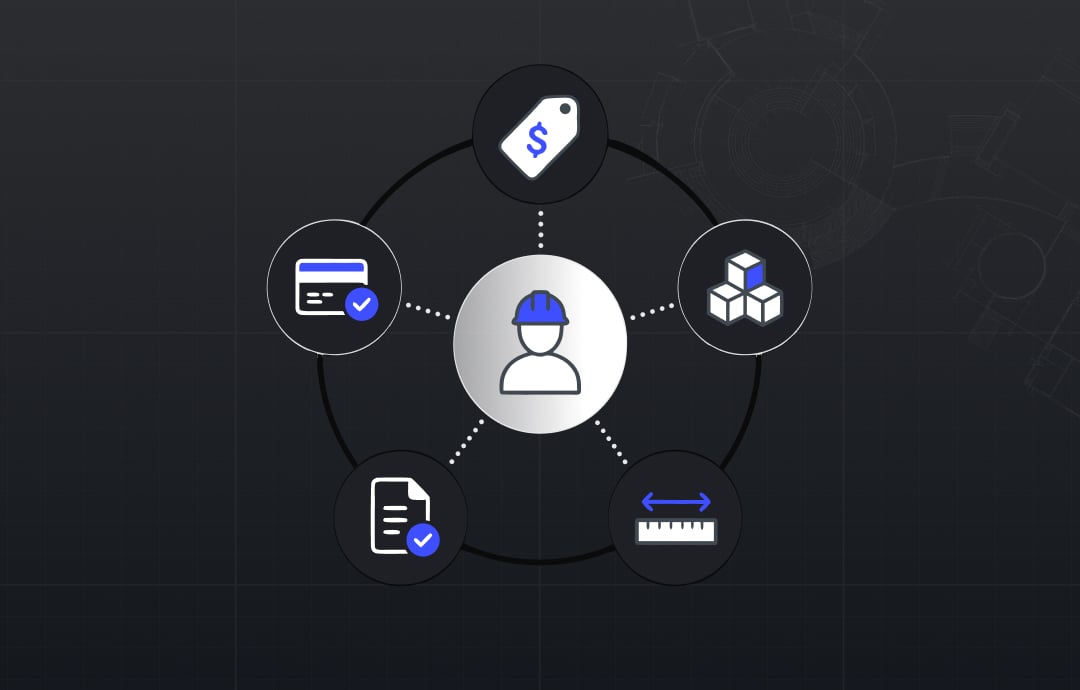
A contractor portal for wholesale building materials must include five things to keep trade account orders in the digital channel: account-specific contract pricing displayed at browse time, unit of measure configured to match construction ordering conventions, job cost code fields at the line and order level, real-time or near-real-time inventory connected to the warehouse management system, and net terms and account credit available at checkout without requiring a payment card.
This shift is playing out across the whole category, and the way building materials distributors are moving ordering online shows where the momentum is heading.
The 5 Things a Contractor Portal Must Deliver for Wholesale Building Materials
Each of these five requirements reflects a real failure mode. When one is missing, the contractor encounters a wall in his ordering workflow that sends the transaction back to the phone.
1. Contract pricing at browse time. A trade account in wholesale building materials distribution has negotiated pricing. A GC running $300,000 per year through a single supply house has a rate schedule that is materially different from the public catalog price. That rate is not a percentage discount applied at checkout. It is a line-item rate that is part of the contractor's project budget. When the portal shows list price while browsing, the contractor cannot validate his material cost estimate before adding items to the cart. He does not know whether the discount will apply. He does not know what he is actually going to be invoiced. The uncertainty alone is enough to close the session. The portal must surface each account's actual contracted price at the catalog and product page level, before the cart, so the contractor is comparing the number he sees in the portal to the number in his estimate. This requires a price list architecture that connects company accounts to their specific rate schedules and applies them throughout the browsing experience, not only at checkout.
2. Unit of measure that matches how contractors order. Building materials move in units that do not correspond to individual pieces. Dimensional lumber moves in linear feet, bundles, or units depending on the yard and the species. Concrete block moves by the cube. Roofing underlayment moves by the roll or the square. OSB and plywood move by the sheet, the unit, or the pallet. Rebar moves by the piece, the bundle, or the ton. Every one of these conventions is standard for the category. When the portal defaults to individual unit counts, the contractor must calculate his quantity against a unit the portal understands. He gets the conversion wrong by the third category, realizes the cart total is not matching his takeoff, and abandons. UOM configuration is not a minor catalog detail. It is the single most common source of order abandonment after pricing. Each product category needs to be mapped to the unit the contractor uses, with minimum order quantities that reflect the actual broke-lot and full-pallet pricing structure of your inventory.
3. Job cost code fields at the line and order level. A contractor billing materials to a construction project needs two things from every purchase: a job number and a cost code. The job number ties the purchase to a specific project in the contractor's accounting system. The cost code (concrete work, framing, roofing, mechanical, electrical) ties the purchase to the correct budget line within that project. Without both, the invoice from the distributor arrives with no information the project manager can use to post the expense. The project manager then calls the GC, the GC calls the yard, and the yard researches the order to get the job number and cost code information that should have been captured at the time of purchase. A portal that includes a job number field and a cost code field at the line item level eliminates this entire workflow. For a contractor running five active projects simultaneously, the ability to tag every line in a cart to the correct project without a follow-up call is a genuine operational improvement that generates loyalty to the portal.
4. Real-time inventory connected to your WMS. A contractor ordering for a Thursday morning pour or a Monday framing start cannot rely on inventory counts that were accurate at midnight. Building materials distribution involves receiving throughout the day. A truckload of OSB arrives at 10 AM and adds to available stock. A large account cleans out the concrete block inventory at 1 PM. If the portal syncs from the warehouse management system overnight, a contractor checking availability at 3 PM is looking at a number that is potentially ten hours out of date. The consequences are: a contractor orders a material that is not actually in stock, a backorder occurs, the job schedule is affected, and the contractor calls your team instead of trusting the portal. Near-real-time inventory requires an integration between the portal and the WMS that updates on a short cycle, ideally under an hour for fast-moving SKUs. For construction supply distributors managing multiple branch locations, the portal also needs to show availability by branch, so a contractor ordering for a job site in one geography sees the inventory count at the branch that serves that location, not an aggregated total across the network. For distributors running Epicor as the system of record, that sync layer is what keeps branch availability in the portal matching the warehouse floor.
5. Net terms and account credit at checkout. Trade accounts in wholesale building materials distribution do not pay at the point of order. They receive an invoice and pay at the end of the billing cycle, typically on net 30 or net 60 terms. When the portal presents a credit card screen at checkout, the transaction ends for every established trade account holder. He is not going to put a $5,000 lumber order on a card. His business runs on trade credit. The portal needs to recognize the account's credit terms, display the available credit balance, and present the invoice option as the checkout method. It also needs to apply credit holds correctly: an account that has exceeded its credit limit needs to see that clearly before submitting the order, with a path to contact the credit department, rather than a generic checkout error. Getting payment logic right for trade accounts requires building the checkout around B2B payment conventions, not adapting a consumer checkout.
Beyond the Basics: What Makes Contractors Use the Portal Every Day
Once the five requirements above are in place, the portal can earn consistent use. The features that move a portal from adequate to preferred for trade accounts go further.
Buy-from-list or takeoff upload. A contractor who can upload a material takeoff list and resolve it against the catalog in one step rather than searching for twenty line items individually has a reason to choose the portal over the phone every time. This feature requires the ability to map the contractor's internal material descriptions to the catalog SKUs, handle UOM conversions, and flag items that cannot be found or are out of stock so the contractor can address them before submitting. It is the single highest-impact feature for contractor adoption that goes beyond the five requirements.
Reorder by job. A contractor managing multiple active projects needs to restock materials for a specific phase without rebuilding the original order. A portal that surfaces order history by job number lets a foreman pull up last week's framing order, adjust quantities, and submit a reorder in two minutes. This is the reorder experience that earns a portal a permanent place in the contractor's morning workflow.
Partial pallet and broke-lot pricing. Not every contractor order is a full pallet. A smaller job or a phase completion order may require two-thirds of a pallet of concrete block or a partial bundle of dimensional lumber. The broke-lot pricing that applies to partial quantities needs to be transparent in the portal, not a number the contractor has to call to find out. When partial quantities show accurate pricing automatically, the contractor can order the exact amount he needs without a pricing conversation.
Tariff-adjusted pricing. Construction material prices in 2025 and 2026 have been affected by tariffs on steel, aluminum, lumber, and imported components. A portal that can display pricing as of a specific date, hold a quoted price for a defined window for a project in the estimation phase, or flag materials with recent price changes gives a contractor procurement visibility that a phone conversation cannot match.
How to Structure Trade Accounts in a Wholesale Building Materials Portal
A building materials distributor serving general contractors, subcontractors, and builders needs an account structure that reflects how those businesses operate.
A GC may have a single account at the company level with multiple project sites, multiple trucks, and multiple foremen who order independently. The portal needs to handle company-level accounts with location-level sub-accounts, each with its own ship-to address, each drawing against the same company credit limit and applying the same contract pricing. A framing foreman on site should be able to place an order against the GC's account without having the GC's login credentials or the ability to see another crew's orders.
Account representative assignment matters here. A portal that shows the contractor's account rep, with a direct contact method, keeps the human relationship visible even when the order is fully digital. The rep becomes the exception handler, available when the portal cannot answer a question, rather than the primary transaction channel.
The Shopify B2B wholesale guide covers how company accounts, company locations, and account-specific price lists are structured on Shopify, and how these features map to the multi-site, multi-user account structures that construction supply distributors need to support.
The Wholesale Building Materials Data That Has to Be Right Before Launch
A contractor portal that launches with incomplete or inaccurate product data generates the same abandonment pattern as one with checkout problems. The data problems are harder to diagnose because they are product-specific, but the outcome is the same: the contractor tries to find a product, cannot confirm what he is looking at, and calls the yard.
For wholesale building materials, every product in the catalog needs: a clear category and subcategory (dimensional lumber, engineered wood, concrete masonry units, roofing underlayment, concrete accessories), the species or composition where relevant for lumber and wood products, the grade and treatment where relevant, the unit of measure the contractor uses to order, the minimum order quantity for that unit, the weight per unit for delivery cost calculation, and availability by branch location.
For specialty or technical materials, additional fields matter: fire rating for assemblies, span rating for structural panels, ICC evaluation report numbers for code-referenced products, and compliance designations that a project manager may need to document for inspection. These fields are not required for every contractor supply purchase, but their presence on the product record is what separates a professional wholesale building materials catalog from one that reads like a consumer listing.
The 12 must-haves on your B2B ecommerce website covers the catalog and account experience elements that separate a B2B commerce site that converts from one that loses trade accounts at the browse stage.
How Shopify B2B Powers the Contractor Portal Foundation
Shopify B2B provides the account management and pricing architecture that wholesale building materials distributors need without custom development. Company accounts with location hierarchies, account-specific price lists connected to negotiated rate schedules, net payment terms at checkout, and draft order creation for quote-assisted purchasing are all native to the Shopify B2B framework.
The configuration work that turns a Shopify B2B foundation into a contractor portal covers UOM display and ordering logic using product variants and metafields, job cost code capture using Shopify's order attributes, real-time inventory integration with the WMS using a sync layer that updates on a short cycle, and buy-from-list functionality that allows takeoff upload and catalog resolution.
For a wholesale building materials distributor with multiple branch locations, the portal also needs branch-level inventory visibility and ship-from or pickup-from logic that routes orders to the correct location based on the contractor's job site address.
If you would rather start from a working product than a blank build, this contractor portal guide for building materials wholesale maps directly onto Uncap Portal, our B2B ordering product that covers the account, pricing, and reorder workflows described here.
The building and construction industry page covers the distributor-specific scenarios for construction supply operations: multi-location accounts, contractor account verification, and the integration architecture that connects the portal to ERP and WMS systems
The wholesale solutions page covers how the full ordering stack, from the account structure to the checkout logic to the post-order fulfillment workflow, is configured for wholesale distributors on Shopify.
According to Statista's construction sector data, US construction spending has remained above $2 trillion annually. The wholesale building materials distributors who build digital channels that match contractor procurement workflows are positioned to capture a growing share of that purchasing volume as construction activity continues across residential, commercial, and infrastructure sectors.
Uncap has been a Shopify Platinum Partner since 2013, with 380+ commerce storefronts launched on Shopify, including for distributors, manufacturers, and wholesalers. For construction supply distributors evaluating what a working contractor portal requires from launch to full trade account adoption, our team has built these systems for the workflows described above.
Talk to Our Experts to discuss the contractor portal build for your wholesale building materials operation.
Frequently asked questions
What does a wholesale building materials portal need to include for contractor accounts?
A wholesale building materials portal for contractor accounts must include five elements to retain trade account orders in the digital channel: account-specific contract pricing displayed at browse time rather than list price, unit of measure configuration that matches construction ordering conventions (linear feet, bundles, cubes, pallets, sheets), job cost code fields at the line and order level so contractors can assign materials to project numbers, real-time or near-real-time inventory connected to the warehouse management system, and net payment terms at checkout so trade account holders can invoice rather than pay by card. Portals that are missing any one of these will see contractors complete one or two orders and revert to phone and counter ordering.
How should a building materials distributor configure pricing in a contractor portal?
Contractor-specific pricing in a building materials distributor portal requires a price list architecture that is tied to the company account, not the individual login. Each trade account should have a price list that reflects its negotiated rate schedule, and that price list should apply at the catalog browse level so the contractor sees his actual price on every product before adding it to the cart. The price list should also be maintained through a sync with the distributor's pricing system or ERP so that negotiated rate changes are reflected in the portal without manual updates. Displaying contract pricing at browse time rather than applying it as a checkout adjustment is the single most important pricing decision for contractor portal adoption.
What is a material takeoff and how does it affect the contractor portal design?
A material takeoff is the document a superintendent or project manager produces before each construction phase, listing every material required for that phase in the quantities and units the contractor uses, tied to the project number and cost code. It is the contractor's purchasing document. A portal designed for contractor supply purchasing needs to support this workflow directly: the contractor should be able to upload a takeoff list or enter items from it and resolve them against the catalog without searching for each product individually. This buy-from-list capability, combined with job cost code fields that let each line item be assigned to a project number, is what makes a wholesale building materials portal a tool contractors choose over the phone rather than an alternative they try once and abandon.
How does real-time inventory affect contractor purchasing decisions in a building materials portal?
Contractors scheduling deliveries for job sites need to know whether a material is available today or tomorrow, not whether it was available at midnight last night. A portal showing stale inventory creates two failure modes: the contractor orders a material that turns out to be out of stock, creating a backorder and a job site delay; or the contractor sees a low count that appears insufficient for his order and calls the yard to confirm before ordering, at which point the portal has added friction rather than removed it. Real-time or near-real-time inventory, updated on a short sync cycle from the warehouse management system, is the requirement for contractor accounts whose job scheduling depends on material availability. For distributors with multiple branch locations, the portal also needs branch-level availability so the contractor sees the inventory count at the location that serves his job site.